
| System / Method | Shortcut or Code | Notes |
|---|---|---|
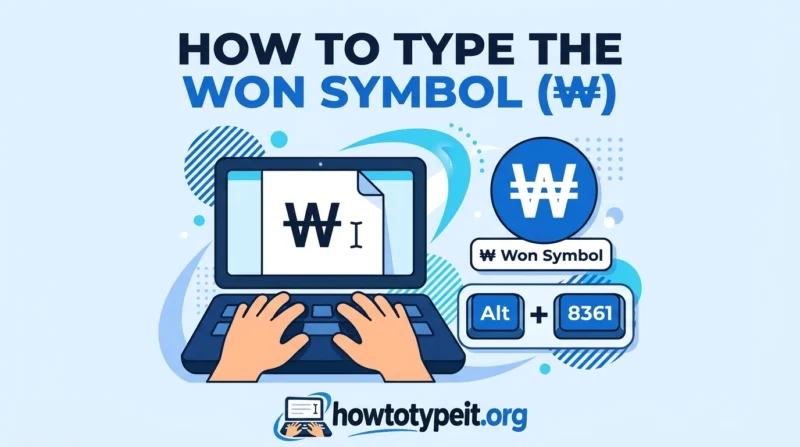
| Windows ALT Code | ALT + 8361 | Use physical numeric keypad |
| Mac Shortcut | Option + 20A9 | Requires UNICODE HEX Input layout |
| Word Shortcut | 20A9 then ALT+X | Instant HEX-to-UNICODE conversion |
| UNICODE | U+20A9 | Standard hexadecimal codepoint |
| HTML Entity | ₩ | Decimal web entity |
Quick Copy and Paste the Won Symbol
The won symbol (₩) designates the official currency of South Korea and appears frequently in financial documents, international trade spreadsheets, and travel itineraries. When keyboard shortcuts fail or application environments restrict direct input characters, copying the glyph directly remains the fastest method for reliable insertion.
Instant Copy Utility
Highlight, copy, and paste the isolated symbol directly from the utility box above. The character retains strict UTF-8 formatting across web browsers, text editors, and word processing applications without introducing layout corruption.
How to Type the Won Symbol on Windows
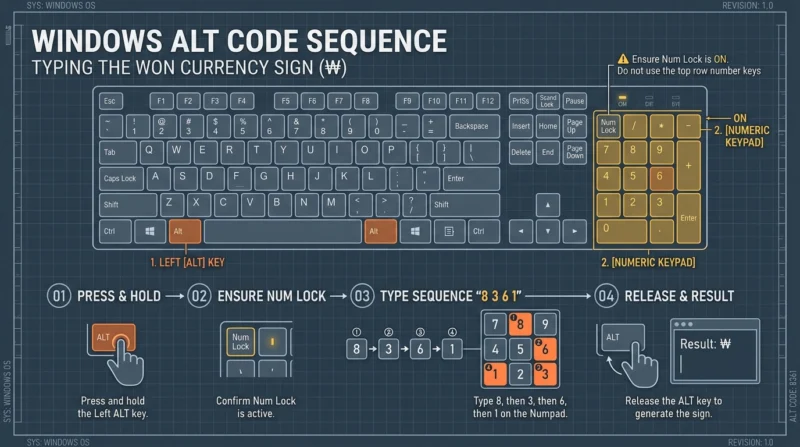
Microsoft Windows provides multiple pathways to render the won currency sign depending on whether the hardware configuration includes a dedicated numeric keypad or standard office productivity software.
Using the ALT Code Shortcut
To generate the won sign on Windows systems with a dedicated number pad, verify that Num Lock is active. Press and hold the ALT key, type 8361 sequentially on the numeric keypad, and release the ALT key. Standard top-row number keys do not register correctly for this operation.
Using Microsoft Word ALT+X
Office applications running on Windows support native hexadecimal character conversion. Type the exact string 20A9 directly into the document workspace, then press ALT + X. The application instantly transforms the alphanumeric text string into the rendered won symbol (₩).
How to Type the Mac Symbol on Mac
macOS manages international currency glyphs through system input sources and utility panels rather than singular native modifier keys.
Using UNICODE HEX Input
Open system keyboard settings, add the UNICODE HEX Input layout as an active input source, and hold down the Option key while typing 20A9 on the primary keyboard layout to output the target currency sign.
Using the Character Viewer
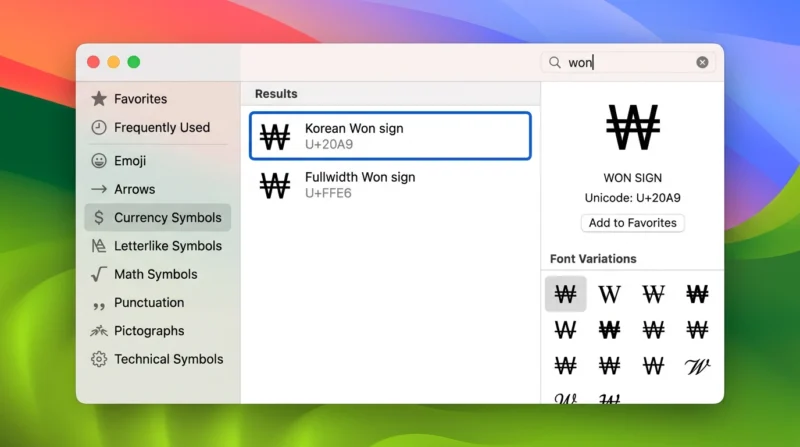
Access the macOS character viewer by pressing Control + Command + Space. Type won into the search utility field, locate the currency entry in the search results, and double-click to insert the glyph directly into the active text field.
Technical Specifications for the Won Sign
Understanding the underlying digital architecture of the won sign prevents rendering errors across varying software environments and web platforms.
UNICODE and HTML Entities
The standard currency character carries the UNICODE designation U+20A9 and a decimal value of 8361. Web developers embed the glyph safely into HTML documents using the numeric entity ₩. For spreadsheet automation, formula references rely on the decimal mapping or direct string values.
Korean Keyboard Layout Behavior
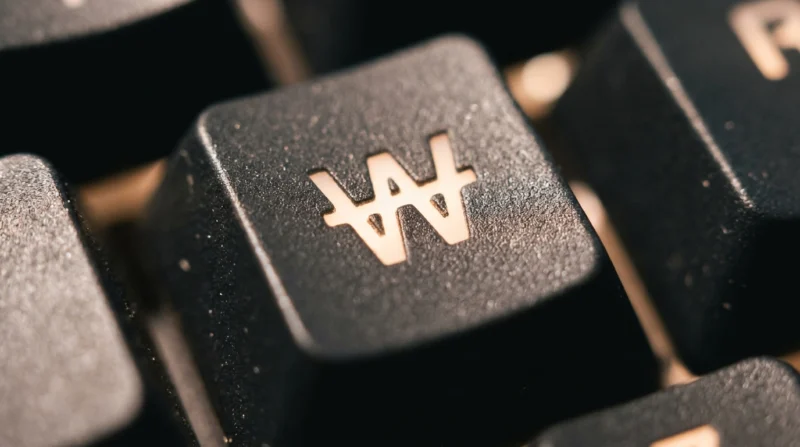
Physical keyboards configured with the standard South Korean layout map the won currency symbol directly to the key located immediately above the Enter key. On standard US English hardware, this exact key outputs the backslash () or pipe (|) character.
Frequently Asked Questions
What is the ALT code for the won symbol?
The ALT code for the won symbol (₩) is ALT + 8361 when using the numeric keypad on Windows.
How do you type the won symbol in Microsoft Word?
In Microsoft Word, type 20A9 and then press ALT + X to instantly convert the hexadecimal code into the won symbol.
What is the UNICODE value for the Korean won sign?
The UNICODE character for the won sign is U+20A9, with a decimal value of 8361.
How do you type the won symbol on a Korean keyboard layout?
On a standard Korean physical keyboard layout, the won sign is mapped directly to the key immediately above the Enter key, which handles the backslash on US keyboards.