

| System / Method | Shortcut or Code | Notes |
|---|---|---|
| Windows ALT Code | ALT + 0163 | Use numeric keypad |
| Mac Shortcut | Option + 3 | Direct key combination |
| Word Shortcut | 00A3 then ALT + X | HEX-to-UNICODE conversion |
| UNICODE | U+00A3 | Standard HEX code |
| HTML Entity | £ or £ | Web safe encoding |
Quick Methods to Type the GBP Pound Symbol
Typing the British Pound symbol (£) depends entirely on your operating system layout and hardware configuration. Standard US keyboards lack a dedicated physical key for the currency sign, requiring system-level shortcuts or character maps.
Windows ALT Codes
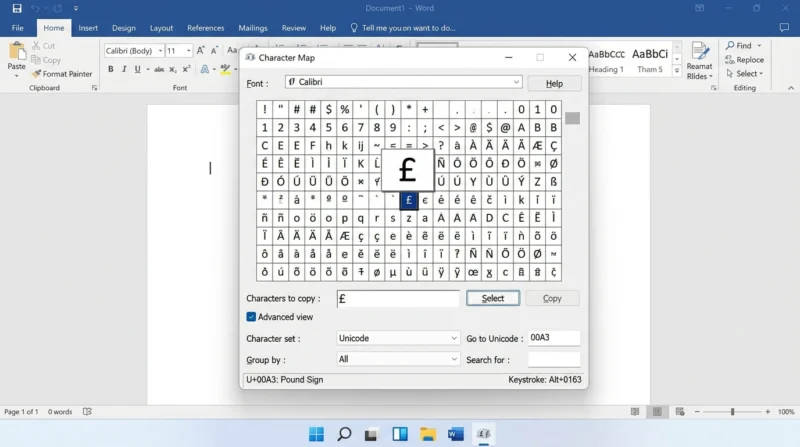
On Windows desktop systems equipped with a physical numeric keypad, the native ALT code sequence offers direct insertion. Ensure NUMPAD is active, press and hold ALT, type 0163 on the numeric pad, and release ALT. Alternatively, ALT + 163 functions across legacy applications. Laptops without a dedicated numeric keypad require enabling the NumLock software layer or utilizing the Windows Character Map utility (charmap).
Mac OS Shortcuts
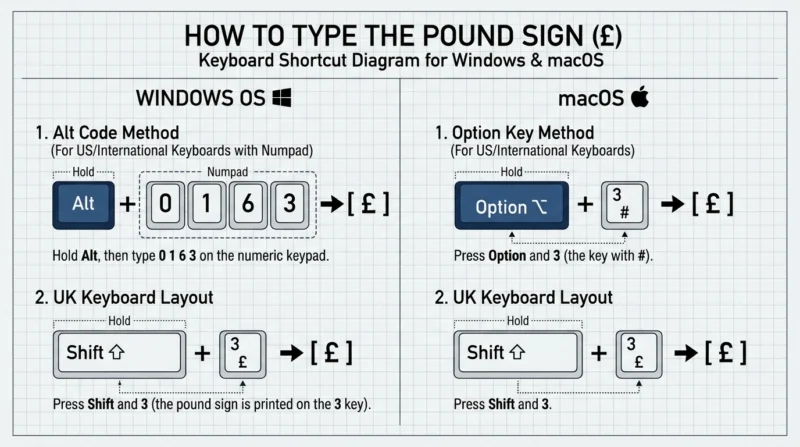
Apple macOS systems map the currency glyph directly to standard modifier combinations. Pressing Option + 3 renders the pound sign (£) instantly in text fields, word processors, and browser input forms. Users running a British layout keyboard will find the symbol mapped to SHIFT + 3 natively.
UK Keyboard Layouts
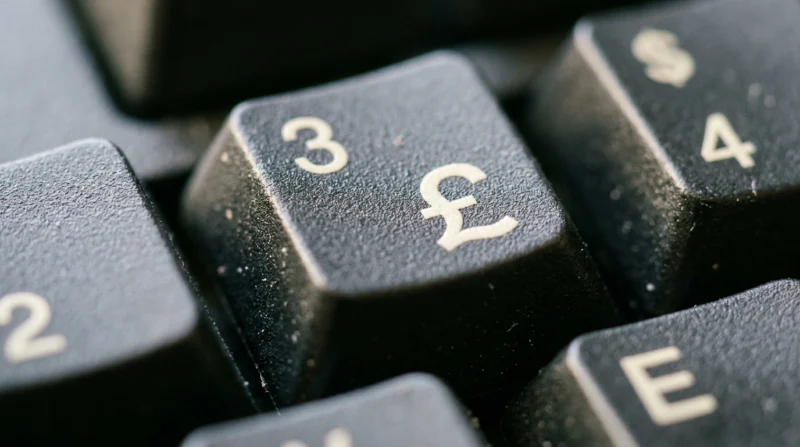
Hardware keyboards configured for the United Kingdom place the pound sign on the top number row. Pressing SHIFT + 3 produces the £ glyph, while the US layout produces the hash or number sign (#) using the exact same keystroke.
Typing the Pound Sign in Software Applications
Productivity suites and document editors provide dedicated shortcuts to bypass operating system limitations when inserting special characters.
Microsoft Word UNICODE Trick
Microsoft Word supports direct hexadecimal-to-UNICODE translation. Type the hexadecimal code 00A3 directly into your document workspace, then press ALT + X. The four characters transform instantly into the £ symbol. Reversing the shortcut (ALT + X on the existing symbol) exposes the underlying UNICODE value.
Google Docs Special Characters
Cloud-based editors like Google Docs rely on built-in character libraries. Navigate to the top menu, select Insert, choose Special characters, and type “pound” into the search bar. Click the resulting £ glyph to insert it directly at the cursor position.
Mobile Input for iOS and Android
Virtual keyboards on mobile operating systems organize symbols into secondary menus accessible via touch modifiers.
iPhone and iPad
Open the iOS virtual keyboard and switch to the numeric and symbols layout by tapping the 123 key. Locate the standard dollar sign ($) key, press and hold it down, and slide your finger across the pop-up menu to select the £ glyph.
Android Devices
Access the symbols layout by tapping the ?123 or =/< key on Gboard or Samsung Keyboard. Tap the secondary modifier key (often marked as ~[) to reveal secondary currency symbols, then tap the £ icon. Long-pressing the currency key also triggers a quick selection popup.
Technical Specifications and Character Encoding
Web developers and programmers need exact character references to render the currency symbol correctly across browsers and stylesheets.
UNICODE and HTML Entities
The British Pound sign is registered under standard character sets with specific values for markup integration:
- UNICODE HEX:
U+00A3 - UNICODE Decimal:
163 - HTML Named Entity:
£ - HTML Decimal Entity:
£ - HTML HEX Entity:
£
Character Block Details
The glyph resides in the Latin-1 Supplement block spanning from U+0080 to U+00FF. Classified under General Category Sc (Currency Symbol), it was established in the initial UNICODE 1.1 release in 1993.
Frequently Asked Questions
How do I type the British Pound symbol (£) on Windows?
You can type the pound symbol on Windows by ensuring Num Lock is active, holding down the ALT key, and typing 0163 on your numeric keypad.
What is the keyboard shortcut for the GBP symbol on Mac?
On an Apple macOS system, press the Option key and the number 3 key simultaneously to insert the pound sign.
How do I make the pound symbol appear in Microsoft Word?
Type 00A3 in your document workspace and immediately press ALT + X to convert the alphanumeric text into the £ symbol.
What is the UNICODE value for the Pound Sign?
The official UNICODE code point for the British Pound symbol is U+00A3, which corresponds to the decimal value 163.