
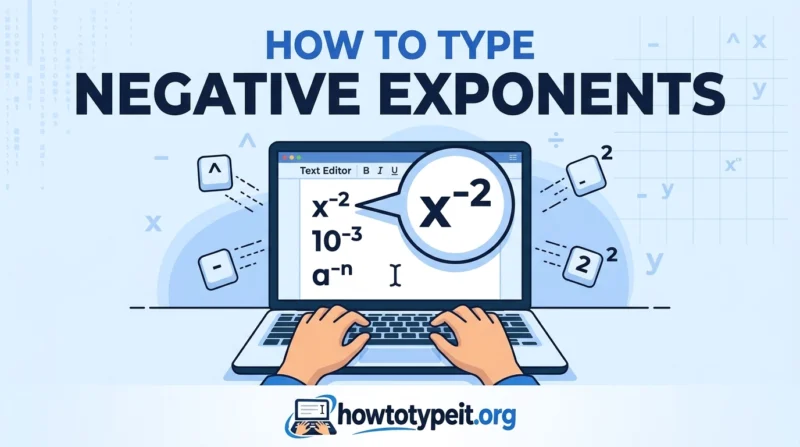

| System / Method | Shortcut or Code | Notes |
|---|---|---|
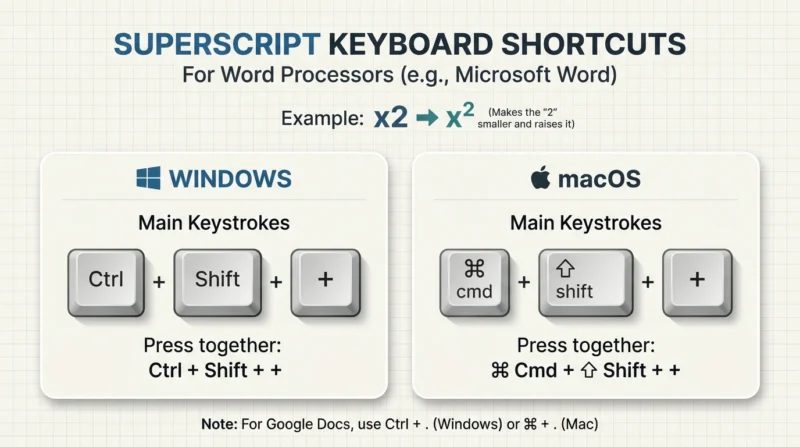
| Windows Word Shortcut | CTRL + SHIFT + = | Toggles superscript mode on and off. |
| Mac Word Shortcut | CMD + SHIFT + + | Toggles superscript formatting. |
| Plain Text Syntax | ^ followed by - | Example: x^-2 or 10^(-4). |
| UNICODE Symbol | U+207B | Superscript minus sign character. |
| HTML Entity | ⁻ or &supminus; |
For safe web publishing. |
Understanding Negative Exponents in Typography
Typing a negative exponent requires a balance between strict mathematical rules and practical plain-text formatting. Mathematically, a negative exponent denotes a reciprocal. For example, the expression (a^{-n}) translates directly to (frac{1}{a^n}) for any nonzero base (a). When writing equations across different platforms, you must decide whether to use plain-text code conventions or true formatted superscripts.
Mathematical Definition
When typing equations into code editors, command lines, or plain-text environments, you cannot rely on visual typography alone. You must use explicit operators. The caret symbol ^ indicates that the subsequent characters are raised to a power. When combined with a minus sign -, it forms a negative exponent string such as x^-3 or 10^(-4).
Plain Text vs Formatted Superscript
Precision matters when managing operator precedence. Writing -3^4 tells the system to evaluate the negative of (3^4), resulting in (-81). To apply the negative exponent to the entire base, you must wrap the base in parentheses like this: (-3)^4. In rich-text environments like word processors, visual formatting replaces the need for a caret symbol.
How to Type Negative Exponents in Word Processors
Word processing applications provide dedicated tools to elevate characters into true superscript positions without needing plain-text carets.
Microsoft Word Shortcuts
To type a negative exponent inside Microsoft Word, place your cursor where the number belongs. Press CTRL + SHIFT + = on Windows, or CMD + SHIFT + + on macOS. This activates superscript mode. Type your minus sign and your exponent digits (for example, - and 2). Press the exact same shortcut combination again to return your typing cursor to the normal baseline.
Google Docs and Plain Text
Google Docs handles exponents similarly. You can highlight an existing number and navigate to the format menu to select superscript, or use the equation editor by pressing ALT + SHIFT + K (or going to Insert, then Equation). Inside the equation box, type a caret ^ followed by a minus sign and your exponent value. The editor will automatically nest the minus sign and digits into the superscript zone.
Entering Negative Exponents on Scientific Calculators
Entering negative exponents into physical or software calculators requires careful distinction between subtraction operators and negative sign operators.

Using the Negative Key vs Subtraction
When working with scientific notation, you must use the calculator’s dedicated negative sign key (usually marked as (-) or +/-) rather than the standard subtraction key -. Pressing the subtraction key tells the calculator to perform an arithmetic operation between two values, whereas the negative sign tells the machine that the following value is a negative magnitude.
Scientific Notation Input
To input numbers like (6.02 times 10^{-23}) on a scientific calculator, enter the base coefficient, press the EXP or EE key, then press the negative key (-) followed by the exponent digits. This ensures the entire expression evaluates correctly as a single floating-point number.
Frequently Asked Questions
How do you type a negative exponent in plain text?
You can type a negative exponent in plain text by using a caret symbol followed by a minus sign and the number, such as x^-2 or 2^(-4).
What is the keyboard shortcut for superscript in Microsoft Word?
The keyboard shortcut to toggle superscript formatting in Microsoft Word on Windows is CTRL + SHIFT + =.
How do you format a negative exponent in Google Docs?
You can type the expression using a caret symbol like x^-2 inside an equation block, or use the format menu to change the text style to superscript.
What is the difference between -3^4 and (-3)^4?
-3^4 evaluates the negative of 3 to the 4th power, whereas (-3)^4 applies the exponent to the entire negative base using parentheses.