
Quick Copy and Paste Accented W Characters
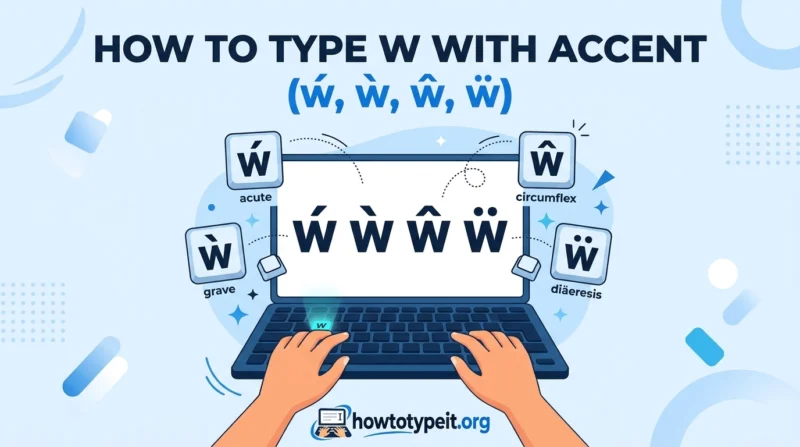
Accented W variants appear in various specialized contexts, including Welsh romanization, linguistic transcriptions, and historical texts. Because standard physical keyboards lack dedicated keys for these glyphs, typing them requires specific input methods or direct copying.
| Symbol | Description | ALT Code (Windows) | UNICODE HEX | HTML Entity |
|---|---|---|---|---|
| ẃ | W with acute accent (lowercase) | ALT + 7811 | U+1E83 | ẃ |
| ẁ | W with grave accent (lowercase) | ALT + 7809 | U+1E81 | ẁ |
| ŵ | W with circumflex (lowercase) | ALT + 373 | U+0175 | ŵ |
| ẅ | W with diaeresis / umlaut (lowercase) | ALT + 7813 | U+1E85 | ẅ |
| ẇ | W with dot above (lowercase) | ALT + 7815 | U+1E87 | ẇ |
| ẘ | W with ring above (lowercase) | ALT + 7832 | U+1E98 | ẘ |
| ẉ | W with dot below (lowercase) | ALT + 7817 | U+1E89 | ẉ |
| Ẃ | W with acute accent (uppercase) | ALT + 7810 | U+1E82 | Ẃ |
| Ẁ | W with grave accent (uppercase) | ALT + 7808 | U+1E80 | Ẁ |
| Ŵ | W with circumflex (uppercase) | ALT + 372 | U+0174 | Ŵ |
| Ẅ | W with diaeresis (uppercase) | ALT + 7812 | U+1E84 | ̐ |
| Ẇ | W with dot above (uppercase) | ALT + 7814 | U+1E86 | ̒ |
| Ẉ | W with dot below (uppercase) | ALT + 7816 | U+1E88 | ̔ |
How to Type W with Accent on Windows

Windows users have access to multiple pathways for inputting accented W characters, depending on the software environment and keyboard configuration.
Using Numeric Keypad ALT Codes
To use ALT codes successfully, your keyboard must feature a dedicated physical numeric keypad, and NUM LOCK must be enabled. Hold down the ALT key, type the exact decimal code on the numeric keypad, and release ALT. For example, holding ALT and pressing 7811 produces the lowercase acute ẃ.
Using Microsoft Word ALT+X Shortcuts
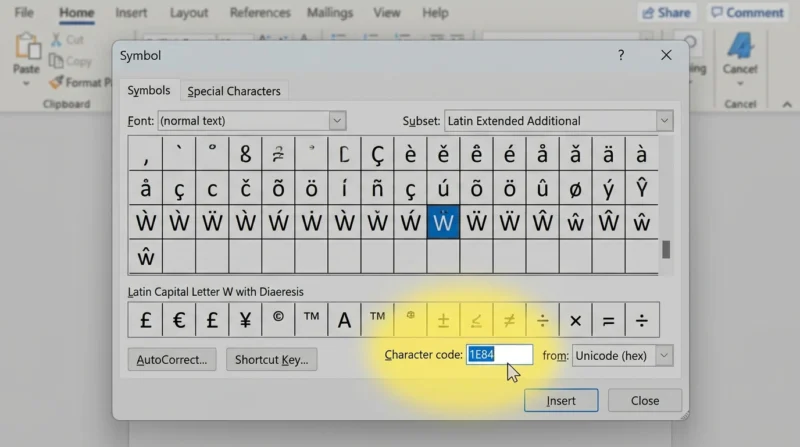
Microsoft Word provides a streamlined native method for typing UNICODE characters directly within documents. Type the hexadecimal UNICODE value, then press ALT + X immediately after the code to transform the text into the corresponding glyph.
- Type
1E83then press ALT + X to generate ẃ. - Type
1E81then press ALT + X to generate ẁ. - Type
0175then press ALT + X to generate ŵ. - Type
1E85then press ALT + X to generate ẅ. - Type
1E87then press ALT + X to generate ẇ.
Typing W with Accent Using Dead Keys
Operating systems support dead-key layouts, such as the United States-International keyboard configuration, which streamline typing accented letters without memorizing long numeric codes.
US-International Layout Sequences
When the US-International keyboard layout is active in your system settings, pressing specific accent modifier keys temporarily stores the accent in memory rather than printing a character immediately. Pressing w next combines the modifier with the letter.
- Press ' (apostrophe) then w to output ẃ.
- Press ` (grave) then w to output ẁ.
- Press SHIFT + 6 (^) then w to output ŵ.
- Press SHIFT + ' (") then w to output ẅ.
Technical UNICODE and HTML Reference
Web developers and typesetters frequently require precise code points when rendering international characters in markup languages and style sheets.
UNICODE Code Points
Every accented W character maps to a unique code point within the UNICODE standard. These hexadecimal values remain consistent across modern operating systems, web browsers, and text editors.
HTML Entities
When writing HTML, named entities like ŵ work for standard characters such as ŵ. For other variants, use numeric decimal or hexadecimal entity references such as ẃ to ensure reliable rendering across all web engines.
Frequently Asked Questions
How do I type a lowercase w with a circumflex (ŵ) on Windows?
You can type a lowercase w with a circumflex by holding down the ALT key and typing 373 on your numeric keypad, or by typing the UNICODE HEX code 0175 followed by ALT + X in Microsoft Word.
What is the ALT code for W with an acute accent (ẃ)?
The ALT code for the lowercase ẃ is ALT + 7811 using a numeric keypad, while the uppercase Ẃ corresponds to ALT + 7810.
How do I use dead keys to write an accented w?
By switching your keyboard layout to United States-International, you can press an accent modifier key like the apostrophe for acute, grave for grave, or caret for circumflex, and then press the w key.
How can I quickly copy and paste an accented W?
You can instantly highlight and copy any of the accented W variants directly from the interactive quick-reference symbol grid at the top of this guide.