

| System / Method | Shortcut or Code | Notes |
|---|---|---|
| Windows Standard | SHIFT + 4 | Standard US QWERTY layout |
| Windows ALT Code | ALT + 36 | Requires numeric keypad |
| Mac Shortcut | SHIFT + 4 | Standard macOS layout |
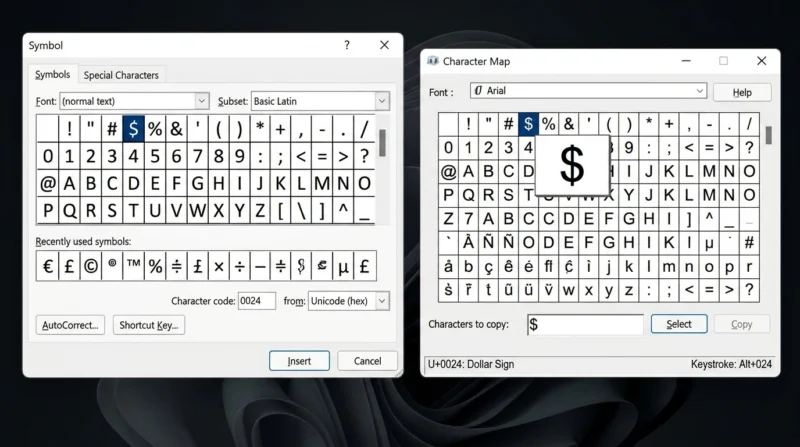
| Word UNICODE | 0024 then ALT + X | Converts HEX directly in Microsoft Office |
| UNICODE HEX | U+0024 | Universal character set identifier |
| HTML Entity | $ or $ | Web safe character reference |
Quick Answer: The Default Dollar Symbol Shortcut
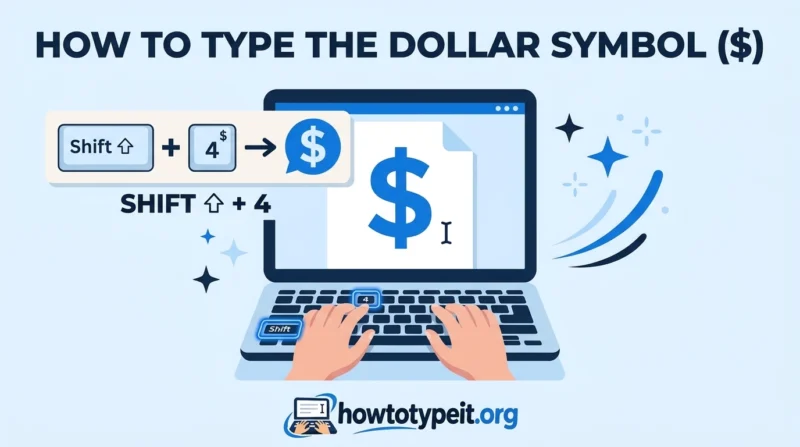
The primary glyph for currency expression across modern computing is the dollar symbol ($). The universal default shortcut across standard US and international keyboards is pressing SHIFT + 4 on both Windows and macOS systems. This key combination maps directly to the number row where the primary character occupies the upper register of the fourth key.
Using Standard US and International Keyboards
On a standard ANSI US QWERTY keyboard, locate the top number row. The digit 4 shares a keycap with the dollar sign. Depress and hold either the left or right SHIFT key, tap 4, and release SHIFT. For international layouts such as UK ISO keyboards, the SHIFT-four combination yields the pound sterling symbol (£) instead. International users must switch their operating system keyboard layout to US or utilize alternative entry vectors.
Common Variations on Non-US Layouts
European and Asian regional physical keyboards often rearrange upper row punctuation and currency glyphs. Users facing layout restrictions frequently rely on software-based character maps or direct numeric code inputs to generate the correct sign without reconfiguring their operating system language profiles.
How to Type the Dollar Sign on Windows
Windows provides multiple pathways to output the dollar symbol depending on your hardware configuration and active software environment.

Standard SHIFT Combination
The fastest system-wide method utilizes the default layout: hold SHIFT and press 4 on the primary alphanumeric row.
Numeric Keypad ALT Code Method
If your keyboard features a dedicated numeric keypad (NUMPAD) on the right side, you can bypass standard layout rules using legacy ASCII input:
- Ensure your physical numeric keypad is active by pressing the Num Lock key.
- Click into any active text entry field.
- Press and hold the left ALT key.
- Type 3 followed by 6 sequentially on the numeric keypad.
- Release the ALT key. The dollar symbol ($) renders immediately.
Microsoft Word UNICODE Shortcut
When working inside Microsoft Word or Outlook, text editing features support direct hexadecimal conversion:
- Type the exact UNICODE hexadecimal sequence 0024 into your document.
- Immediately press ALT + X.
- The raw characters convert instantly into the dollar symbol ($).
How to Type the Dollar Sign on Mac
Apple macOS environments streamline currency input through unified keyboard shortcuts across native and third-party applications.
macOS Keyboard Shortcut
To output the symbol on a standard Apple Magic Keyboard or MacBook built-in keyboard, press SHIFT + 4.
Avoiding Common Cent Symbol Confusions
Users must take care not to confuse modifier keys on Apple hardware. While holding Option + 4 produces the cent symbol (¢) on standard US Mac layouts, the dollar sign strictly requires the SHIFT modifier paired with the 4 key.
How to Type the Dollar Sign on Mobile Devices
Smartphones and tablets require switching the software keyboard interface to access punctuation and currency layers.
iOS and Android Symbol Keyboard
Tap the numeric toggle key (usually labeled 123 or ?123) located in the bottom corner of your software keyboard. Once the symbol grid appears, tap the dollar sign ($) key. On many operating systems, tapping a secondary symbol key (+=) may be required if the primary numeric layout prioritizes alternative currency markers like Euros or Yen.
Long-Press Access Tricks
On modern virtual keyboards, you can often hold down the primary local currency key or the default symbol key to trigger a floating popup menu containing related currency options, allowing you to slide your finger directly onto the dollar symbol.
Frequently Asked Questions
What is the shortcut to type the dollar symbol on a standard keyboard?
On standard Windows and Mac layouts, press SHIFT + 4 to type the dollar symbol ($).
How do I type a dollar sign using an ALT code on Windows?
Turn on Num Lock, hold down the ALT key, type 36 on your numeric keypad, and release ALT to produce the $ symbol.
How do I insert a dollar sign in Microsoft Word using UNICODE?
Type 0024 in your document and immediately press ALT + X to convert the code into a dollar sign ($).
Why does pressing Option + 4 give me a cent sign instead of a dollar sign on Mac?
On some international or specialized Mac layouts, the Option modifier accesses secondary glyphs like the cent sign (¢), whereas the standard dollar sign always requires SHIFT + 4.