
| System / Method | Shortcut or Code | Notes |
|---|---|---|
| Windows ALT Code | ALT + [Code] | Use numeric keypad |
| Mac Shortcut | Option + [Key] | Direct key combination |
| Word Shortcut | [HEX] then ALT+X | Or Insert Symbol |
| UNICODE | U+[HEX] | Standard HEX code |
| HTML Entity | &[name]; or &#…; | Web safe |
Understanding B with Accent Variants
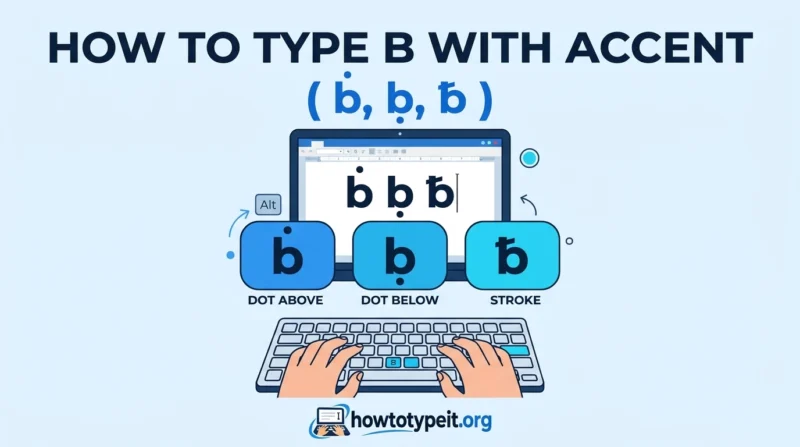
Accented or modified versions of the letter B appear in linguistic transcription, phonetic alphabets, and historical texts. The character most frequently requested under this category is ḃ (b with a dot above). Depending on your exact textual context, you may require other modified forms such as ḅ (dot below), ḇ (line below), or ƀ (stroke).
The Most Common Form: B with Dot Above (ḃ)
The lowercase ḃ (UNICODE U+1E03) and uppercase Ḃ (UNICODE U+1E02) combine the standard base letter with an overdot. This glyph historically represents lenition in Celtic languages such as Irish, or serves as a specific transliteration marker in academic contexts.
Other Accented and Modified B Characters
Beyond the overdot, several variations exist across international typographic standards:
- b with dot below (ḅ / Ḅ): Used in Semitic transliteration and specific linguistic systems.
- b with line below (ḇ / Ḇ): Used in Hebrew transliteration to denote fricativization.
- b with stroke (ƀ / Ƀ): Used in Americanist phonetic notation and certain orthographies.
- b with hook (ɓ / Ɓ): Standard International Phonetic Alphabet symbol for a voiced bilabial implosive.
How to Type B with Accent on Windows
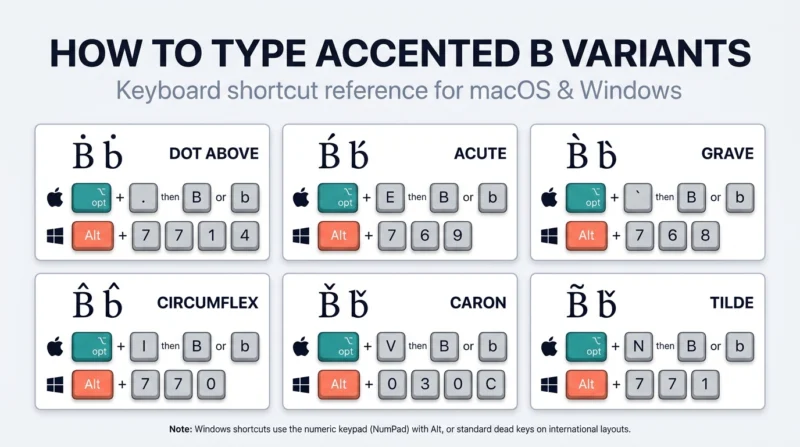
Because accented B glyphs fall outside the standard ANSI Windows-1252 character range, standard NUMPAD ALT codes do not work reliably across all applications. However, Microsoft operating systems and word processors offer robust alternatives.
Using Microsoft Word HEX Codes
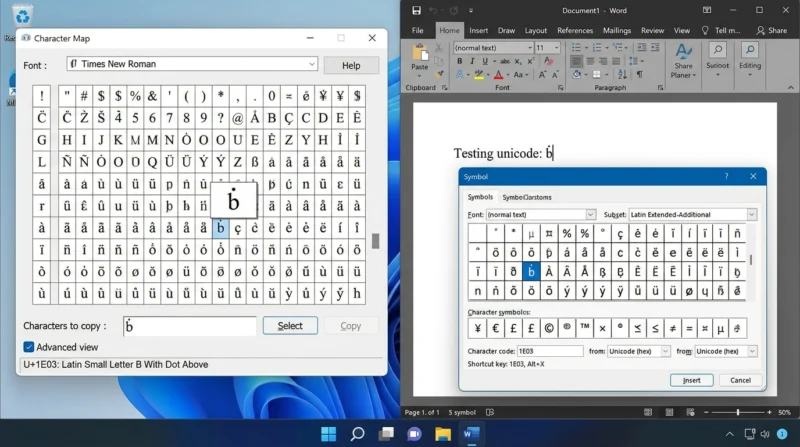
Microsoft Word supports native UNICODE hexadecimal input. To generate ḃ in Word:
- Type the hexadecimal code 1E03 directly into your document.
- Press ALT + X immediately after the code.
- The text converts instantly into ḃ. For uppercase Ḃ, type 1E02 followed by ALT + X.
Using the Windows Character Map
For applications outside of Word where shortcuts fail, use the built-in system tool:
- Press WIN + R to open the Run dialog box.
- Type charmap and press ENTER.
- Check the box labeled “Advanced view”.
- In the “Search for” field, type b with dot above or 1E03, then click Search.
- Select the character, click Select, and click Copy to place it on your clipboard.
How to Type B with Accent on Mac
macOS handles modified characters efficiently when using extended keyboard layouts. Standard system layouts do not map accented B variants by default, but the ABC Extended layout provides direct keystroke combinations.
Using the ABC Extended Layout
To enable dead keys for overdots on macOS:
- Open System Settings and navigate to Keyboard settings.
- Add the ABC Extended keyboard layout.
- Switch to ABC Extended in your menu bar.
- Press OPTION + W to initiate the dot-above modifier, then press B to output ḃ. For uppercase Ḃ, press OPTION + W followed by SHIFT + B.
Using the macOS Character Viewer
If you prefer a visual menu:
- Press CTRL + CMD + SPACE to open the Character Viewer.
- Type b with dot into the search bar at the top right.
- Double-click the desired glyph to insert it into your active text field.
Quick Copy and Paste Table
Reference Chart for Uppercase and Lowercase B Variants
Use the following reference matrix to quickly copy any specific accented or modified B variant for your project:
| Character | Name | UNICODE | Decimal | HTML Entity |
|---|---|---|---|---|
| ḃ | b with dot above | U+1E03 | 7683 | ḃ |
| Ḃ | B with dot above | U+1E02 | 7682 | Ḃ |
| ḅ | b with dot below | U+1E05 | 7685 | ḅ |
| Ḅ | B with dot below | U+1E04 | 7684 | Ḅ |
| ḇ | b with line below | U+1E07 | 7687 | ḇ |
| Ḇ | B with line below | U+1E06 | 7686 | Ḇ |
| ƀ | b with stroke | U+0180 | 384 | ƀ |
| Ƀ | B with stroke | U+0243 | 579 | Ƀ |
| ɓ | b with hook | U+0253 | 595 | ɓ |
| Ɓ | B with hook | U+0181 | 385 | Ɓ |
| ƃ | b with topbar | U+0183 | 387 | ƃ |
| Ƃ | B with topbar | U+0182 | 386 | Ƃ |
Frequently Asked Questions
How do I type a lowercase b with a dot above (ḃ) in Microsoft Word?
Type the UNICODE hexadecimal value 1E03 and immediately press ALT + X on your keyboard to convert the code into ḃ.
Is there a direct ALT code for b with an accent on Windows?
Because accented b characters reside outside the standard Windows-1252 character set, traditional numeric keypad ALT codes are generally unsupported. Word HEX conversion or copy-pasting is the recommended approach.
How can I type B with an accent on a Mac?
If you have enabled the macOS ABC Extended keyboard layout, you can type lowercase ḃ by pressing OPTION + W followed by B.
How do I easily copy and paste a b with an accent?
Highlight the character you need from the reference table on this page, such as ḃ, ḅ, or ƀ, and press CTRL + C (or CMD + C on Mac) to copy it to your clipboard for instant pasting.