


| System / Method | Shortcut or Code | Notes |
|---|---|---|
| Windows ALT Code | ALT + 8712 | Use numeric keypad with Num Lock active |
| Mac Shortcut | Control + Command + Space | Opens Character Viewer search |
| Word Shortcut | 2208 then ALT+X | Converts HEX directly in Microsoft Word |
| UNICODE | U+2208 | Standard universal HEX identifier |
| HTML Entity | ∈ or ∈ |
Web safe semantic notation |
Quick Copy and Paste
Instant Symbol Retrieval
The mathematical element of symbol (∈) is used extensively in set theory to denote that an object is an element of a set. When working on documents where speed is critical, utilizing the clipboard copy function above remains the fastest method to output the character into word processors, code editors, or messaging applications without memorizing modifier key sequences.
Typing on Windows
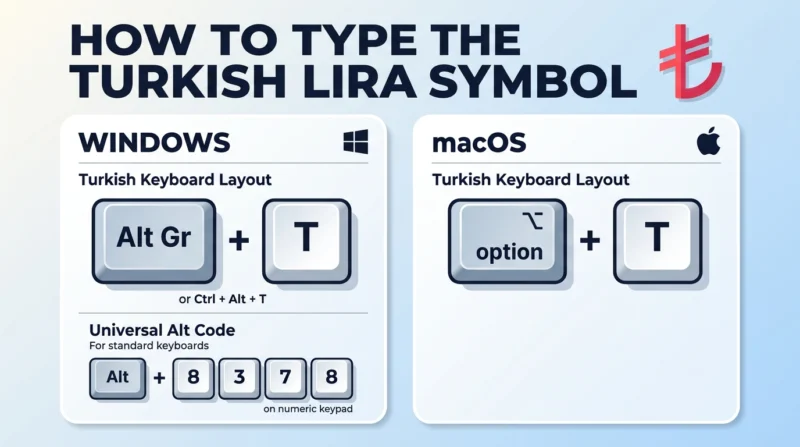
Using Numeric Keypad ALT Codes
Windows systems support direct numeric character code input through the numeric keypad. Ensure that your keyboard has Num Lock enabled. Press and hold the ALT key, then type 8712 on the numeric keypad. Release the ALT key to render the ∈ symbol.
The Microsoft Word ALT + X Shortcut
Microsoft Word provides a streamlined HEX conversion method. Type the exact UNICODE hexadecimal value 2208 directly into your document workspace, then immediately press ALT + X. The text string transforms instantly into the ∈ operator.
Typing on Mac
Using the macOS Character Viewer
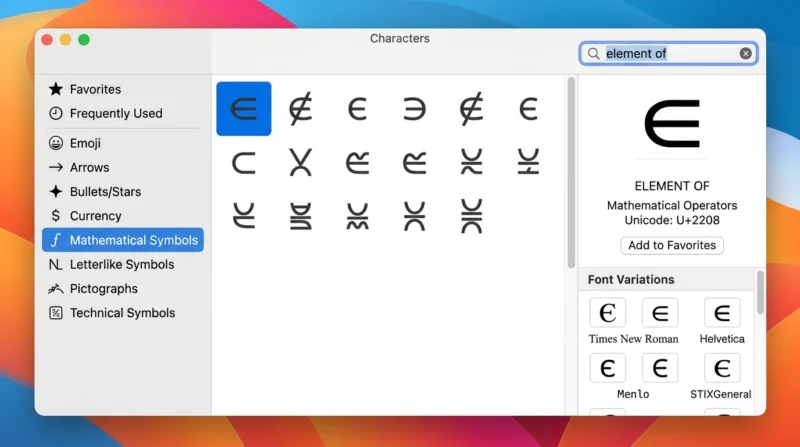
macOS does not feature a dedicated single-key dead-key layout for set theory operators by default. Open the system picker tool by pressing Control + Command + Space. In the search input field of the Character Viewer window, type element of or the HEX code U+2208 to locate and double-click the glyph for insertion.
HTML and Web Development
Character Entities and UNICODE Values
Web developers incorporate the element of symbol into markup using standardized entities to ensure consistent rendering across browsers. Use the named entity string ∈, the decimal reference ∈, or the hexadecimal reference ∈ directly inside HTML files.
Frequently Asked Questions
What is the keyboard shortcut for the element of symbol on Windows?
Hold down the ALT key and type 8712 on the numeric keypad, or type 2208 in Microsoft Word and press ALT + X.
How do I type the element of symbol on a Mac?
Press Control + Command + Space to open the Character Viewer, then search for element of or U+2208.
What is the UNICODE code point for the element of symbol?
The primary UNICODE code point for the element of symbol is U+2208, with the decimal equivalent 8712.
What is the HTML entity code for the element of symbol?
The standard named HTML entity is ∈ and the numeric decimal entity is ∈.