
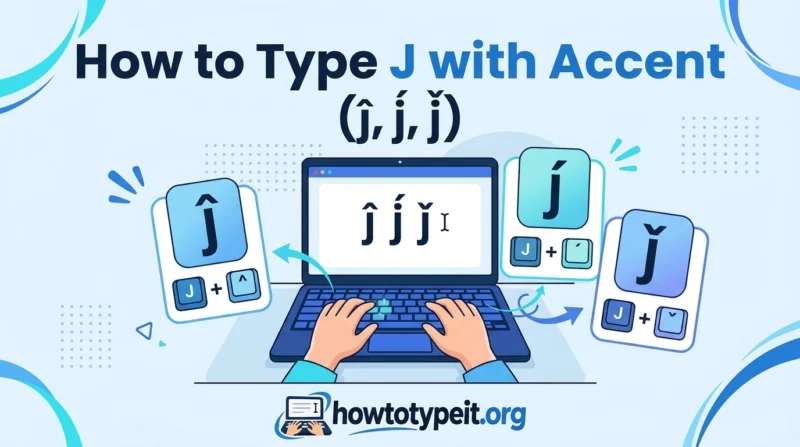
| System / Method | Shortcut or Code | Notes |
|---|---|---|
| Windows Word HEX | 0135 then ALT + X | For precomposed lowercase circumflex ĵ |
| Mac Shortcut | Option + Dead Key + j | Depends on active input layout |
| UNICODE | U+0135 (ĵ) / U+006A + U+0301 (j́) | Precomposed vs. combining sequences |
| HTML Entity | ĵ (ĵ) / j́ (j́) | Web publishing safe strings |
| LATEX Code | ^j or v{j} | Document typesetting syntax |
Understanding J with Accent Variations
Precomposed vs. Decomposed Sequences
Typing an accented letter J requires understanding how modern character encodings handle diacritics. Unlike vowels such as é or à, which feature universal precomposed character slots across all scripts, the letter j rarely receives standalone precomposed glyphs for every single accent mark. The only widely standardized precomposed character is the lowercase J with circumflex (ĵ, UNICODE U+0135). All other accented J variations utilize a decomposed structure combining the base letter J (U+006A) with a combining diacritical mark.
Common Accent Marks Used with J
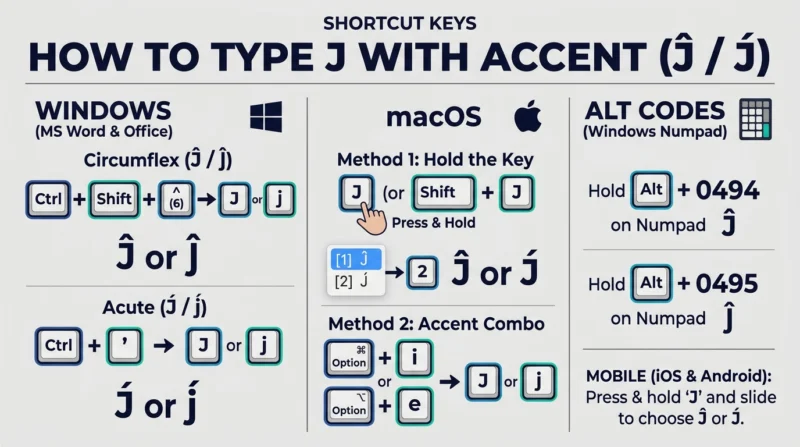
Linguistics, phonetic transcription, and specialized transliteration schemas rely on several distinct combinations involving the base letter J:
- J with Acute (j́): Formed via base letter j (U+006A) plus combining acute accent (U+0301).
- J with Caron (ǰ): Formed via base letter j (U+006A) plus combining caron (U+030C). Capital form is J̌ (U+004A + U+030C).
- J with Grave (j̀): Formed via base letter j (U+006A) plus combining grave accent (U+0300).
- J with Circumflex (ĵ): Available as a precomposed lowercase character (U+0135) or via combining circumflex (U+006A + U+0302).
- J with Tilde (j̃): Formed via base letter j (U+006A) plus combining tilde (U+0303).
Quick Copy and Paste Table
Available Accented J Glyphs
Use the matrix below to quickly copy specific variations for use in documents, spreadsheets, or web pages:
| Glyph | Description | UNICODE HEX | Decimal Code |
|---|---|---|---|
| ĵ | Latin Small Letter J with Circumflex | U+0135 | 309 |
| J̌ | Latin Capital Letter J with Caron | U+004A U+030C | 74 + 780 |
| ǰ | Latin Small Letter J with Caron | U+006A U+030C | 106 + 780 |
| j́ | Latin Small Letter J with Acute | U+006A U+0301 | 106 + 769 |
| j̀ | Latin Small Letter J with Grave | U+006A U+0300 | 106 + 768 |
| j̃ | Latin Small Letter J with Tilde | U+006A U+0303 | 106 + 771 |
Typing Accented J on Windows and Mac
Using Microsoft Word and UNICODE HEX
Microsoft Word supports direct hexadecimal-to-UNICODE conversion for precomposed characters. To insert a lowercase J with circumflex (ĵ), type 0135 directly into your document, then press ALT + X. For decomposed variants like the acute or caron sequences, type the base HEX code for J (006A), press ALT + X, and immediately follow it with the combining accent HEX code (such as 0301 for acute), pressing ALT + X again.
Dead Keys and Combining Accents
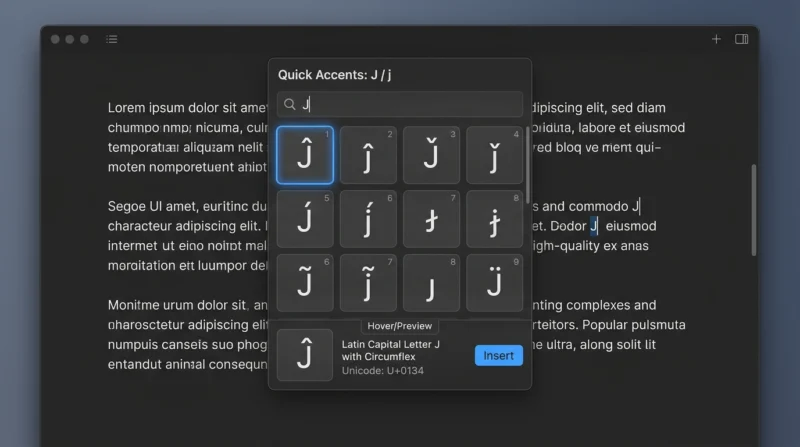
On operating systems with configurable keyboard layouts, such as the US-International layout, dead keys allow you to press an accent key first (which does not advance the cursor) followed by the letter j. If your layout does not feature a dedicated dead key mapping for J, you can utilize the built-in Character Map utility in Windows (charmap) or the Emoji & Symbols viewer on macOS (CTRL + CMD + Space) to search for and insert combining diacritics.
HTML Entities and Programming Codes
Decimal and Hexadecimal Code Points
When publishing content to the web or writing source code, standard character entities ensure correct rendering across browsers. The precomposed circumflex variant ĵ can be represented in HTML as ĵ or hexadecimal ĵ.
For decomposed sequences, concatenate the base entity with the combining entity. For example, J with an acute accent (j́) is written in HTML as j́ or hexadecimal j́.
In typesetting environments like LATEX, use ^j for the circumflex variant or v{j} for the caron variant.
Frequently Asked Questions
Is there a single universal precomposed j with an accent for all marks?
No. While characters like ĵ (circumflex) have precomposed UNICODE slots, most accented j variations require a combining sequence using plain j plus a combining accent mark.
How do I type j with a circumflex (ĵ) in Windows?
You can type the precomposed character in Microsoft Word by entering 0135 and pressing ALT + X, or use the standard UNICODE combination depending on your application.
What is the UNICODE value for j with an acute accent (j́)?
The acute accented j is formed using the base letter j (U+006A) followed by the combining acute accent (U+0301).
How do I copy and paste an accented j directly?
You can simply copy your desired variation, such as ĵ, j́, or ǰ, directly from our quick-copy reference table above into any text field or document.