
| System / Method | Shortcut or Code | Notes |
|---|---|---|
| Windows ALT Code | ALT + 8377 | Requires numeric keypad |
| Mac Shortcut | Option + 4 | Available on Indian keyboard layouts |
| Word HEX Conversion | 20B9 then ALT + X | Works in Microsoft Word |
| UNICODE | U+20B9 | Standard hexadecimal code point |
| HTML Entity | ₹ |
Web safe character reference |
Quick Overview of the Indian Rupee Symbol
The Indian rupee sign (₹) is the official currency symbol for the Indian rupee. Designed by D. Udaya Kumar and adopted by the Government of India in 2010, the glyph combines the Devanagari letter “Ra” and the Roman capital letter “R” without its top bar, punctuated by two parallel horizontal lines at the top.
UNICODE and Hexadecimal Details
In digital systems, characters are identified by unique binary and hexadecimal codes. The Indian rupee symbol is stored under the UNICODE standard with specific properties:
- UNICODE Code Point: U+20B9
- Decimal Value: 8377
- HTML Decimal Entity:
₹ - LATEX Code:
text{₹}(requires textcomp or marvosym packages depending on the engine) - Spreadsheet Formula:
=CHAR(8377)in supported environments
Standard Typography Specifications
When typesetting financial documents, invoices, or web pages, the rupee symbol should match the surrounding font weight and style. Modern web fonts render the glyph natively, while office suites automatically substitute standard text strings when proper input methods or autocorrect features are active.
How to Type the Rupee Symbol on Windows
Windows operating systems support multiple pathways to insert the Indian rupee symbol depending on your active keyboard layout and software environment.
Using ALT Codes
If your keyboard features a dedicated numeric keypad, you can generate the symbol directly:
- Press and hold the ALT key.
- Type 8, 3, 7, 7 on the numeric keypad.
- Release the ALT key to render the ₹ glyph.
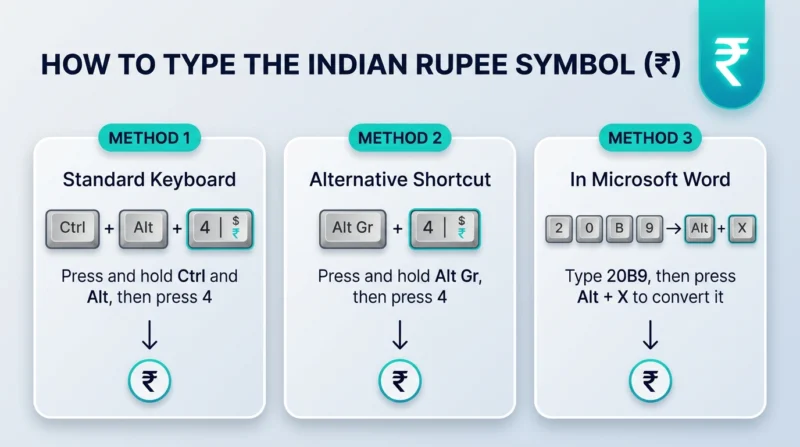
Using Microsoft Word ALT+X
Microsoft Word and Outlook provide a rapid conversion utility for UNICODE characters:
- Type the hexadecimal code 20B9 directly into your document.
- Press ALT + X immediately after the text.
- The text string will instantly convert into ₹.
Using the English (India) Keyboard Layout
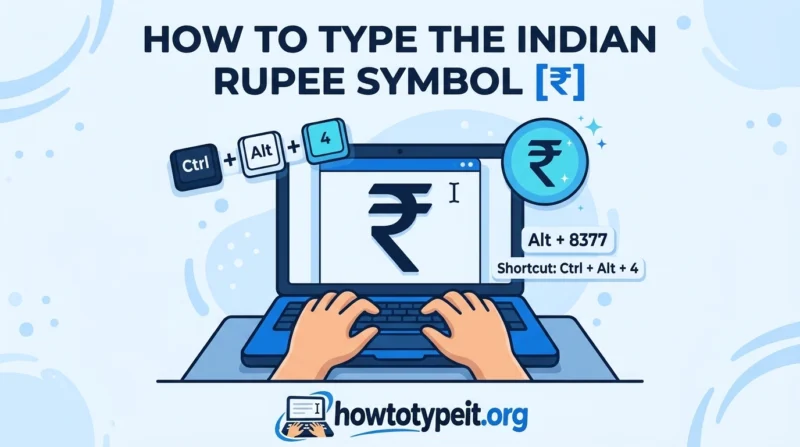
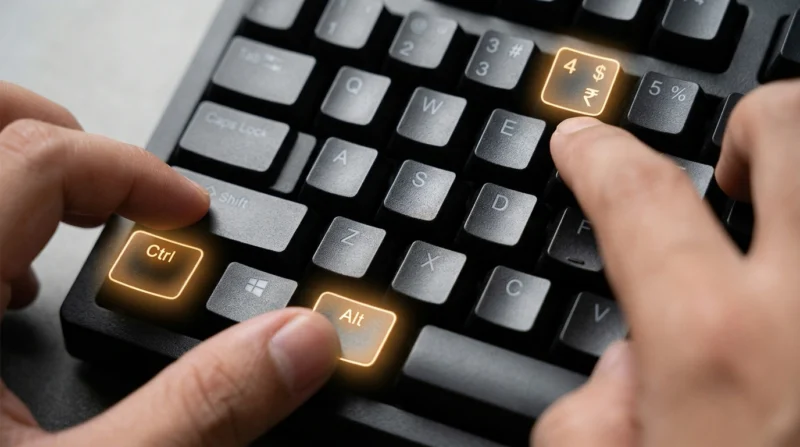
For systems running Windows 8 or later, adding the “English (India)” input language via Windows Settings allows you to press AltGr + 4 (or CTRL + ALT + 4) to insert the symbol natively.
How to Type the Rupee Symbol on Mac
macOS offers direct combination keys and utility menus for inserting international currency symbols.
Using Option Key Shortcuts
On systems utilizing specific regional layouts or designated Devanagari keyboard mappings, pressing Option + 4 outputs the rupee sign.

Using Character Viewer
If your active keyboard layout lacks a direct shortcut:
- Press Control + Command + Space to open the Character Viewer.
- Type rupee into the search bar at the top right.
- Double-click the ₹ symbol from the search results to insert it into your active text field.
Typing the Rupee Symbol on Mobile Devices
Smartphones and tablets manage currency characters through touch-optimized software keyboards.
iOS and Android Currency Keyboards
On both iOS and Android platforms:
- Switch your virtual keyboard to the numbers and symbols view by tapping 123 or ?#$.
- Tap the currency symbol key (such as $).
- If the rupee symbol is not immediately visible, press and hold the $ key to open a popup menu of alternative currency signs, then slide your finger to select ₹.
Frequently Asked Questions
What is the keyboard shortcut for the Indian Rupee symbol on Windows?
On Windows, you can type the Indian Rupee symbol (₹) by holding down the ALT key and typing 8377 on the numeric keypad.
How do you type the rupee symbol in Microsoft Word?
In Microsoft Word, you can type 20B9 and immediately press ALT + X to convert the text into the rupee symbol (₹).
What is the UNICODE value for the Indian Rupee sign?
The UNICODE code point for the Indian Rupee sign is U+20B9.
How do I type the rupee symbol on a Mac?
On Mac OS, you can use the Character Viewer by pressing Control + Command + Space and searching for rupee.