
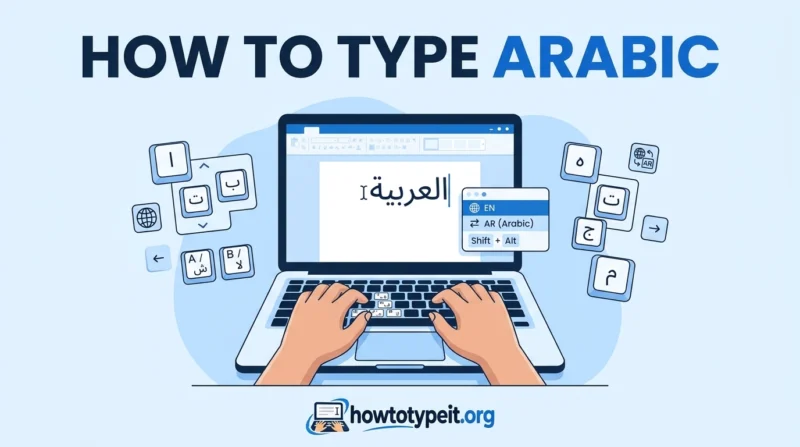

Introduction to Typing Arabic Script
Typing Arabic requires familiarity with its structural properties, notably right-to-left directional flow and connected letter forms. Primary glyphs map directly onto configured operating system keyboard layouts or software input method editors (IMEs).
The Anatomy of the Arabic Alphabet
The standard Arabic script utilizes 28 base consonant letters, accompanied by supplementary Hamza forms and diacritical marks. Unlike Latin alphabets, Arabic letters change shape depending on their position within a word (isolated, initial, medial, or final). Standard layout mappings assign primary consonants to physical keys corresponding roughly by phonetic value or standard QWERTY positioning.
Understanding Right-to-Left (RTL) Input
Arabic is written and read from right to left. Modern operating systems and text editors automatically handle bi-directional text rendering (UNICODE Bidirectional Algorithm). When typing in word processors, ensure your paragraph direction is set to right-to-left to prevent punctuation marks and numbers from displaying in reverse order.
How to Setup and Switch Arabic Keyboards on Your Operating System
Operating systems include native support for Arabic input layouts. Enabling these layouts allows you to switch between Latin and Arabic writing systems using standard keyboard shortcuts.
Enabling Arabic Input on Windows
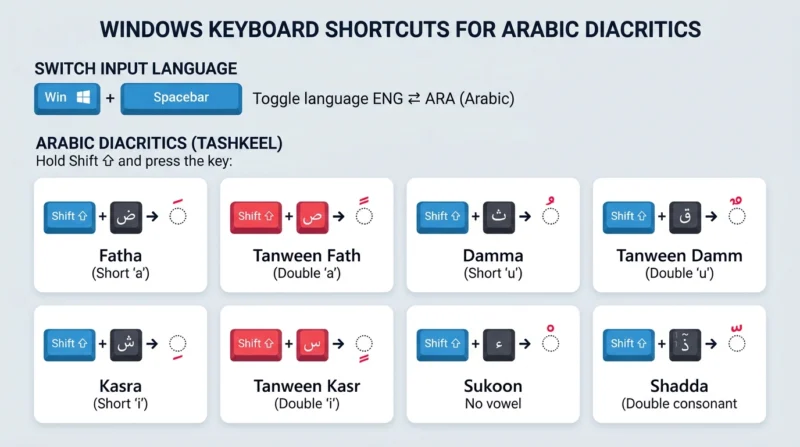
Navigate to Settings > Time & Language > Language & Region. Click Add a language, type “Arabic”, and select your regional variant (such as Arabic (101) or Arabic (102)). Once installed, you can toggle between input languages using WIN + SPACE or ALT + SHIFT.
Adding Arabic Input Sources on macOS
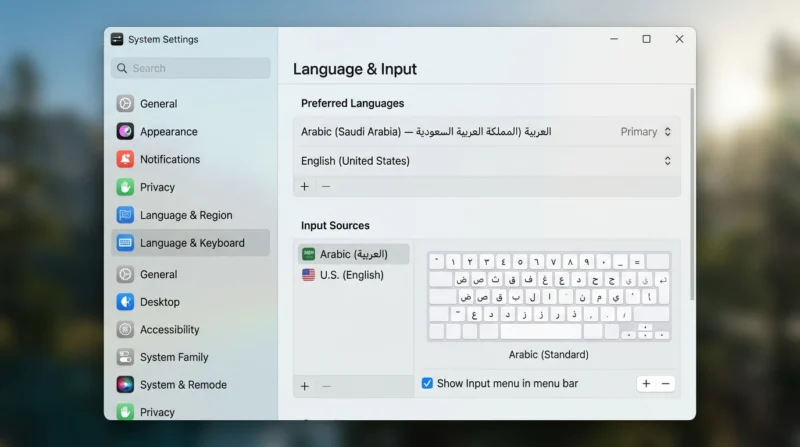
Open System Settings, select Keyboard, and locate the Input Sources section. Click Edit or the + button, select Arabic, choose your preferred keyboard layout, and click Add. Use your configured system input switcher shortcut to toggle languages.
Quick OS Keyboard Switching Shortcuts
On Windows, WIN + SPACE cycles through all installed keyboard languages. On macOS, input source switching relies on your designated menu bar or system shortcut settings.
Mastering Arabic Vowel Marks and Diacritics Harakat
Short vowels and grammatical markers, known as Harakat, are applied on top of or below base letters using modifier keys.
Essential Harakat Shortcuts on Physical Keyboards
When using a physical Arabic keyboard layout, vowel marks are invoked by holding SHIFT while pressing specific letter keys. For example, Fatha is mapped to SHIFT + Q, Kasra to SHIFT + A, and Damma to SHIFT + E.
Typing Sukoon, Shadda, and Tanwin Forms
Additional modifiers include Sukoon (SHIFT + X), Shadda (SHIFT + ~), Tanwin Fath (SHIFT + W), and Tanwin Kasr (SHIFT + S). Always type the base Arabic letter first, followed immediately by the Harakat combination.
Alternative Methods: Phonetic Transliteration and Web Tools
If a physical Arabic keyboard is unavailable, alternative software methods allow rapid text production.
Using Phonetic Input (Latin to Arabic)
Phonetic transliteration engines let you type Arabic using standard QWERTY Latin characters. Tools automatically convert phonemes into script, mapping numbers or double letters for specific sounds (such as typing 3 for ع or 7 for ح).
Virtual On-Screen Keyboards
Browser-based virtual keyboards display clickable Arabic key layouts. You can use your mouse pointer to select characters directly on screen, which is useful for quick searches or temporary terminals.
| Symbol / Glyph | Description | Windows Harakat Shortcut | UNICODE HEX |
|---|---|---|---|
| ا | Alef | Direct Key | U+0627 |
| ب | Baa | Direct Key | U+0628 |
| َ | Fatha | SHIFT + Q | U+064E |
| ِ | Kasra | SHIFT + A | U+0650 |
| ُ | Damma | SHIFT + E | U+064F |
| ْ | Sukoon | SHIFT + X | U+0652 |
| ّ | Shadda | SHIFT + ~ | U+0651 |
Frequently Asked Questions
How do I switch to the Arabic keyboard on Windows?
You can quickly switch between installed keyboard layouts on Windows by pressing WIN + SPACE or ALT + SHIFT.
How do I add vowel marks (harakat) while typing Arabic?
Harakat are added using SHIFT and letter combinations, such as Fatha with SHIFT + Q, Kasra with SHIFT + A, and Damma with SHIFT + E.
Can I type Arabic phonetically using English letters?
Yes, many web tools and transliteration engines allow you to type phonetically in Latin characters, which automatically convert into Arabic script.
How do I add an Arabic keyboard layout on macOS?
Open System Settings, navigate to Keyboard, locate Input Sources, and click the plus icon to add your preferred Arabic keyboard configuration.
Recommended Reading: How to Type Arabic Letters
Authority Source: Using right-to-left languages in Office