
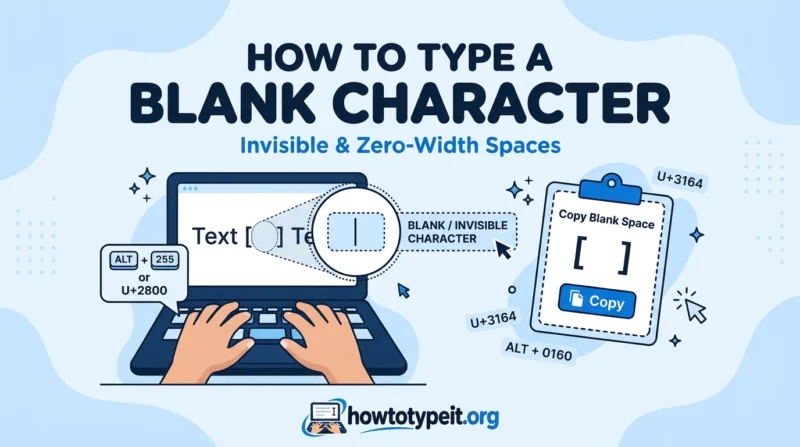

| System / Method | Shortcut or Code | Notes |
|---|---|---|
| Windows ALT Code | ALT + 0160 or 255 | Requires numeric keypad with NumLock active |
| Mac Shortcut | CTRL + CMD + Space | Opens Character Viewer for search and insertion |
| Word Shortcut | 00A0 then ALT+X | Converts HEX text into an invisible UNICODE character |
| UNICODE | U+0020, U+00A0, U+200B | Standard HEX codes for space, non-breaking space, and zero-width space |
| HTML Entity | or |
Standard web-safe references for browser rendering |
Understanding the Blank Character
What is an Invisible UNICODE Character?
An invisible character is not a standard keystroke built into physical keyboards. Standard text entry via the spacebar produces a visible spacing glyph. Invisible blank characters are specific UNICODE code points that render with zero visible width while maintaining structural validity as text strings. Developers, gamers, and content creators utilize these characters to bypass blank field validations, format chat messages, or structure display names.
Space vs. Non-Breaking Space vs. Zero-Width Space
Different invisible characters serve distinct functional purposes across operating systems and web browsers:
- Standard Space (U+0020): The default output of the spacebar. It creates a standard space and allows automatic line wrapping.
- Non-Breaking Space (U+00A0): Occupies physical space like a normal space but prevents automatic line breaks between adjacent words.
- Zero-Width Space (U+200B): Completely invisible and takes up zero horizontal width. It is primarily used to signal permissible word-break opportunities in long strings without inserting a visible gap.
- Hangul Filler (U+3164): A full-width invisible character commonly leveraged in mobile applications and gaming platforms to bypass empty input filters.
How to Type a Blank Character on Windows
Using ALT Codes on the Numeric Keypad
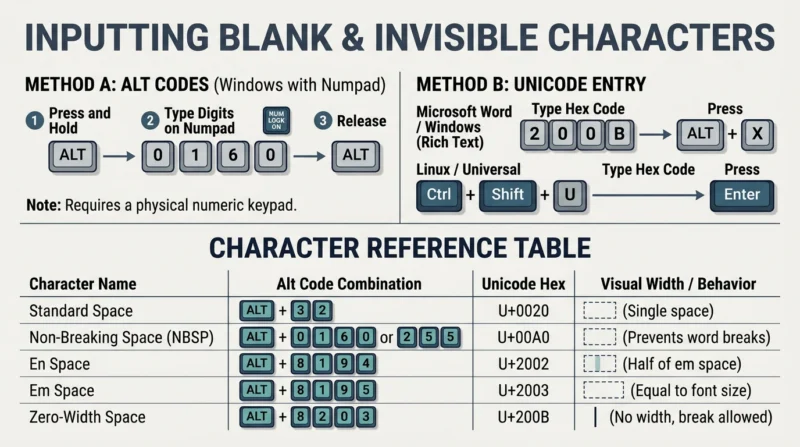
Windows operating systems support character insertion through numeric key codes. To use this method, ensure your keyboard has an active numeric keypad:
- Verify that NumLock is enabled on your keyboard.
- Press and hold the ALT key.
- Type 0160 or 255 on the numeric keypad.
- Release the ALT key to render a non-breaking space.
Converting UNICODE HEX in Microsoft Word
Microsoft Word provides a direct text conversion utility for entering UNICODE characters without relying on ALT codes:
- Open a Microsoft Word document.
- Type the hexadecimal code 00A0 (for a non-breaking space) or 200B (for a zero-width space).
- Immediately press ALT + X to convert the text string into its corresponding UNICODE character.
How to Type a Mac Blank Character
Using the Character Viewer
macOS does not feature a universal direct keystroke for zero-width characters, but the built-in system viewer provides access to all UNICODE symbols:
- Press CTRL + CMD + Space to open the Character Viewer overlay.
- Click the small icon in the top right corner to expand the full application window.
- Type terms like “space” or “invisible” into the search bar, or navigate to punctuation and spacing categories to select and insert the desired character.
Alternative macOS Workarounds
Some macOS applications support the Option + Space combination to insert a non-breaking space directly into text fields. For zero-width characters or specialized application requirements, copying a pre-generated string remains the most dependable workflow.
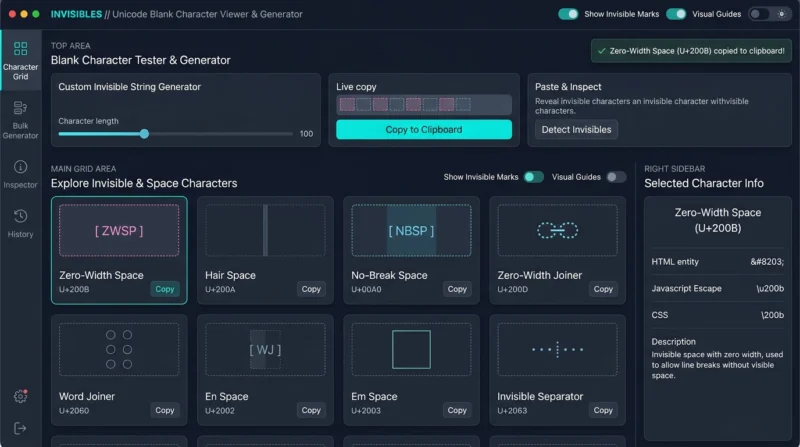
The Fastest Method: Copy and Paste
Why Copy-Paste is Best for Mobile and Apps
Mobile platforms like iOS and Android do not feature built-in hardware keypads or native modifier keys for invisible UNICODE entry. Because mobile apps frequently strip standard spaces or reject empty string submissions, copying a verified invisible character from an online generator provides instant reliability.
Bypassing Platform Character Restrictions
When gaming platforms, social media profile fields, or messaging applications block standard text inputs or empty submissions, switching the character type resolves the issue. If a standard space fails, substituting a Zero-Width Space (U+200B) or a Hangul Filler character typically satisfies form validation rules while keeping the displayed field visually blank.
Frequently Asked Questions
What is the ALT code for a blank character on Windows?
You can type a blank-looking non-breaking space on Windows by holding down ALT and typing 0160 or 255 on your numeric keypad.
How do I type a blank character on a Mac?
Macs do not feature a direct universal keyboard shortcut for invisible characters, but you can find them by pressing CTRL + CMD + Space to open the Character Viewer.
Why does my blank character get rejected in usernames or game fields?
Many platforms block standard spaces, so using alternative invisible UNICODE characters like a Zero-Width Space (U+200B) or Hangul Filler often bypasses these restrictions.
Is a blank character the same as pressing the spacebar?
No, a standard spacebar stroke creates a normal space glyph, whereas invisible blank characters are unique UNICODE code points that register as text without visible width.