


| System / Method | Shortcut or Code | Notes |
|---|---|---|
| Windows ALT Code | ALT + 0161 | Use numeric keypad |
| Mac Shortcut | Option + 1 | Standard U.S. layout |
| Word Shortcut | 00A1 then ALT + X | Or use CTRL + ALT + SHIFT + ! |
| UNICODE | U+00A1 | Hexadecimal code |
| HTML Entity | ¡ or ¡ | Web safe entity |
Quick Copy and Paste the Upside Down Exclamation Point
The inverted exclamation mark (¡) is a punctuation mark used in Spanish and related orthographies to open exclamatory sentences. If your current typing workflow does not include a dedicated hardware key for this character, copy and paste is the fastest short-term solution.
Instant Copy Utility
Click the copy box at the top of this guide to load the character into your clipboard buffer. You can then paste ¡ directly into text editors, web forms, spreadsheets, or design software using standard paste commands (CTRL + V on Windows or CMD + V on macOS).
Typing on Mac and Windows Operating Systems
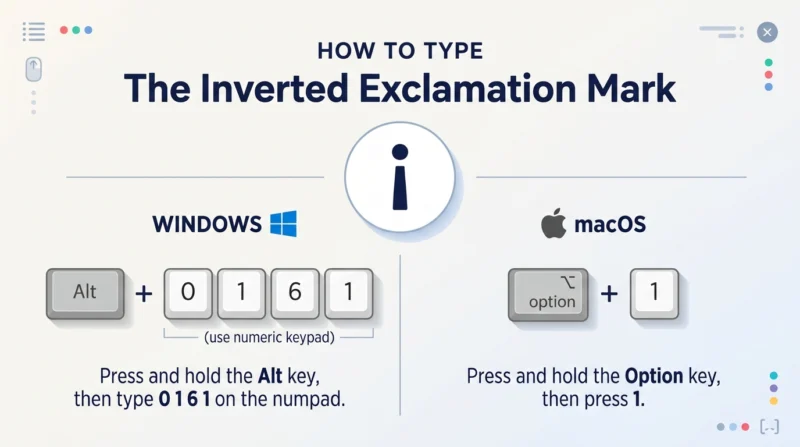
Operating systems provide native keyboard shortcuts and character codes to insert the inverted exclamation point without relying on browser clipboard tools.
Windows ALT Codes
To generate the symbol on a Windows computer equipped with a numeric keypad, press and hold the ALT key, type 0161 on the NUMPAD, and release ALT. Note that compact keyboards without a dedicated numeric keypad require enabling a software NUMPAD layer or using the Windows Character Map utility.
Mac OS Keyboard Shortcuts
On Apple macOS running a standard U.S. keyboard layout, press and hold the Option key while tapping the 1 key (Option + 1). This sequence produces ¡ instantly.
Using the Upside Down Exclamation Point in Microsoft Word
Microsoft Word includes specialized text manipulation shortcuts that allow rapid entry of UNICODE characters.
Word Shortcut Combinations
In Microsoft Word on Windows, you can hold down CTRL + ALT + SHIFT + ! simultaneously to insert the inverted exclamation mark. This four-key combination maps directly to the character code registry.

Hexadecimal UNICODE Conversion
Type 00A1 directly into your Word document, then press ALT + X. Word converts the hexadecimal text string into the glyph ¡.
Mobile Input on iOS and Android Devices
Touchscreen virtual keyboards handle international punctuation through long-press menus and language-specific layouts.
iPhone and iPad Entry
On iOS virtual keyboards, tap and hold the regular exclamation mark key (!). A popup window appears displaying alternative characters, allowing you to slide your finger and select ¡.
Android Touch Keyboard Methods
On Android devices using Gboard or Samsung Keyboard, hold down the ! key on the primary or secondary symbol layer to reveal the inverted punctuation variant.
Frequently Asked Questions
What is the keyboard shortcut for the upside down exclamation point on a Mac?
On a standard U.S. Mac keyboard layout, press Option + 1 to instantly generate the upside down exclamation point (¡).
What is the Windows ALT code for an inverted exclamation mark?
On Windows with a numeric keypad, press and hold the ALT key while typing 0161, then release ALT to insert ¡.
How do you type the upside down exclamation point in Microsoft Word?
You can type 00A1 and press ALT + X on your keyboard, or press CTRL + ALT + SHIFT + ! simultaneously in Word.
What is the UNICODE value for the upside down exclamation point?
The official UNICODE designation for the inverted exclamation mark is U+00A1, with a decimal value of 161.