

| System / Method | Shortcut or Code | Notes |
|---|---|---|
| Windows ALT Code | ALT + 0163 | Requires physical numeric keypad with NUM LOCK active |
| Mac Shortcut | OPTION + 3 | Standard US layout; UK layout uses dedicated key |
| Word Shortcut | 00A3 then ALT + X | Converts UNICODE HEX instantly |
| UNICODE | U+00A3 | Standard system code point |
| HTML Entity | £ or £ | Web development standard |
Quick Answer: The Pound ALT Code
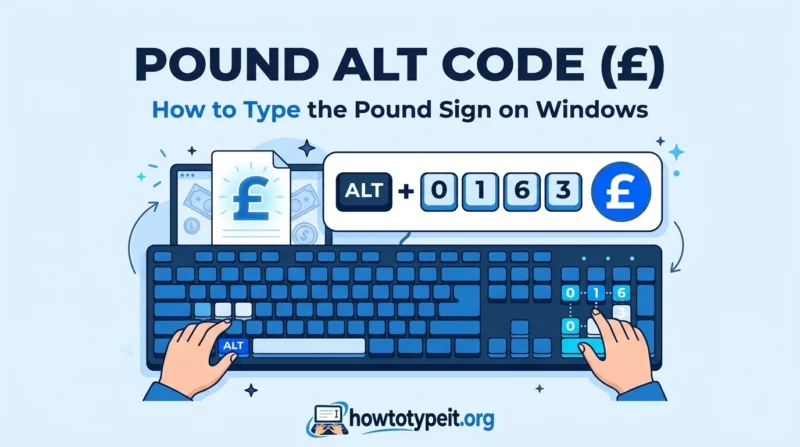
The standard Windows ALT code for the British pound sign (£) is ALT + 0163. Producing this currency symbol requires a standard physical 10-key numeric keypad. Laptops lacking a numeric pad need an external keypad or alternative input methods like the character map or UNICODE HEX conversion.
Primary Windows Shortcut
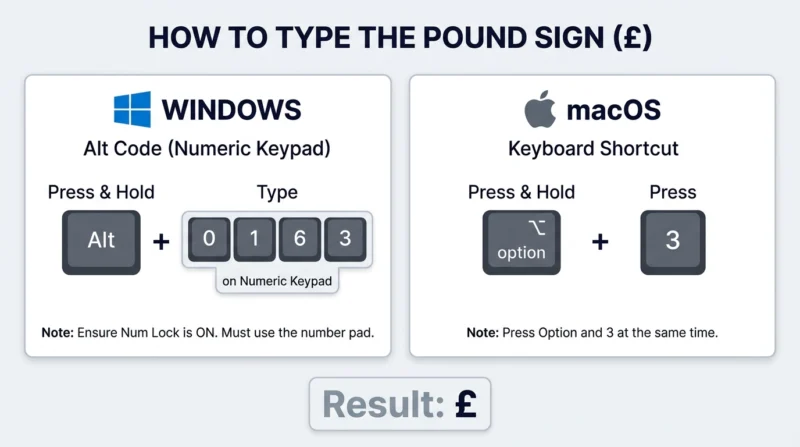
To execute the primary sequence, press and hold the left ALT key, type 0, 1, 6, 3 sequentially on the numeric keypad, and release the ALT key. The pound sign (£) instantly appears at the text cursor position.
Mac and Regional Equivalents
Apple macOS users achieve the same output by pressing OPTION + 3 on standard US layouts. UK physical keyboards map the symbol directly to the SHIFT + 3 key combination.
How to Type the Pound Sign (£) on Windows
Windows operating systems support multiple keyboard codes for character insertion. Knowing the exact sequence ensures reliable typing across standard text editors, spreadsheets, and data entry forms.
Using the Numeric Keypad ALT Code
The code ALT + 0163 references the ANSI character set table. Operating systems read the numeric keypad sequence when NUM LOCK is active. Typing numbers on the horizontal row above the QWERTY letter keys fails to register as an ALT code sequence.
Legacy ASCII Method with ALT+156
An older legacy shortcut exists for the pound sign: ALT + 156. This code references the original MS-DOS code page 437 character set. Modern Windows applications accept ALT + 156 identically to 0163 in most text fields, though ALT + 0163 remains the preferred standard for universal font rendering.
Typing the Pound Symbol on macOS and Linux
Apple hardware utilizes different modifier keys than Windows systems. Regional variations in physical keyboard layouts also alter how currency symbols are accessed.
Mac Option Key Shortcuts
On standard US Apple keyboards, holding OPTION while pressing 3 generates the £ symbol. Users operating under German or international QWERTZ layouts often utilize SHIFT + OPTION + 4 depending on system preferences.
UK Keyboard Layout Differences
Physical keyboards manufactured for the United Kingdom replace the hash symbol on the number row with the currency sign. Pressing SHIFT + 3 produces the pound sign (£) natively without requiring auxiliary modifier codes.
Alternative Methods for Documents and Web Design
Professional documentation tools and web authoring environments provide distinct input pipelines for character insertion outside of standard operating system key combinations.
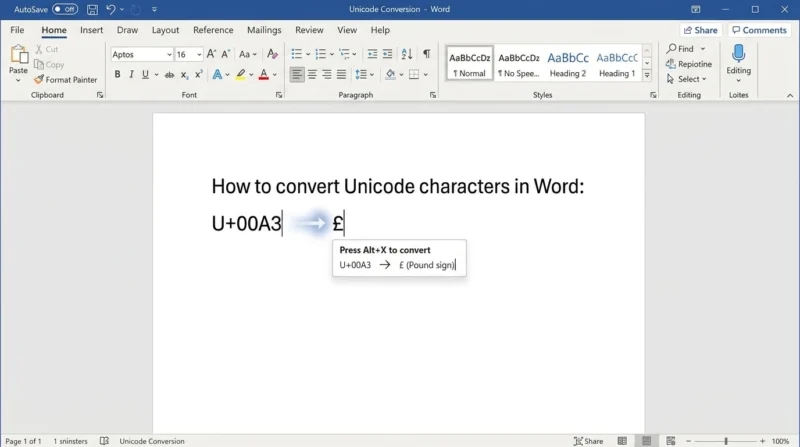
Microsoft Word UNICODE ALT+X Method
Microsoft Word supports direct hexadecimal-to-character translation. Type the UNICODE value 00A3 directly into the document, then press ALT + X. The four-digit code instantly converts into £. This method works without a numeric keypad.
HTML Entities for Web Developers
Web developers inserting currency symbols into HTML documents use named or numeric entities to prevent character encoding errors. Use £, the decimal reference £, or the hexadecimal reference £ inside markup source code.
Frequently Asked Questions
What is the exact ALT code for the pound sign?
The primary and most reliable Windows ALT code for the British pound sign (£) is ALT + 0163.
Why is my ALT code for the pound sign not working?
Your ALT code may fail if NUM LOCK is turned off or if you are pressing the top-row number keys instead of a physical 10-key numeric keypad.
How do I type the pound symbol on a Mac?
On a standard US Mac keyboard layout, press OPTION + 3 to type the pound symbol.
What is the HTML entity code for the pound sign?
The standard HTML entity for the pound sign is £ or the numeric reference £.