
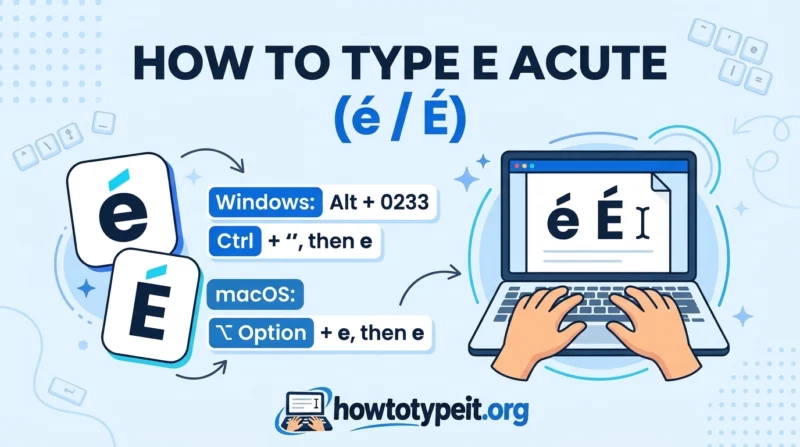

| System / Method | Shortcut or Code | Notes |
|---|---|---|
| Windows ALT Code | ALT + 0233 | Use numeric keypad for lowercase é |
| Windows Capital ALT Code | ALT + 0201 | Use numeric keypad for uppercase É |
| Mac Shortcut | Option + e, then e | Dead-key sequence |
| Word Shortcut | CTRL + ', then e | Acute accent modifier in Microsoft Word |
| UNICODE | U+00E9 | Standard HEX code point |
| HTML Entity | é or é | Web safe markup entities |
Quick Copy and Paste E Acute
If you need to copy the characters immediately for a document, spreadsheet, or message, use the helper blocks below.
Lowercase E Acute
Character: é
UNICODE: U+00E9
Copy string: é
Uppercase E Acute
Character: É
UNICODE: U+00C9
Copy string: É
How to Type E Acute on Windows
Using Numeric Keypad ALT Codes
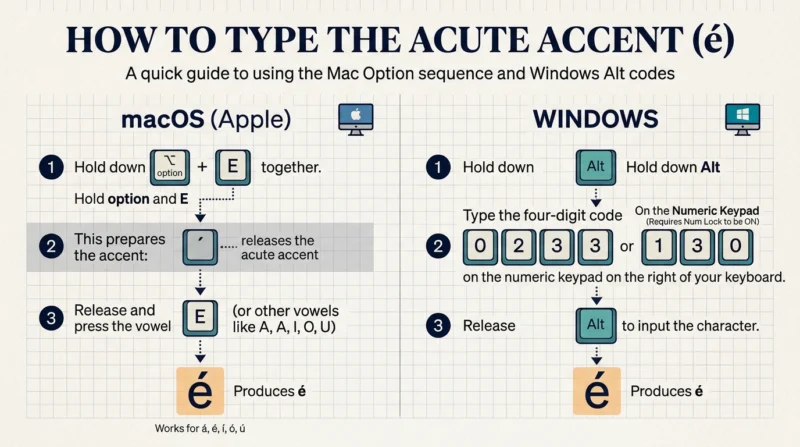
Windows operating systems support direct character input through the numeric keypad. Ensure that NUM LOCK is active. Press and hold the ALT key, then type the numeric sequence on the dedicated NUMPAD.
- Lowercase é: Hold ALT and type 0233 (or alternate code 130).
- Uppercase É: Hold ALT and type 0201.
Using Microsoft Word Shortcuts
Microsoft Word provides dedicated shortcut combinations for accented characters. To produce a lowercase é, press CTRL + ' (apostrophe) simultaneously, release, and then press e. For the uppercase É, use CTRL + ', then press SHIFT + e.
How to Type E Acute on Mac
Using the Option Key Dead-Key
macOS utilizes a dead-key modifier system for accented characters.
- Lowercase é: Press OPT + e to prime the acute accent, release both keys, then press e.
- Uppercase É: Press OPT + e, release, then press SHIFT + e.
Alternatively, press and hold the e key down in most native text fields to display a numbered character picker popup menu.
Using the Character Viewer
Open the Character Viewer by pressing CONTROL + CMD + SPACEBAR. Type “acute” into the search field to select and insert the glyph directly.
How to Type E Acute on Mobile Devices
iOS iPhone and iPad
Tap and hold the e key on the virtual keyboard. A small popup menu displays several accented variations. Slide your finger to select é or É, then release.
Android Smartphones
Press and hold the e key on Gboard or Samsung Keyboard. A selection grid appears above the key. Slide across to highlight the é character and lift your finger to insert it.

HTML and UNICODE Entities for Web Developers
Character Codes and Entities
When writing markup or software code, use standard character entities or UNICODE values to prevent encoding errors.
- HTML Named Entity:
é(lowercase),É(uppercase) - HTML Decimal Entity:
é(lowercase),É(uppercase) - HTML HEX Entity:
é(lowercase),É(uppercase) - UNICODE Code Point:
U+00E9(lowercase),U+00C9(uppercase)
Frequently Asked Questions
What is the ALT code for lowercase e acute (é)?
The primary numeric keypad ALT code for lowercase é is ALT + 0233.
How do you type a capital E acute (É) on a Mac?
On a Mac, press OPT + e to prime the acute accent, then press SHIFT + e to generate the capital É.
What is the UNICODE code point for the e acute character?
The UNICODE code point for lowercase e acute is U+00E9, and its decimal representation is 233.
How can I type é in Microsoft Word quickly?
In Microsoft Word, you can use the shortcut CTRL + ' followed immediately by the letter e.