


|—|—|—|
| Windows ALT Code | ALT + 955 (lower) / 923 (upper) | Use numeric keypad |
| Mac Shortcut | Control + Command + Space | Opens Character Viewer |
| Word Shortcut | 03BB then ALT + X | Converts HEX to glyph |
| UNICODE | U+03BB (lower) / U+039B (upper) | Standard HEX code |
| HTML Entity | λ or λ | Web safe encoding |
Quick Copy and Paste Lambda Symbol
If you need an instant solution for your document, spreadsheet, or chat window, use the direct copy blocks below. Both lowercase and uppercase variants are available for immediate deployment.
Lowercase Lambda
The lowercase lambda glyph (λ) represents wavelengths in physics, eigenvalues in linear algebra, and the lambda calculus framework in computer science. Click the button above or highlight and copy this character: λ.
Uppercase Lambda
The uppercase lambda glyph (Λ) denotes cosmological constants in astrophysics, sets of logical axioms in proof theory, and baryonic resonance particles in subatomic physics. Highlight and copy this character: Λ.
How to Type Lambda on Windows

Windows provides multiple pathways to generate Greek characters depending on your physical hardware configuration and application environment.
Using ALT Codes
If your keyboard features a dedicated numeric keypad, hold down the ALT key, type 955 on the NUMPAD, and release ALT to output λ. For the uppercase variant Λ, hold ALT and type 923. Ensure that Num Lock is active before executing the sequence.
Using Microsoft Word ALT + X
Microsoft Word and Outlook support native UNICODE HEX conversion. Type 03bb (or 03BB) directly into your document canvas, then immediately press ALT + X. The text string transforms instantly into λ or Λ.
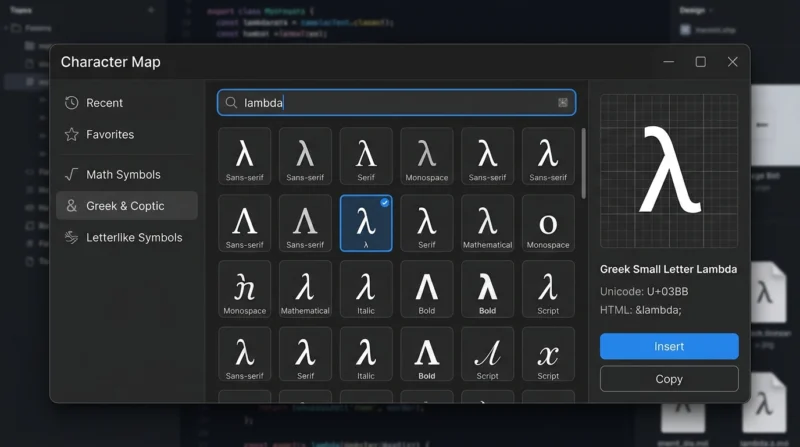
Using Character Map
Press WIN + R, type charmap, and press Enter. In the Character Map utility, select a standard font such as Arial or Times New Roman, locate the lambda glyph, select it, copy it to your clipboard, and paste it into your target application.
How to Type Lambda on Mac
macOS handles special characters through a unified viewer rather than direct numeric keypad combinations.
Using the Character Viewer
Press Control + Command + Space to open the system Character Viewer palette. Type lambda into the search field at the top right corner. Double-click either the lowercase λ or uppercase Λ to insert it at your cursor position.
How to Type Lambda in Google Docs and Web Apps
Cloud-based document editors offer integrated symbol insertion tools and equation syntax rules.
Using Special Characters Menu
In Google Docs or Google Slides, navigate to the top menu bar, select Insert, choose Special characters, and type lambda in the search box or draw the shape in the sketch pad below.
Equation Tool Shortcuts
When working inside a Google Docs equation block, type a backslash followed by the word name: lambda, then press Space or Enter to convert the text into the mathematical glyph. This syntax is shared with LATEX environments.
How to Type Lambda on Linux and ChromeOS
Linux and ChromeOS environments utilize native UNICODE input sequences for all international and scientific characters.
Using UNICODE HEX Input
Press CTRL + SHIFT + U simultaneously. A small underlined letter u appears on the screen. Type 03bb for lowercase λ or 039b for uppercase Λ, then press Enter or Space to finalize the character.
Frequently Asked Questions
What is the keyboard shortcut for the lambda symbol in Microsoft Word?
Type 03BB and press ALT + X to convert it into the lowercase lambda symbol (λ).
What are the ALT codes for the lambda symbol?
Hold down the ALT key and type 955 on the numeric keypad for the lowercase lambda (λ), or 923 for the uppercase lambda (Λ).
How do I type the lambda symbol on a Mac?
Press Control + Command + Space to open the Character Viewer, type ‘lambda’ into the search bar, and double-click the symbol to insert it.
What is the UNICODE value for the lambda symbol?
The UNICODE code point for lowercase lambda is U+03BB and for uppercase lambda is U+039B.