

| System / Method | Shortcut or Code | Notes |
|---|---|---|
| Windows ALT Code | ALT + [Code] | Use numeric keypad (or Word HEX conversion) |
| Mac Shortcut | Option + [Key] / Viewer | Use Character Viewer for exact glyph |
| Word Shortcut | 2228 then ALT+X | Instant hexadecimal UNICODE conversion |
| UNICODE | U+2228 | Official standard encoding (Decimal: 8744) |
| HTML Entity | ∨ or ∨ | Web-safe rendering for HTML documents |
Quick Copy and Paste Logical OR Symbol
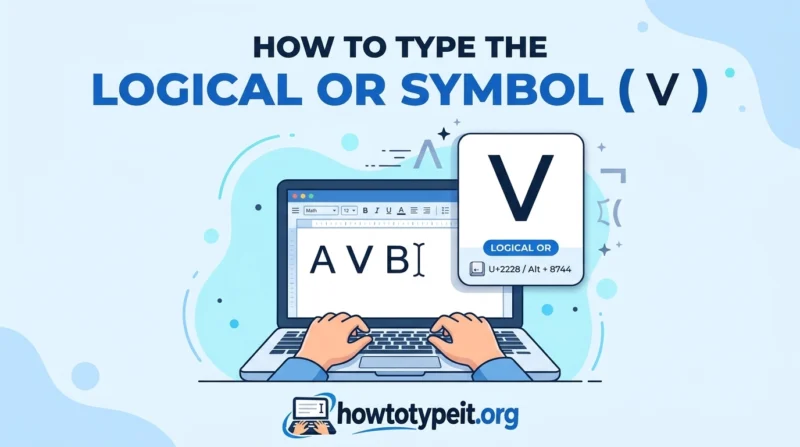
The logical OR symbol (∨, UNICODE U+2228) appears frequently in mathematical logic, computer science propositions, and boolean algebra. Because standard keyboards lack a dedicated physical key for this mathematical operator, copy-and-paste serves as the most immediate fallback for drafting documents, emails, and code comments.
Instant Copy Utility
Highlight and copy the standalone character directly from the hero box above, or use the single-click utility button to send the character straight to your system clipboard for immediate deployment across any application.
Typing Logical OR on Windows and Microsoft Word
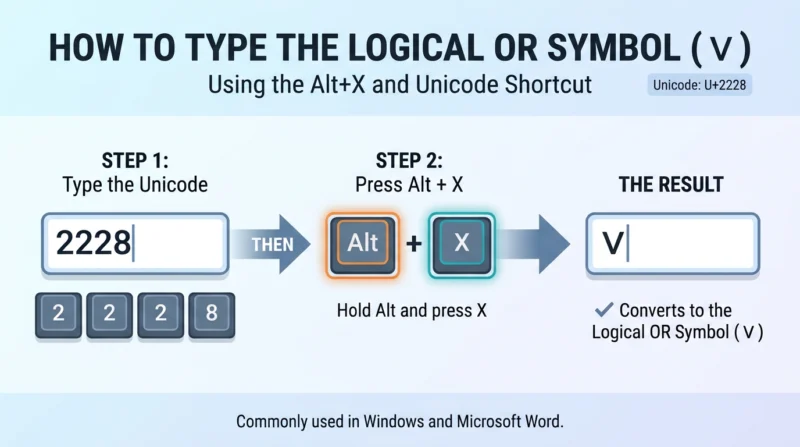
Microsoft Windows offers multiple pathways to output mathematical operators depending on the active software environment. Microsoft Word provides the fastest native keyboard transformation workflow for UNICODE HEX values.
Using the ALT + X HEX Shortcut
Inside any Microsoft Word document, Outlook message, or WordPad instance, type the four-digit hexadecimal code 2228 and immediately press ALT + X. The text editor converts the string into the logical OR symbol (∨). Pressing ALT + X again while the cursor sits immediately after the character reveals the underlying code point.
Using Character Map
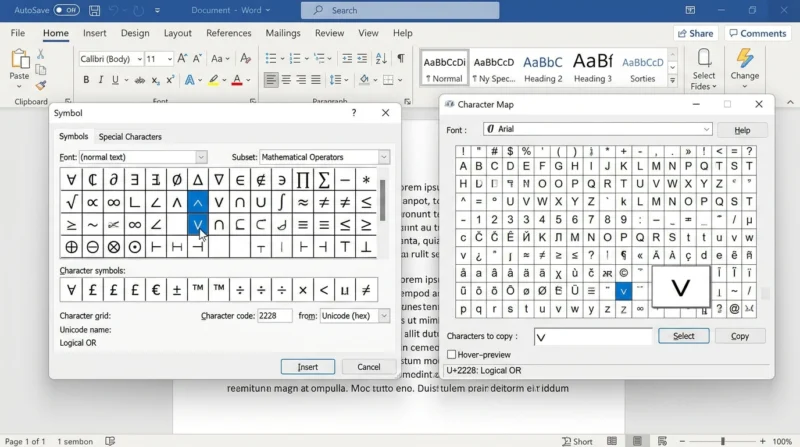
For applications lacking native HEX conversion, open the Windows Run dialog via WIN + R, type charmap, and press ENTER. Select a broad-range UNICODE font such as Segoe UI Symbol or Cambria Math, check the advanced view box, search for logical or, and double-click the glyph to copy it into your text buffer.
Typing Logical OR on macOS
Apple macOS manages specialized mathematical characters through the system Character Viewer utility rather than fixed alphanumeric short codes.
Using the Character Viewer
Press CTRL + CMD + SPACE to open the Character Viewer overlay panel. Type logical or into the search field at the top right of the window. Double-click the ∨ glyph from the search results to insert it into your active text field.
Code Equivalents for Web and Documentation
Web developers and technical authors require standardized entity names or markup wrappers to display mathematical operators correctly across all browsers and compiling engines.
HTML Entities
Include the named entity ∨ or the decimal numeric entity ∨ directly inside HTML markup files to guarantee proper visual rendering across client browsers without font fallback issues.
LATEX Formatting
When compiling academic papers, technical documentation, or math equations in LATEX, generate the symbol by typing lor or vee within math mode environments.
Frequently Asked Questions
What is the official UNICODE for the logical OR symbol?
The official UNICODE code point for the logical OR symbol is U+2228, with a decimal value of 8744.
How do I type logical OR in Microsoft Word?
Type the HEX code 2228 and immediately press ALT + X to convert it into the ∨ symbol.
What is the HTML entity for logical OR?
You can use the named HTML entity ∨ or the numeric entity ∨ to display the logical OR symbol on web pages.
How do I type logical OR in LATEX?
You can generate the logical OR symbol in LATEX documentation using the command lor or vee.