

| System / Method | Shortcut or Code | Notes |
|---|---|---|
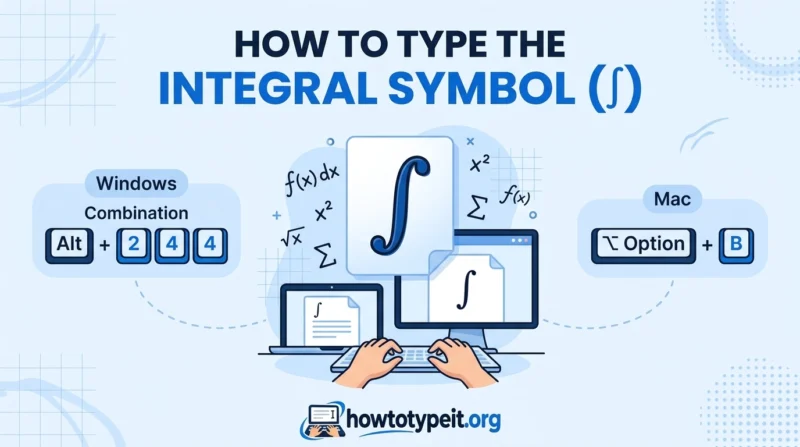
| Windows ALT Code | ALT + 244 | Use physical numeric keypad |
| Mac Shortcut | OPTION + B | Standard U.S. layout |
| Word Shortcut | 222B then ALT + X | Converts text to glyph |
| UNICODE | U+222B | Hexadecimal standard |
| HTML Entity | ∫ or ∫ |
Web safe implementation |
Quick Copy and Paste Integral Symbol
Instant Access
The standard integral symbol is defined in the UNICODE specification as ∫ (U+222B). If you need to insert this mathematical character quickly into an email, spreadsheet, or message thread, use the hero copy box above. Highlight, copy, and paste it directly into your application using CTRL + V on Windows or CMD + V on Mac.
Related Calculus Symbols
Advanced calculus workflows frequently require variations of the standard integration operator. You can also copy these related symbols directly:
- Double Integral: ∬ (U+222C)
- Triple Integral: ∭ (U+222D)
- Contour Integral: ∮ (U+222E)
How to Type Integral Symbol on Windows
Using the NUMPAD ALT Code
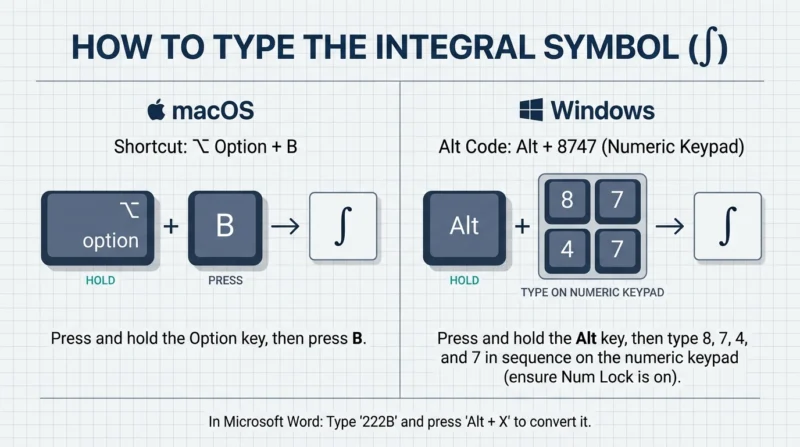
Windows operating systems support numeric keypad shortcuts for specialized typography. To generate the integral symbol, ensure NumLock is active on your physical numeric keypad. Press and hold the ALT key, type 244 on the NUMPAD, and release ALT.
Using Microsoft Word ALT + X
Microsoft Word supports hexadecimal UNICODE conversion. Type the exact hexadecimal code 222B directly into your document. Immediately afterward, press ALT + X. The four-digit code transforms into the integral symbol ∫.
How to Type Integral Symbol on Mac
Using the U.S. Keyboard Shortcut
macOS users operating with the standard U.S. keyboard layout can produce the integral symbol using a two-key combination. Press and hold OPTION + B simultaneously.
Using the Character Viewer
If your keyboard layout remaps the primary modifier keys, access the system character viewer by pressing CONTROL + CMD + SPACEBAR. Type integral into the search bar to locate the glyph, then double-click it to insert it into your active text field.
Typing Integrals in Word and LATEX
Equation Mode in Microsoft Word
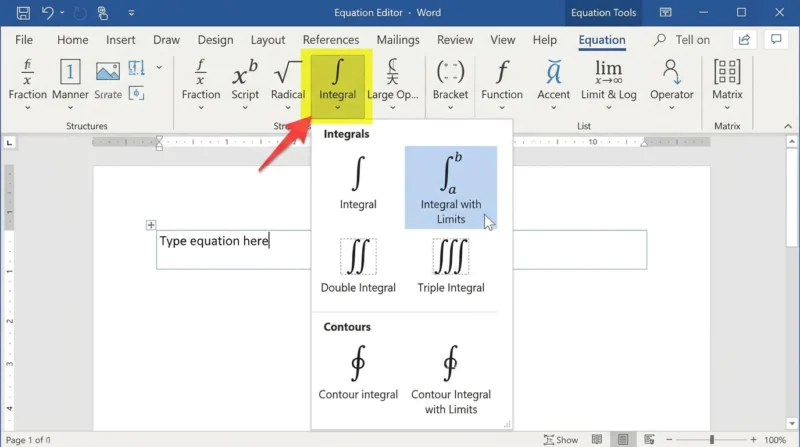
For formatting structured mathematics in Microsoft Word, open the built-in equation editor by pressing ALT + =. Type the text string int followed by the SPACEBAR. The text converts into an active integral operator. For definite integrals with upper and lower bounds, input subscripts and superscripts using syntax such as int_3^7 followed by a space.
LATEX Commands for Math Documents
In LATEX environments, scientific publishing platforms, and markdown processors supporting MathJax, render an inline or block integral by typing the standard command int. To specify limits, attach bounds using standard operators, such as int_{a}^{b} f(x) dx.
Mobile Devices and Linux Shortcuts
Typing on iPhone and Android
On iOS and Android virtual keyboards, switch to the numeric and symbolic layout by tapping the ?123 key. Tap the secondary symbol toggle marked #+= or < to reveal advanced mathematical operators where the ∫ symbol resides.
Linux Compose and UNICODE Input
In Linux distributions utilizing GTK or IBus input methods, press CTRL + SHIFT + U simultaneously. Release the keys, type 222B, and press ENTER or SPACEBAR to output the integral glyph.
Frequently Asked Questions
What is the keyboard shortcut for the integral symbol on Mac?
On a Mac with a U.S. keyboard layout, you can type the integral symbol (∫) by pressing OPTION + B.
How do you type the integral symbol in Microsoft Word?
In Microsoft Word, you can type 222B and immediately press ALT + X to convert the code into the integral symbol ∫, or use the equation editor by typing int followed by the SPACEBAR.
What is the Windows ALT code for the integral sign?
On Windows systems with a numeric keypad, you can press and hold ALT while typing 244 to generate the integral symbol.
What is the UNICODE code point for the integral symbol?
The official UNICODE code point for the integral symbol is U+222B, with a decimal value of 8747.