
| System / Method | Shortcut or Code | Notes |
|---|---|---|
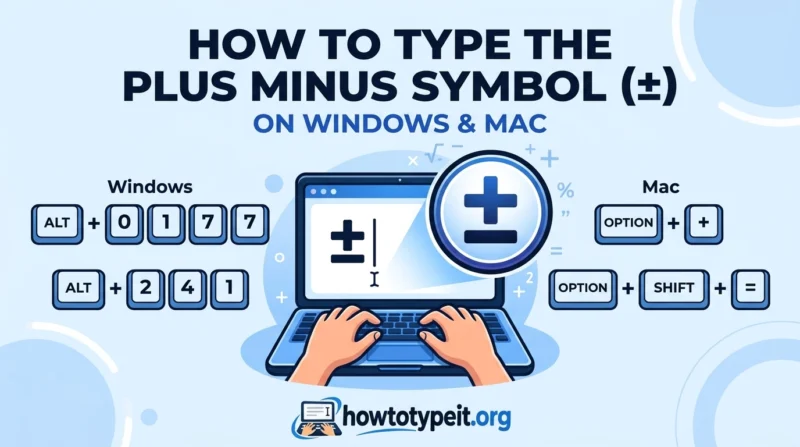
| Windows ALT Code | ALT + 0177 or ALT + 241 | Use numeric keypad with NumLock on |
| Mac Shortcut | Option + SHIFT + = | Standard macOS key combination |
| Word Shortcut | 00B1 then ALT + X | Converts HEX UNICODE directly in text |
| UNICODE | U+00B1 | Standard hexadecimal code point |
| HTML Entity | ± or ± | Web-safe markup references |
Quick Copy and Paste the Plus Minus Symbol
Instant Character Access
The plus-minus symbol (±) represents both positive and negative variations, making it an essential character in mathematics, engineering, and statistics. It denotes tolerances, margins of error, and dual solutions in algebraic equations.
To copy the symbol instantly, use the hero copy box at the top of this guide or highlight the glyph here: ±.
How to Type the Plus Minus Sign on Windows
Using Numeric Keypad ALT Codes

Windows environments provide native keyboard sequences for generating extended characters. To output the plus-minus sign on a standard keyboard:
- Ensure your NumLock key is active.
- Press and hold the ALT key.
- Type 0, 1, 7, 7 or 2, 4, 1 on the numeric keypad.
- Release the ALT key.
If you are using a compact laptop keyboard without a dedicated numeric keypad, you must enable the software-based NumLock layer or use the Windows Character Map utility (WIN + R, type charmap).
Microsoft Word UNICODE Conversion
For Microsoft Word, Outlook, and PowerPoint documents, utilize the built-in hexadecimal-to-UNICODE text conversion tool:
- Type the exact UNICODE characters 00B1 in your document.
- Press ALT + X simultaneously.
- The hexadecimal string instantly converts into the ± glyph.
In Excel spreadsheets, you can generate the symbol dynamically by entering the formula =CHAR(177) inside any cell.
How to Type the Plus Minus Sign on Mac
Using the Option Key Modifier
macOS features direct modifier key combinations for character insertion without needing numeric keypads:
- Place your text cursor where you want the symbol to appear.
- Press and hold Option + SHIFT.
- Press the = key.
- Release all keys to render the ± symbol.
Alternatively, press Control + Command + Space to open the Character Viewer, type plus-minus into the search field, and double-click the glyph to insert it.

HTML Entities and Programming Codes
Web Development and LATEX Usage
When writing web applications or digital documents, plain text characters can occasionally cause encoding discrepancies. Use standard entity references to guarantee accurate rendering across browsers:
- Named Entity: ±
- Decimal Reference: ±
- Hexadecimal Reference: ±
For mathematical typesetting in academic papers and technical documentation, use the standard LATEX command:
pmIf you need the inverse operator representing a minus-or-plus sign (∓), use the UNICODE code point U+2213 or the HTML entity ∓.
Frequently Asked Questions
What is the ALT code for the plus-minus symbol?
The primary ALT code for the plus-minus symbol (±) is ALT + 0177 or ALT + 241 when using the numeric keypad.
How do I type the plus-minus sign on a Mac?
You can type the plus-minus symbol on a Mac by pressing Option + SHIFT + = simultaneously.
What is the UNICODE value for the plus-minus sign?
The UNICODE code point for the plus-minus symbol is U+00B1.
How do you write plus-minus in HTML?
In HTML, you can render the plus-minus symbol using the entity ± or ±.