
| System / Method | Shortcut or Code | Notes |
|---|---|---|
| Windows ALT Code | ALT + [Code] | Use numeric keypad |
| Mac Shortcut | Option + [Key] | Direct key combination |
| Word Shortcut | [HEX] then ALT+X | Or Insert Symbol |
| UNICODE | U+[HEX] | Standard HEX code |
| HTML Entity | &[name]; or &#…; | Web safe |
Quick Copy and Paste Check Box Symbols
When working with documents, forms, and web pages, inserting a check box symbol directly is often more efficient than relying on form fields or graphics. Three core ballot box variants exist within the UNICODE standard, each serving a distinct visual purpose.
The Three Main Ballot Box Variants
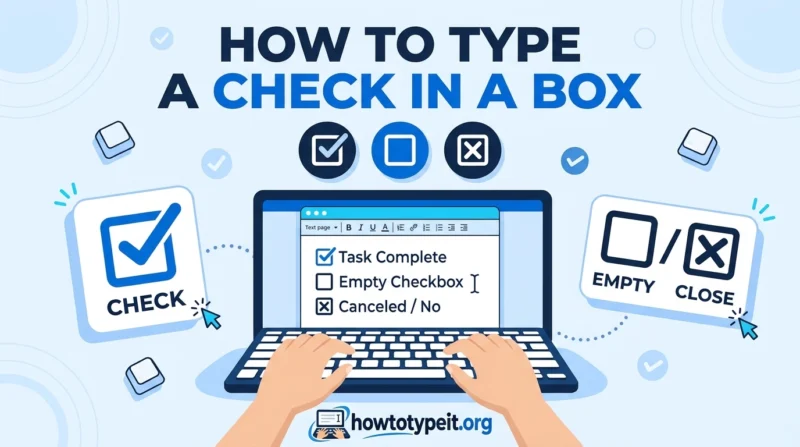
The empty check box symbol is represented by ☐ (Ballot Box, UNICODE U+2610). It is used for unselected items on checklists, forms, and to-do lists. The checked box symbol is represented by ☑ (Ballot Box with Check, UNICODE U+2611), indicating completed tasks or selected choices. The third variant is ☒ (Ballot Box with X, UNICODE U+2612), utilized for rejected options, cancellations, or negative selections.
Instant Clipboard Access
For immediate usage across text editors, email clients, and chat applications, copying and pasting the character is the most reliable method. Highlight the desired symbol from the hero box above or use the table values to populate documents instantly without executing keyboard shortcuts.
How to Type Check in a Box in Microsoft Word
Microsoft Word provides native shortcuts for inserting UNICODE characters without needing an external character map.
Using the ALT+X UNICODE Shortcut
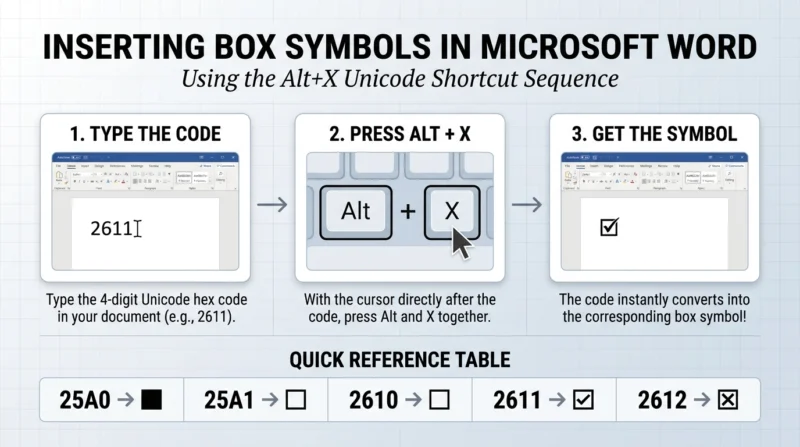
To convert a hexadecimal UNICODE value directly into a check box symbol inside Microsoft Word, type the corresponding code and press ALT + X.
- Type 2610 then press ALT + X to generate ☐.
- Type 2611 then press ALT + X to generate ☑.
- Type 2612 then press ALT + X to generate ☒.
Numeric ALT Codes with NumLock
Using the numeric keypad on Windows systems, hold down the ALT key while typing the decimal code.
- Ensure NUMPAD is active.
- Press and hold ALT, then type 9744 and release ALT for ☐.
- Press and hold ALT, then type 9745 and release ALT for ☑.
- Press and hold ALT, then type 9746 and release ALT for ☒.
Typing Check Boxes on Mac and Mobile Devices
Operating systems handle special characters through distinct built-in utilities.
Using the Mac Character Viewer
Apple macOS does not assign a direct single-key shortcut to ballot box characters. Instead, use the system Character Viewer to insert them into any active text field.
- Press CTRL + CMD + SPACE to open the Character Viewer.
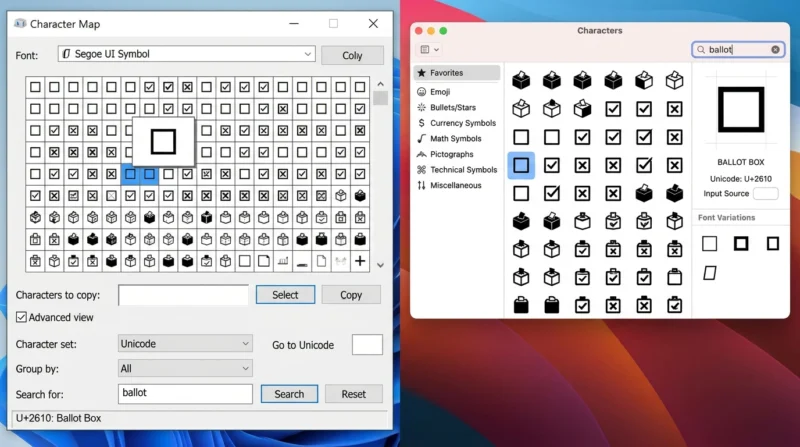
- Type ballot box into the search bar at the top of the panel.
- Double-click ☐, ☑, or ☒ from the search results to insert it into the cursor position.
Mobile Copy-and-Paste Strategies
iOS and Android devices lack physical numeric keypads and do not support standard Windows ALT codes. The standard method for mobile operating systems involves copying the character from a reference resource or adding a custom text replacement shortcut in system settings, assigning a trigger like !box to output ☑.
HTML Entities for Web Developers
Web developers and content authors embedding check box symbols directly into markup can utilize HTML entities or CSS escape sequences.
Decimal and Hexadecimal Codes
To ensure proper rendering across browsers, use standard HTML entity notation within web templates.
- Empty Box Decimal: ☐ (renders as ☐)
- Checked Box Decimal: ☑ (renders as ☑)
- Crossed Box Decimal: ☒ (renders as ☒)
- Empty Box HEX: ☐
- Checked Box HEX: ☑
- Crossed Box HEX: ☒
CSS Escape Sequences
When generating ballot box symbols dynamically via CSS pseudo-elements like ::before or ::after, declare the hexadecimal code point directly inside the content property:
.checkbox-checked::before {
  content: "2611";
}
Frequently Asked Questions
How do I type a checked box (☑) in Microsoft Word?
Type 2611 and immediately press ALT + X to transform the numbers into the checked box symbol.
What is the keyboard shortcut for an empty check box (☐)?
In Microsoft Word, type 2610 and press ALT + X, or use the numeric keypad ALT code ALT + 9744.
Can I type these check box symbols natively on a Mac?
Mac keyboards do not feature a direct native key sequence for ballot boxes, so utilizing the Character Viewer via CTRL + CMD + SPACE or copy-pasting is recommended.
What is the difference between ✓ and ☑?
The symbol ✓ represents a plain check mark, whereas ☑ is a ballot box enclosing a check mark.