

| System / Method | Shortcut or Code | Notes |
|---|---|---|
| Windows ALT Code | ALT + 1F335 | Requires UNICODE HEX keypad configuration |
| Mac Shortcut | Control + Command + Space | Opens macOS Character Viewer |
| Word Shortcut | 1F335 then ALT+X | Converts HEX text to emoji glyph |
| UNICODE | U+1F335 | Standard international character code |
| HTML Entity | 🌵 or 🌵 |
Web-safe rendering codes |
Understanding the Cactus Symbol in Fortnite
The cactus symbol used across gaming communities and streaming chats is the standard UNICODE cactus emoji (🌵). Players integrate this vegetative glyph into custom display names, clan tags, lobby chat messages, and social media profiles. Because Fortnite operates on modern cross-platform engines, text rendering supports standard emoji sets, allowing players to personalize their gamer tags with unique visual identifiers.
What Is the Fortnite Cactus Character?
The character is officially designated in the UNICODE Standard as U+1F335 (Decimal: 127797). It represents a stylized saguaro cactus. Within gaming contexts, players adopt this symbol to match desert-themed loadouts, match aesthetic naming conventions, or stand out in kill feeds and lobby lists.
Where Players Use the Cactus Emoji
Epic Games allows standard UTF-8 text characters within specific display name fields, party chat windows, and creator codes. While certain special characters are restricted by anti-toxicity filters, standard emojis like the cactus (🌵) generally render correctly across PC, console, and mobile clients.
How to Copy and Paste the Cactus Symbol
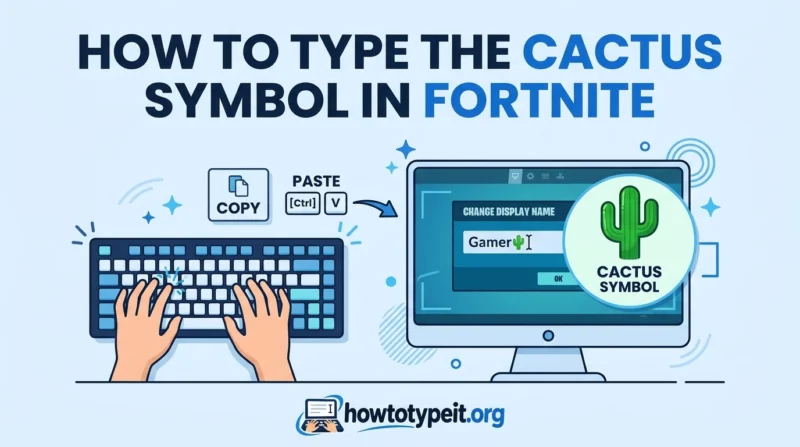
The fastest method to insert the cactus symbol into Fortnite is using instant clipboard duplication. Since operating systems handle emoji input through different menus, a direct copy-paste workflow bypasses software compatibility hurdles.
Instant Clipboard Copy
Click the copy trigger button at the top of this guide to store the cactus character directly in your system clipboard. Once copied, you can press CTRL + V on Windows or Command + V on Mac to paste the symbol into any text field.
Pasting into Fortnite Names and Chat
To update your display name, navigate to your Epic Games account management page in a web browser, locate the display name field, and paste the symbol. For in-game team communication, press your assigned chat keybind, paste the emoji, and hit Enter.
Typing the Cactus Symbol Across Operating Systems
Different computing environments provide native software shortcuts to access emojis and special UNICODE characters without relying on external web pages.

Windows and PC Shortcuts
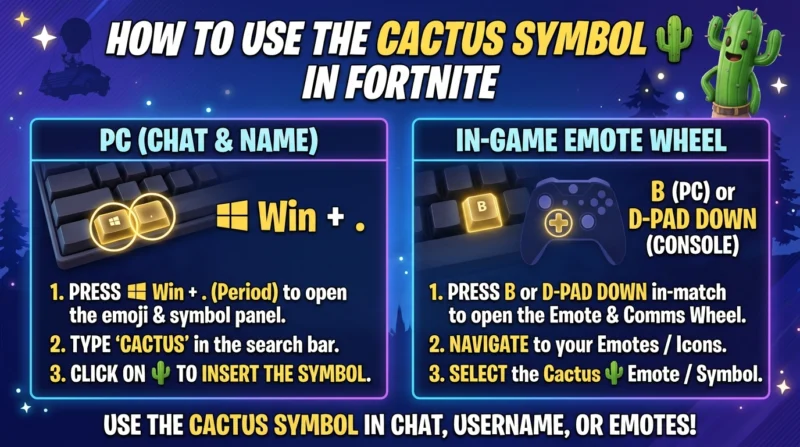
Windows users can press Windows Key + . (Period) or Windows Key + ; (Semicolon) to launch the native Emoji Panel. Type cactus into the search bar to locate and insert the symbol. Alternatively, in Microsoft Word or compatible text editors, type 1F335 followed by ALT + X to convert the HEX code into the character.
Mac and Mobile Entry Methods
On macOS, press Control + Command + Space to open the Character Viewer, then search for cactus. On iOS and Android devices, tap the smiley face icon on your virtual keyboard, search for the plant category or type cactus in the search field, and tap the emoji to insert it into your active text box.
Frequently Asked Questions
Can I use the cactus symbol in my Fortnite display name?
Yes, many players use the cactus emoji (🌵) in their display names or clan tags, provided the platform and Epic Games account rules support standard UNICODE characters for that specific field.
What is the UNICODE code point for the cactus symbol?
The official UNICODE code point for the cactus emoji is U+1F335, which translates to a decimal value of 127797.
How do I type the cactus symbol on Windows?
You can open the Windows Emoji Panel by pressing Windows Key + . (Period) and searching for cactus, or you can copy and paste the symbol directly from this reference guide.
Is there a specific Fortnite keyboard shortcut for the cactus?
No, Fortnite does not feature a dedicated in-game keybind or macro shortcut for the cactus symbol. Players must rely on operating system emoji pickers or clipboard copy-paste methods.