

Quick Reference Cheat Sheet for Common Currency Symbols
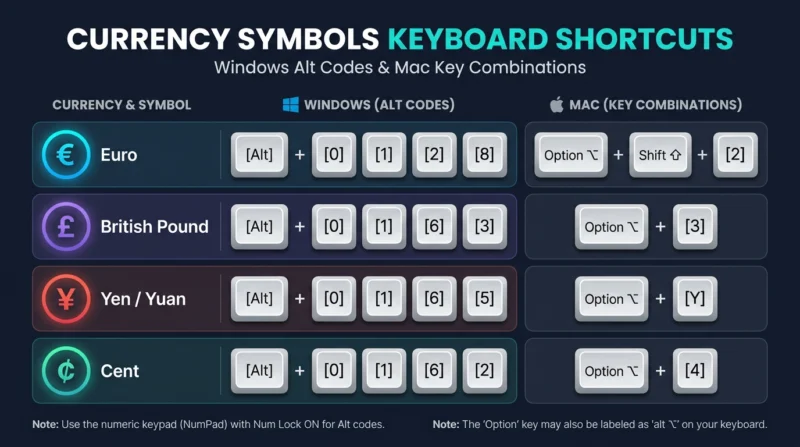
Typing monetary signs across different operating systems requires specific command sequences. Because standard keyboards lack dedicated physical keys for every global tender, operating systems rely on key modifiers, numeric keypad codes, and UNICODE HEX values.
Primary Global Currency Shortcuts
| Symbol | Currency Name | ISO Code | Windows ALT Code | macOS Shortcut | UNICODE HEX |
|---|---|---|---|---|---|
| $ | Dollar | USD | ALT + 36 | SHIFT + 4 | U+0024 |
| € | Euro | EUR | ALT + 0128 | OPTION + SHIFT + 2 | U+20AC |
| £ | British Pound | GBP | ALT + 0163 | OPTION + 3 | U+00A3 |
| ¥ | Yen / Yuan | JPY / CNY | ALT + 0165 | OPTION + Y | U+00A5 |
| ¢ | Cent | USD (Sub) | ALT + 0162 | OPTION + 4 | U+00A2 |
| ¤ | Currency Sign | Generic | ALT + 0164 | OPTION + SHIFT + 2 | U+00A4 |
Major International Currency Glyphs
| Symbol | Currency Name | ISO Code | Windows ALT Code | macOS Shortcut | UNICODE HEX |
|---|---|---|---|---|---|
| ₹ | Indian Rupee | INR | ALT + 8377 | Character Viewer | U+20B9 |
| ₩ | South Korean Won | KRW | ALT + 8361 | Character Viewer | U+20A9 |
| ₽ | Russian Ruble | RUB | ALT + 8381 | Character Viewer | U+20BD |
| ₿ | Bitcoin | XBT | ALT + 8383 | Character Viewer | U+20BF |
| ₺ | Turkish Lira | TRY | ALT + 8378 | Character Viewer | U+20BA |
| ₪ | Israeli New Shekel | ILS | ALT + 8362 | Character Viewer | U+20AA |
| ฿ | Thai Baht | THB | ALT + 3647 | Character Viewer | U+0E3F |
How to Type Currency Symbols on Windows
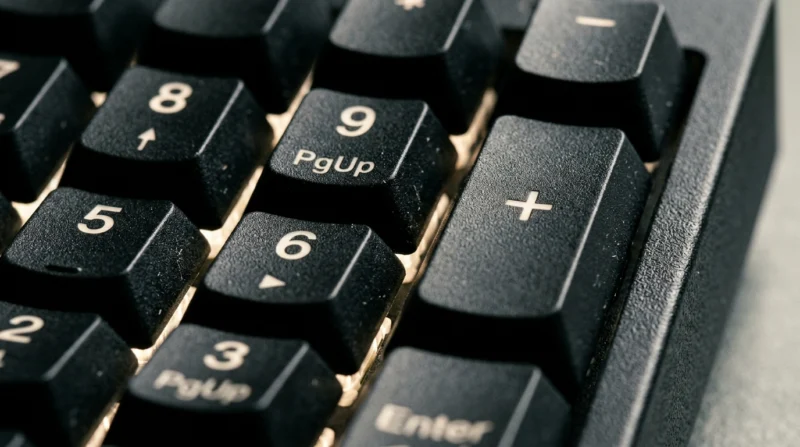
Windows provides direct numeric input via ALT codes. This method requires a physical numeric keypad on the right side of your keyboard. The top row of numbers across standard keyboards will not trigger these outputs.
Using Numeric Keypad ALT Codes
- Ensure your NUM LOCK light is enabled on your keyboard.
- Press and hold the ALT key down.
- Type the exact decimal sequence on your numeric keypad (for example, 0128 for the Euro symbol).
- Release the ALT key, and the glyph will populate your text field.
UNICODE HEX Conversion in Microsoft Word
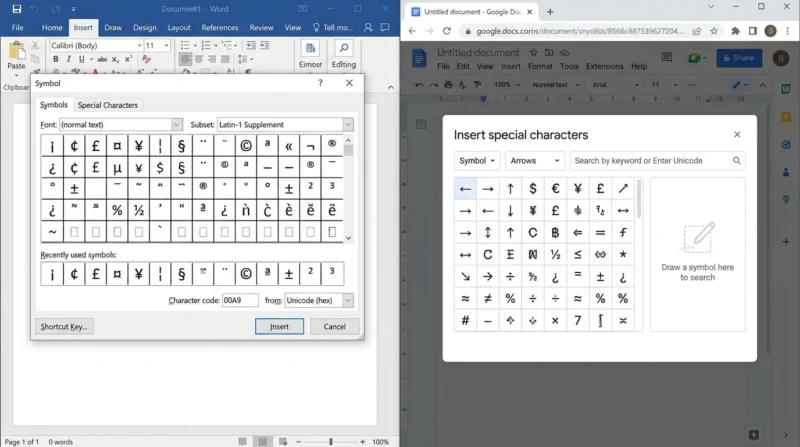
If your keyboard lacks a numeric keypad, Microsoft Word offers a built-in HEX-to-character conversion utility. Type the four-character UNICODE HEX value directly into your document, then press ALT + X.
- Type
20ACfollowed by ALT + X to render € - Type
00A3followed by ALT + X to render £ - Type
20B9followed by ALT + X to render ₹
How to Type Currency Symbols on macOS
macOS maps common monetary signs directly to keyboard modifiers using the OPTION key.
Using Option Key Combinations
- British Pound (£): Press OPTION + 3
- Euro (€): Press OPTION + SHIFT + 2
- Cent (¢): Press OPTION + 4
- Yen / Yuan (¥): Press OPTION + Y
Accessing the Character Viewer
For less common currencies like the Russian Ruble or Bitcoin, macOS includes an integrated Character Viewer palette.
- Press CONTROL + CMD + SPACE to open the Character Viewer.
- Type “currency” into the search bar at the top right.
- Double-click any symbol in the grid to insert it into your active document.
How to Type Currency Symbols on Mobile Devices
Virtual keyboards on smartphones and tablets group alternative monetary characters behind secondary modifier layouts.
iOS and iPadOS Keyboards
- Tap the 123 key on the bottom left of the virtual keyboard.
- Tap the #+= key to access extended symbols.
- Alternatively, tap and hold the primary dollar sign ($) key to reveal a pop-up menu containing €, £, ¥, ¢, and ₩.
Android Keyboards and Long-Press Menus
- Tap the ?123 or 123 key on your layout.
- Tap the secondary symbols page marker if needed.
- Long-press the standard $ key to trigger a sliding picker displaying international currencies.
Frequently Asked Questions
How do I type the Euro symbol (€) on Windows?
Hold down the ALT key and type 0128 on your numeric keypad, or use ALT + 8364.
What is the Mac shortcut for the British Pound (£)?
Press Option + 3 on your Apple keyboard to instantly insert the pound sign.
Why aren’t my Windows ALT codes working for currency symbols?
ALT codes require a dedicated numeric keypad with Num Lock enabled, rather than the row of numbers across the top of your keyboard.
How can I insert less common currency symbols like the Rupee (₹) or Bitcoin (₿)?
You can use UNICODE HEX entry followed by ALT + X in Microsoft Word, or use the Character Viewer on Mac and Special Characters insert menu in Google Docs.