
| System / Method | Shortcut or Code | Notes |
|---|---|---|
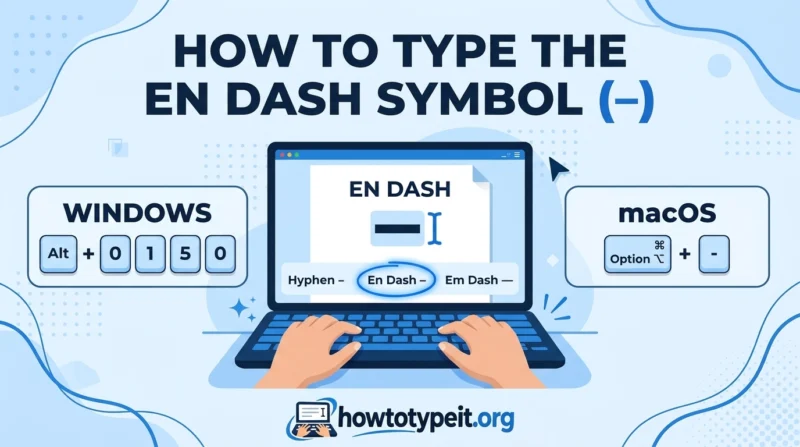
| Windows ALT Code | ALT + 0150 | Use numeric keypad |
| Mac Shortcut | Option + - | Standard U.S. layout |
| Word Shortcut | 2013 then ALT+X | Or press CTRL + NUMPAD - |
| UNICODE | U+2013 | Decimal 8211 |
| HTML Entity | – or – | Web safe |
Quick Copy and Paste En Dash
Instant Access Glyph
If you need to copy the en dash symbol directly into an active editor, use the copy box above or grab it right here: , . The character code is UNICODE U+2013. It differs strictly from both the standard hyphen (-) and the longer em dash (, ). Typography standards dictate its use for numerical ranges, dates, and complex compound modifiers.
How to Type the En Dash on Windows
Using the Numeric Keypad ALT Code
Windows systems support direct character input through the numeric keypad.
- Ensure your Num Lock key is active.
- Press and hold the ALT key.
- Type 0, 1, 5, 0 sequentially on the numeric keypad.
- Release the ALT key to render the , symbol.
Laptops lacking a dedicated numeric keypad require either enabling an software-based number pad layer or utilizing alternative methods.
UNICODE ALT+X Conversion
In Microsoft environments supporting UNICODE HEX parsing:
- Type 2013 directly into your text field.
- Press ALT + X.
- The alphanumeric string instantly converts into , .
How to Type the En Dash on Mac
The Standard Option Key Shortcut
Apple macOS provides native key mapping for typographic marks on standard U.S. layouts.
- Place your text cursor at the insertion point.
- Press and hold the Option key.
- Tap the hyphen/minus key (-).
- Release both keys to output , .
Combining this with the SHIFT key produces the longer em dash (Option + SHIFT + -).
Inserting the En Dash in Word and Google Docs
Microsoft Word Shortcuts
Word features dedicated macro shortcuts and auto-formatting rules:
- Press CTRL + the minus key on the numeric keypad.
- Type two hyphens without surrounding spaces (--) between words; Word automatically converts them upon typing the subsequent space or punctuation mark.
Google Docs Special Characters Menu
Google Docs relies on an integrated character picker:
- Navigate to the top application menu and click Insert.
- Select Special characters.
- Type
en dashor2013into the search bar. - Click the displayed , glyph to insert it at your cursor.
Typing the En Dash on Mobile Devices
iOS and iPadOS
Apple mobile operating systems manage punctuation through press-and-hold gestures on the virtual keyboard.
- Open the numeric or standard keyboard layer.
- Press and hold the standard hyphen key (-).
- Slide your finger to select the en dash (, ) from the small floating popup menu.
Android Gboard
Google’s Gboard application uses a similar long-press interaction model.
- Switch to the symbol layout on your virtual keyboard.
- Long-press the hyphen key (-).
- Release your finger on the en dash (, ) inside the secondary character selector.
Frequently Asked Questions
What is the ALT code for the en dash?
The ALT code for the en dash is ALT + 0150 executed on a hardware numeric keypad.
How do I type an en dash on a Mac?
On a Mac, press Option + - (hyphen key) simultaneously to generate the en dash symbol.
What is the difference between a hyphen, an en dash, and an em dash?
A hyphen (-) connects compound words, an en dash (, ) represents ranges and relationships such as 2010, 2024, and an em dash (, ) indicates a distinct break in sentence structure.
What is the UNICODE value for the en dash?
The official UNICODE code point for the en dash is U+2013, with a decimal value of 8211 and the HTML entity name –.