
| System / Method | Shortcut or Code | Notes |
|---|---|---|
| Windows ALT Code | ALT + 8776 | Use numeric keypad |
| Mac Shortcut | Character Viewer / Copy | Search “almost equal” |
| Word Shortcut | 2248 then ALT + X | Converts UNICODE HEX |
| UNICODE | U+2248 | Standard HEX code |
| HTML Entity | ≈ or ≈ | Web safe |
Quick Copy and Paste Approximately Equal Symbols
When typing mathematical papers or spreadsheets, you need exact UNICODE glyphs. Two primary symbols serve approximation needs. The almost equal sign (≈) indicates standard numerical closeness, while the approximately equal sign (≅) denotes geometric congruence or logical approximation.
≅ (Approximately Equal, U+2245)
≃ (Asymptotically Equal, U+2243)
≒ (Nearly Equals, U+2252)
Primary Approximation Glyphs
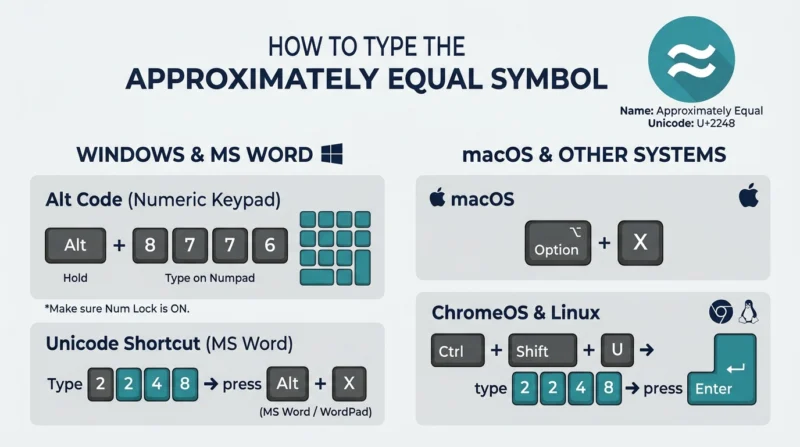
The ≈ character is encoded at UNICODE U+2248 and decimal 8776. The ≅ character is encoded at UNICODE U+2245 and decimal 8773. Selecting the correct glyph depends on your technical domain. Standard arithmetic uses ≈, whereas advanced mathematical proofs often require ≅ or ≃.
When to Use Each Symbol
Use ≈ for rounded calculations, such as estimating pi as 3.14159 ≈ 3.14. Use ≅ when discussing geometric shapes that have identical measurements or when an equation holds true under specific asymptotic limits.
How to Type Approximately Equal on Windows
Windows operating systems provide multiple pathways for inserting math symbols without relying on external clipboard tools.
Using Numeric Keypad ALT Codes
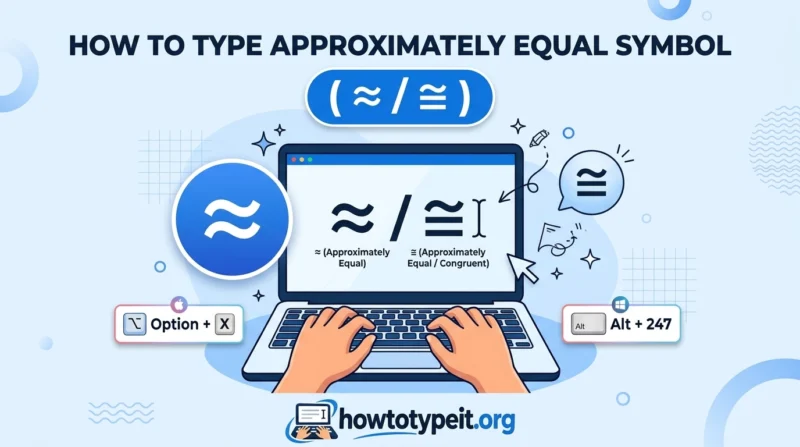
Ensure that NUMPAD is active. Press and hold the ALT key, type 8776 on the numeric keypad, and release ALT to output ≈. For the ≅ symbol, hold ALT and type 8773.
Using UNICODE Hexadecimal Conversion
In modern Windows applications that support text conversion, type the hexadecimal code 2248 and press ALT + X. The four-digit code instantly transforms into ≈. Typing 2245 followed by ALT + X produces ≅.
Typing Approximation Symbols in Microsoft Word
Microsoft Word includes built-in equations and autocorrect libraries designed for document authors.
Math AutoCorrect Commands
Enable Math AutoCorrect in Word options. Type approx followed by the SPACEBAR to generate ≈. Type cong followed by the SPACEBAR to generate ≅.
Using ALT Plus X Conversion
Word natively supports the UNICODE HEX-to-character swap. Enter 2248 inside any document body paragraph, press ALT + X, and the raw code converts to the almost equal symbol.
Typing Approximation Symbols on Mac and Mobile
Apple macOS and mobile operating systems handle symbol input through system viewers and software keyboards.
Mac OS Workflows
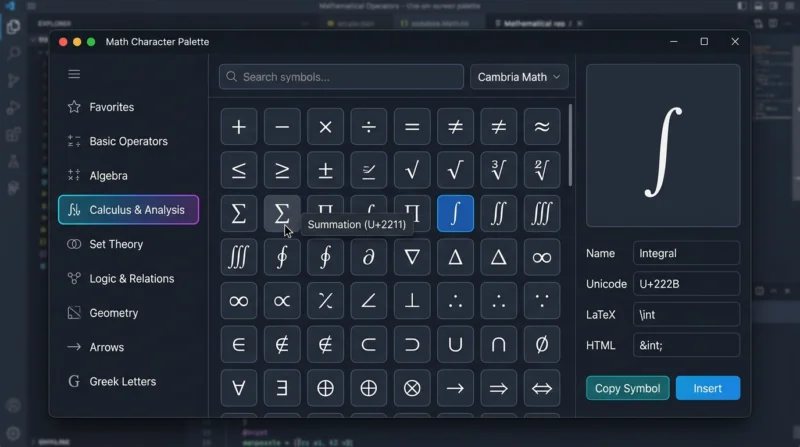
Press CTRL + CMD + SPACE to open the Character Viewer. Type “almost equal” into the search field. Double-click the ≈ result to insert it into your active text field.
Mobile Copy and Paste Solutions
iOS and Android virtual keyboards lack dedicated keys for advanced mathematical operators. Store the ≈ character in your device text replacement settings, or copy it directly from this reference guide.
Frequently Asked Questions
What is the difference between ≈ and ≅?
The ≈ symbol means ‘almost equal to’ and is commonly used for standard numerical approximations, while ≅ means ‘approximately equal to’ and is frequently used in geometry and advanced mathematics.
How do I type the approximately equal symbol using an ALT code?
Press and hold the ALT key while typing 8776 on your numeric keypad for ≈, or use ALT + 8773 for ≅.
How do I type the approximately equal symbol in Microsoft Word?
Type approx followed by a space for ≈, or type cong followed by a space for ≅ using Word’s built-in Math AutoCorrect feature.
How can I insert the symbol if my keyboard lacks a numeric keypad?
You can open the Windows Character Map or use the UNICODE shortcut by typing 2248 and pressing ALT + X inside supported applications like Word.