

| System / Method | Shortcut or Code | Notes |
|---|---|---|
| Windows ALT Code | ALT + 0178 | Use numeric keypad with NUM LOCK active |
| Mac Shortcut | OPTION + 00B2 | Standard character viewer or HEX input |
| Word Shortcut | 00B2 then ALT + X | Converts HEX code to superscript two |
| UNICODE | U+00B2 | Standard hexadecimal identifier |
| HTML Entity | ² or ² | Web safe formatting codes |
Quick Answer: The Squared Symbol ALT Code
The verified squared symbol is represented by the superscript two character (²), categorized under UNICODE identifier U+00B2. It appears frequently in mathematical expressions, area measurements, and algebraic notations.
At a Glance Specifications
Understanding the character structure prevents formatting errors across different software platforms. The glyph is a modifier letter superscript two, distinct from a standard number 2 styled with a font formatting tag.
Primary Windows Shortcut
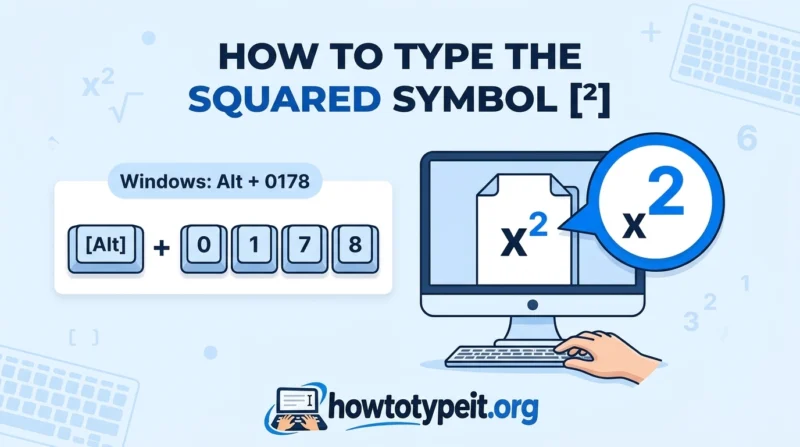
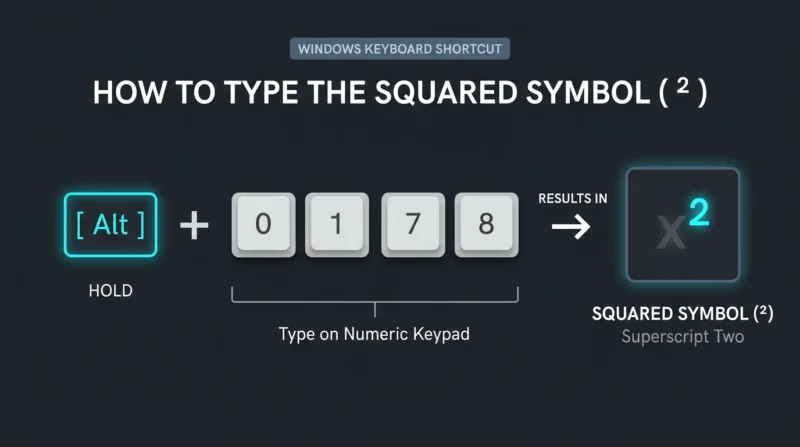
To produce the symbol instantly on a Microsoft Windows operating system, use the numeric keypad code sequence. Hold down the ALT key while pressing 0, 1, 7, and 8 in succession.
How to Type the Squared Symbol on Windows
Windows offers several native pathways to generate the squared character depending on whether you are using a full desktop keyboard or a compact laptop setup.
Using the Numeric Keypad ALT Code
Ensure that your hardware NUM LOCK light is illuminated. Press and hold the left ALT key. While holding it down, press 0, 1, 7, and 8 on the dedicated NUMPAD. Release the ALT key, and the superscript two glyph (²) will render at the cursor position.
Using Microsoft Word ALT+X
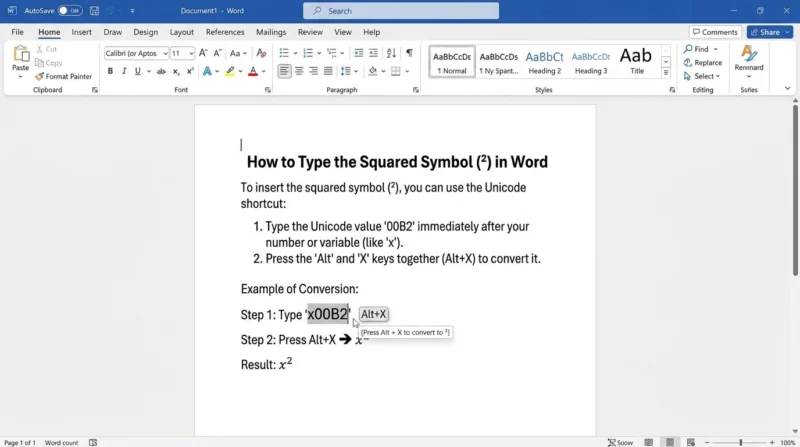
In Microsoft Word, Outlook, and other Office applications, you can bypass traditional ALT codes by utilizing the UNICODE HEX conversion tool. Type the characters 00B2 directly into your document, and immediately press ALT + X. The application instantly converts the text string into ².
Typing Squared on Mac and Mobile Devices
Apple macOS and modern mobile operating systems manage special characters through alternative input panels and touch menus.
Macintosh Keyboard Shortcuts
On Apple macOS, you can access the character viewer by pressing CTRL + CMD + SPACE, then searching for “superscript two”. Alternatively, holding down the 2 key on select layouts brings up an accent picker menu containing the squared superscript option.
Mobile Touchscreen Keyboards
On iOS and Android virtual keyboards, switch to the numeric layout by tapping the symbol or number toggle. Press and hold the 2 key until a small floating menu appears showing available variants. Slide your finger to select the ² character.
HTML Entities and UNICODE Reference
Web developers and content creators often need standardized markup codes to display mathematical symbols reliably across browsers without relying on direct character input.
Web Design and Code Usage
In HTML documents, you can use the named entity ² or the decimal numeric reference ². For CSS stylesheets or JavaScript strings, use the UNICODE escape sequence 0B2.
Character Metadata
The decimal value for this character is 178, and its hexadecimal representation is 00B2. It belongs to the Latin-1 Supplement UNICODE block.
Troubleshooting Common ALT Code Issues
If your ALT code input fails to generate the squared symbol, specific hardware or software configurations are usually the cause.
Num Lock Problems
The most frequent error occurs when NUM LOCK is disabled, or when users attempt to type the code using the standard horizontal row of numbers across the top of the keyboard instead of the dedicated NUMPAD area. ALT codes require the physical numeric keypad.
Laptop Compact Keyboards
Compact keyboards often omit a physical NUMPAD. If your laptop features an embedded numeric keypad accessible via an FN key toggle, enable it before entering the sequence. Otherwise, use the Windows Character Map utility (charmap) or copy the symbol directly from an online reference resource.
Frequently Asked Questions
What is the ALT code for the squared symbol?
The standard Windows ALT code for the squared symbol (²) is ALT + 0178 using the numeric keypad.
How do I type squared on a laptop without a numeric keypad?
On laptops without a dedicated NUMPAD, you can enable Num Lock to use an embedded numeric keypad, use the Microsoft Word ALT+X method by typing 00B2 then pressing ALT + X, or copy and paste the symbol.
What is the UNICODE value for the squared symbol?
The UNICODE value for the squared superscript two character is U+00B2.
How do I type squared on an iPhone or Android phone?
On mobile touch keyboards, press and hold the 2 key to reveal and select the superscript squared symbol (²).