
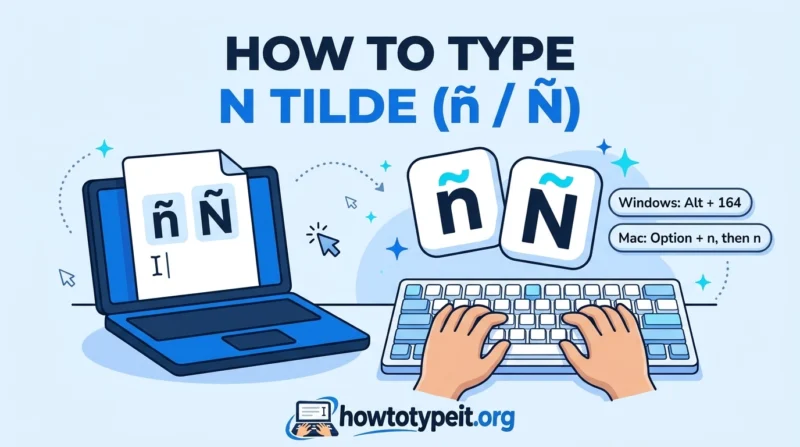

| System / Method | Shortcut or Code | Notes |
|---|---|---|
| Windows ALT Code | ALT + [Code] | Use numeric keypad (e.g., ALT + 0241) |
| Mac Shortcut | Option + N, then N | Dead-key character layering |
| Word Shortcut | 00F1 then ALT + X | Converts UNICODE HEX to glyph |
| UNICODE Decimal | 241 (ñ) / 209 (Ñ) | Standard decimal indexing |
| HTML Entity | ñ / Ñ | Web safe markup representation |
Quick Answer: Windows ALT Codes for N Tilde
Typing the Spanish letter n with a tilde requires using specific character input codes on Windows machines. The standard lowercase ñ and uppercase Ñ have distinct numeric values that operate through the system layout layer.
Typing Lowercase ñ
To output the lowercase Spanish n with tilde (ñ), hold down the ALT key, type 0, 2, 4, 1 on your numeric keypad, and release ALT. Alternatively, the legacy code ALT + 164 produces the same lowercase character on most full-size keyboards.
Typing Uppercase Ñ
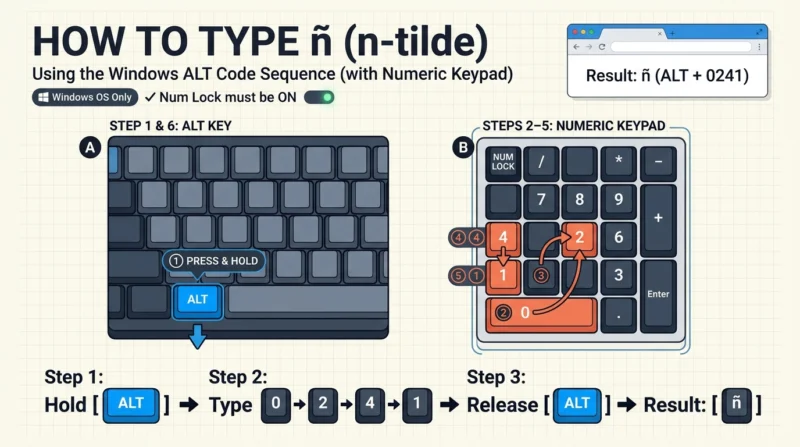
To output the uppercase capital N with tilde (Ñ), hold down the ALT key, type 0, 2, 0, 9 on the numeric keypad, then release ALT. The legacy alternative for this capital form is ALT + 165.
Step-by-Step Instructions for Using ALT Codes
Executing keyboard shortcuts correctly depends on your hardware configuration. Standard office keyboards and compact laptop layouts handle input processing differently.
Enabling Num Lock
The primary reason ALT codes fail is that the NUM LOCK function is turned off. Press the NUM LOCK key and verify that the corresponding LED indicator light on your keyboard is active before attempting to input numbers.
The Keypad Requirement
Windows ALT codes require a physical hardware numeric keypad (the cluster of numbers on the far right of a full-size keyboard). Using the standard horizontal row of numbers across the top of a keyboard will not generate the correct character.
If you are using a compact tenkeyless (TKL) keyboard or a laptop without a dedicated numeric keypad, you must use the Windows On-Screen Keyboard utility, enable the software NUMPAD layer via the function lock, or utilize alternative input methods.
Alternative Methods for Mac, Word, and Web
Different operating systems and productivity applications provide native keyboard shortcuts to insert accented characters without typing numeric sequences.
Typing on macOS
Apple computers use a dead-key sequence. Press and release OPTION + N, then press N again for lowercase ñ. For uppercase Ñ, press OPTION + N, then press SHIFT + N. Alternatively, holding down the N key in text fields opens a character picker menu listing accented variants.
Microsoft Word Dead-Key Shortcuts
Microsoft Word supports shortcut commands for international characters. Press CTRL + SHIFT + ~, release the keys, and then press N to generate ñ.
UNICODE ALT+X Method
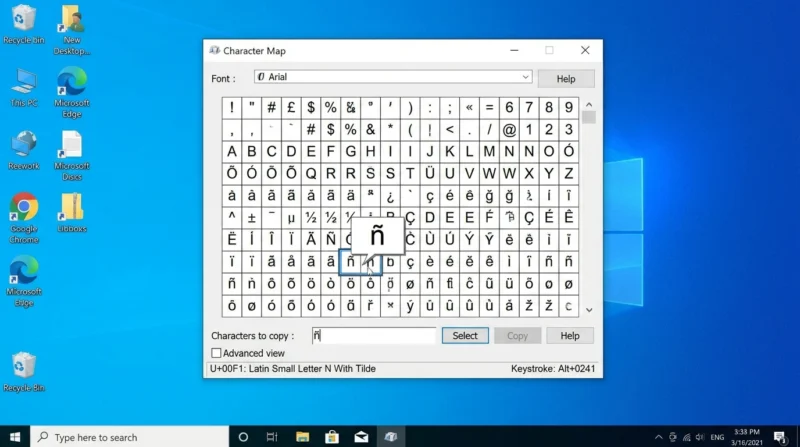
In Microsoft Word and supported text editors, type the hexadecimal code 00F1 for lowercase or 00D1 for uppercase, then immediately press ALT + X to convert the text string into the target glyph.
Character Technical Specifications
Understanding the underlying digital encoding ensures proper rendering across databases, web browsers, and programming languages.
UNICODE and HTML Entities
The lowercase ñ maps to UNICODE code point U+00F1 (decimal 241) and uses the HTML entity ñ or ñ. The uppercase Ñ maps to UNICODE code point U+00D1 (decimal 209) and uses the HTML entity Ñ or Ñ.
Distinguishing Tilde from N with Tilde
The standalone tilde symbol (~) is an independent punctuation mark located at UNICODE U+007E (accessible via ALT + 126). Typing a standalone tilde followed by the letter n does not produce the unified combining character required for proper Spanish typography and data validation.
Frequently Asked Questions
What is the primary ALT code for lowercase ñ on Windows?
The most reliable standard ALT code for lowercase ñ is ALT+0241, though the legacy code ALT+164 is also widely supported on full keyboards with a numeric keypad.
Why is my ALT code producing a random symbol instead of ñ?
This typically happens if Num Lock is disabled or if you are using the number row across the top of the keyboard instead of the dedicated numeric keypad.
How do you type the uppercase Ñ on Windows?
To type the uppercase capital N with tilde, hold down the ALT key and type 0209 (or 165 on legacy systems) on your numeric keypad before releasing ALT.
How can I type ñ on a Mac without a numeric keypad?
On macOS, press and hold the Option key while tapping N, release both keys, and then press N again to output the lowercase ñ.