

| System / Method | Shortcut or Code | Notes |
|---|---|---|
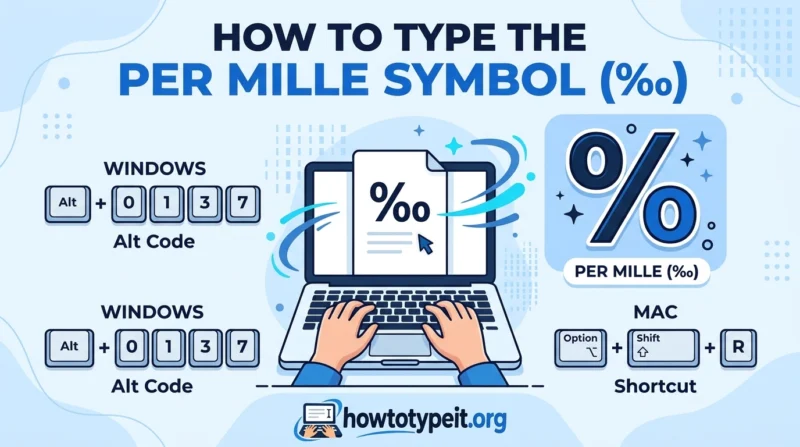
| Windows ALT Code | ALT + 0137 | Use numeric keypad |
| Mac Shortcut | Option + SHIFT + R | Direct key combination |
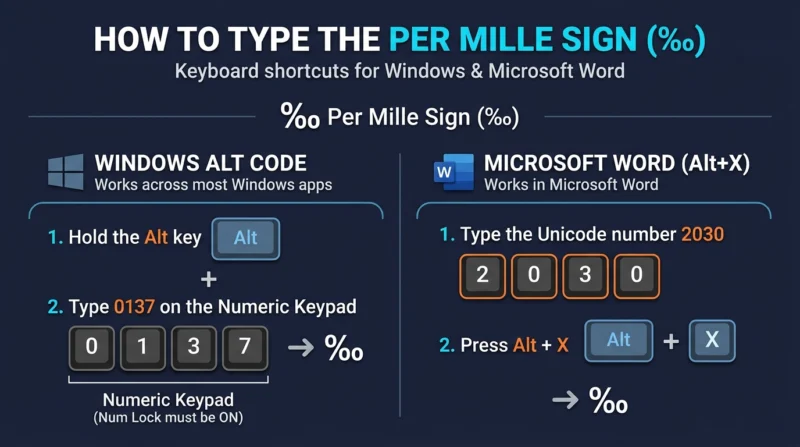
| Word Shortcut | 2030 then ALT + X | Converts HEX code to glyph |
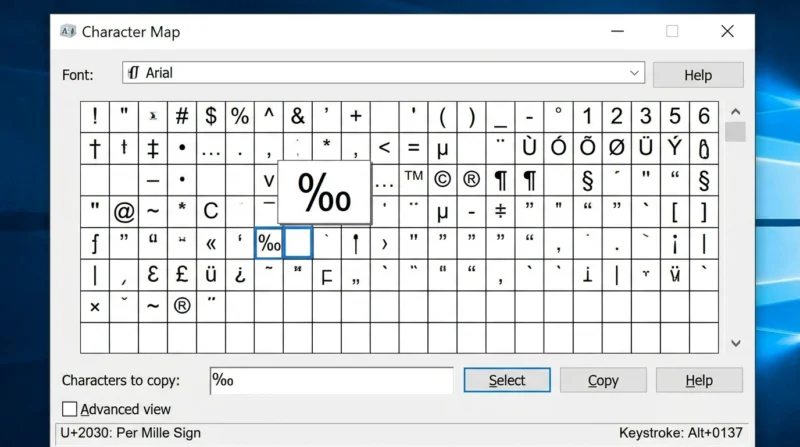
| UNICODE | U+2030 | Standard HEX code |
| HTML Entity | ‰ or ‰ | Web safe output |
Quick Copy and Paste Per Mille Symbol
Instant Clipboard Access
The fastest way to insert the per mille sign into an active text field without memorizing keyboard shortcuts is to use the copy box above. Select the glyph directly or use the automated button to load it into system memory. This approach prevents formatting errors across web forms, text editors, and spreadsheet applications.
Where Is It Used?
The per mille sign (‰) translates directly to per thousand. It resembles a percentage sign (%) but contains an extra zero in the divisor. Writers, researchers, and financial analysts deploy this character when expressing values like ocean salinity, blood alcohol concentration, birth and death rates, and bond yields.
How to Type the Per Mille Sign on Windows
Using Numeric Keypad ALT Codes
Windows operating systems support native ASCII and UNICODE injection via the numeric keypad. To execute this method, ensure Num Lock is active. Press and hold either ALT key, type 0137 on the numeric keypad, and release the ALT key. The glyph ‰ will populate at the cursor position. Laptop users without a dedicated physical number pad must enable the software Num Lock layer or use an external USB keyboard.
Using Microsoft Word ALT+X
Microsoft Word provides a direct hexadecimal conversion utility for UNICODE characters. Type the four-character HEX code 2030 directly into the document canvas. Immediately press ALT + X. Word replaces the string with the per mille sign. Reversing the shortcut (ALT + X on the inserted symbol) reveals its underlying code point.
Typing Per Mille on Mac and Mobile Devices
Mac Shortcut Sequence
Apple macOS handles special punctuation through modifier key combinations. To generate the per mille character on a standard Apple keyboard layout, press and hold Option + SHIFT + R simultaneously. The glyph appears instantly in text editors, browsers, and design software.
Mobile and Tablet Input
iOS and Android virtual keyboards handle the per mille sign through character expansion layers. Tap and hold the percentage key (%) on the primary symbol layout. A secondary menu pops up displaying related mathematical characters, allowing selection of the ‰ glyph. Alternatively, save the character to device text replacement settings for automated expansion.
Technical Specifications and HTML Entities
UNICODE and HEX Codes
The per mille sign belongs to the General Punctuation block within the UNICODE standard. Its official designation is U+2030 (PER MILLE SIGN). The decimal equivalent used in programming logic and legacy database migrations is 8240.
HTML Entity References
Web developers embed the character safely across browsers using specific character entity references. Use the named entity ‰, the decimal reference ‰, or the hexadecimal reference ‰ within HTML markup files to guarantee correct rendering.
Frequently Asked Questions
How do I type the per mille symbol (‰) on Windows?
You can type the per mille sign on Windows by holding down either ALT key and typing 0137 on your numeric keypad, or by typing 2030 followed by ALT+X in Microsoft Word.
What is the UNICODE code point for the per mille sign?
The UNICODE code point for the per mille sign (‰) is U+2030, which corresponds to the decimal value 8240.
How do I type the per mille symbol on a Mac?
On a Mac, you can type the per mille symbol by pressing and holding the Option and SHIFT keys while pressing the R key (Option + SHIFT + R).
What does the per mille symbol mean?
The per mille symbol (‰) means per thousand and is used to express ratios in parts per thousand, commonly found in blood alcohol content, ocean salinity, and financial calculations.