
| System / Method | Shortcut or Code | Notes |
|---|---|---|
| Windows ALT Code | ALT + 0128 | Use numeric keypad with Num Lock on |
| Windows Shortcut | CTRL + ALT + 4 or AltGr + 4 | Standard UK and international desktop layouts |
| Mac Shortcut (US) | Option + SHIFT + 2 | Standard Apple US layout |
| Mac Shortcut (UK) | Option + 2 | Apple UK and Irish layout |
| Word Shortcut | 20AC then ALT + X | Converts UNICODE HEX instantly |
| UNICODE | U+20AC | Universal character standard |
| HTML Entity | € or € | Web safe formatting |
Quick Methods to Type the Euro Symbol
Windows Shortcuts
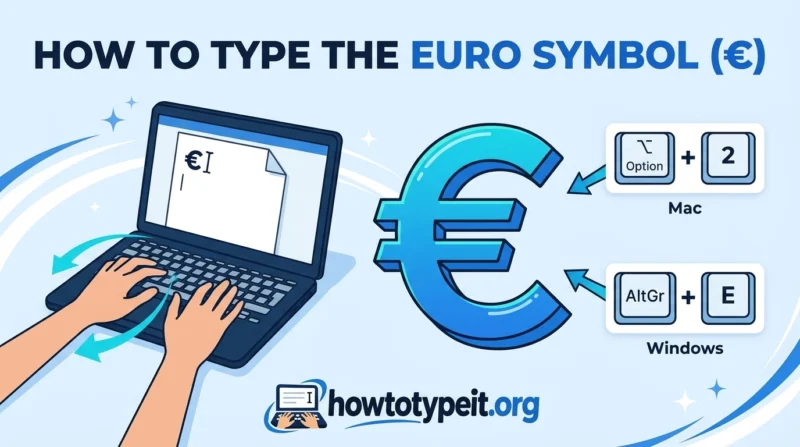
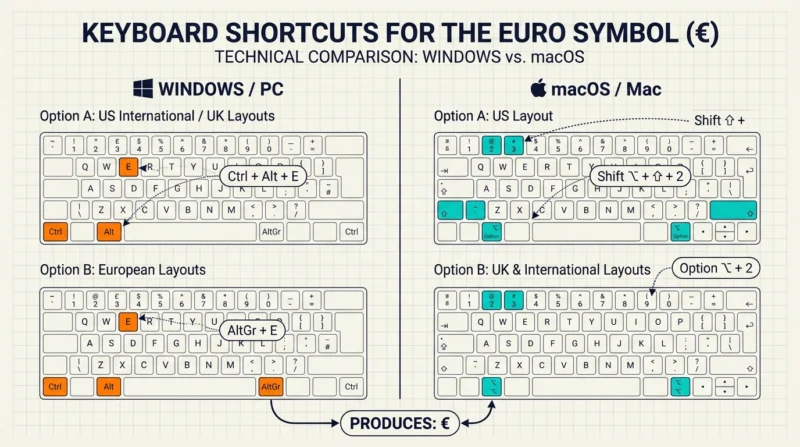
On Windows computers, the euro symbol can be inserted using keyboard modifiers based on your regional layout. If you use a United Kingdom or international keyboard layout, press CTRL + ALT + 4 or AltGr + 4. If your physical keyboard includes a dedicated numeric keypad, ensure Num Lock is active, then hold down the ALT key while typing 0128 on the numeric keypad. Release the ALT key to render the € glyph. European keyboard layouts often map the symbol directly to AltGr + E.
Mac Shortcuts
Apple keyboards map currency symbols based on regional configurations. For macOS users operating on a standard US keyboard layout, press Option + SHIFT + 2. Users on UK or Irish Apple layouts can generate the character by pressing Option + 2 directly.
Linux and AltGr Layouts
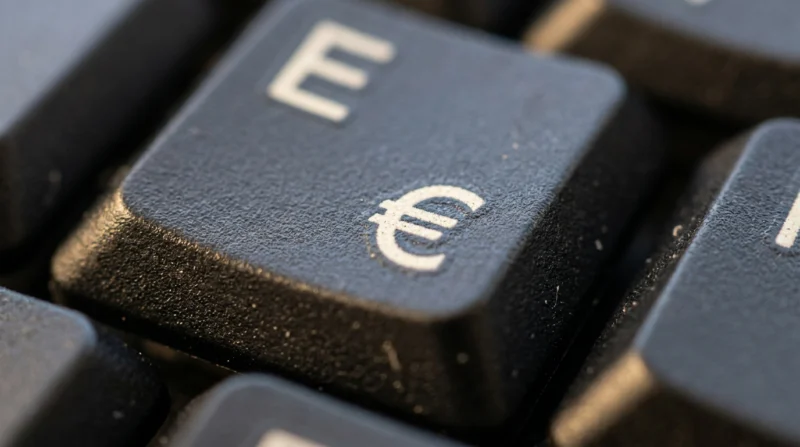
Linux distributions configured with international or European key maps typically assign the euro sign to the right modifier key. Pressing AltGr + E instantly outputs the character across most modern distributions without requiring hexadecimal code sequences.
Typing the Euro Sign in Word Processors
Microsoft Word UNICODE Method
Microsoft Word supports HEX-to-UNICODE conversion for rapid symbol insertion. Type the hexadecimal sequence 20AC directly into your document, and immediately press ALT + X. Word replaces the text string with the € symbol. Alternatively, navigate to the top ribbon, select Insert, choose Symbol, and select the euro sign from the quick menu.
Google Docs Special Characters
Google Docs features an integrated character lookup tool. Access the top menu, click Insert, select Special characters, and type euro into the search bar. Click the resulting € glyph to insert it at your cursor position.
How to Input the Euro Symbol on Mobile Devices
iPhone and iPad iOS
Apple mobile devices running iOS house the euro sign within the secondary numerical layer. Tap the 123 or ?123 key to switch from alphabetical to numerical mode. Long-press the $ currency key to reveal a pop-up menu containing alternative currency symbols, then slide your finger to select €.
Android Smartphones and Tablets
Android virtual keyboards such as Gboard follow a similar layout convention. Tap the ?123 or symbol toggle key, then long-press the default $ sign. Release your finger over the € option that appears in the floating selection box.

Technical Specifications of the Euro Character
UNICODE and HTML Entities
In digital document publishing and web development, characters require standardized encoding identifiers. The euro symbol is officially registered at UNICODE code point U+20AC. Its decimal value is 8364. When building web pages, developers can utilize the named HTML entity € or the numeric entity € to ensure universal browser rendering.
Typography and Glyph Design
The euro symbol design is modeled after the Greek letter epsilon, referencing the cradle of European civilization, crossed by two parallel lines that signify stability. Professional typefaces scale the glyph dimensions to match capital letter heights, ensuring visual harmony in financial tables, invoices, and editorial content.
Frequently Asked Questions
How do I type the euro symbol on Windows?
On Windows, you can type the euro symbol by pressing CTRL + ALT + 4, AltGr + 4, or by using the numeric keypad ALT code ALT + 0128.
What is the keyboard shortcut for the euro sign on a Mac?
On a Mac with a US keyboard layout, press Option + SHIFT + 2. On a UK or Irish layout, press Option + 2.
How do I type the euro symbol on an iPhone or Android phone?
On mobile devices, open the numeric or symbol keyboard by tapping 123, then long-press the dollar sign ($) and slide your finger to select the euro symbol (€).
What is the UNICODE value for the euro symbol?
The UNICODE designation for the euro sign is U+20AC, and its HTML entity code is €.