
| System / Method | Shortcut or Code | Notes |
|---|---|---|
| Windows ALT Code | ALT + 0181 | Requires numeric keypad with Num Lock active |
| Mac Shortcut | Option + M | Direct key combination on Apple keyboards |
| Word Shortcut | 00B5 then ALT + X | Converts HEX code directly in Microsoft Word |
| UNICODE | U+00B5 | Standard international character registry |
| HTML Entity | µ or µ | Web-safe markup codes |
Quick Answer: The Micro ALT Code
The Windows Numeric Keypad Shortcut
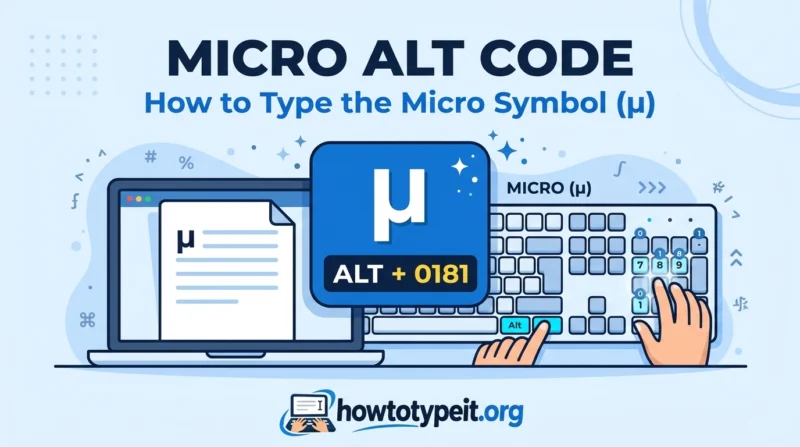
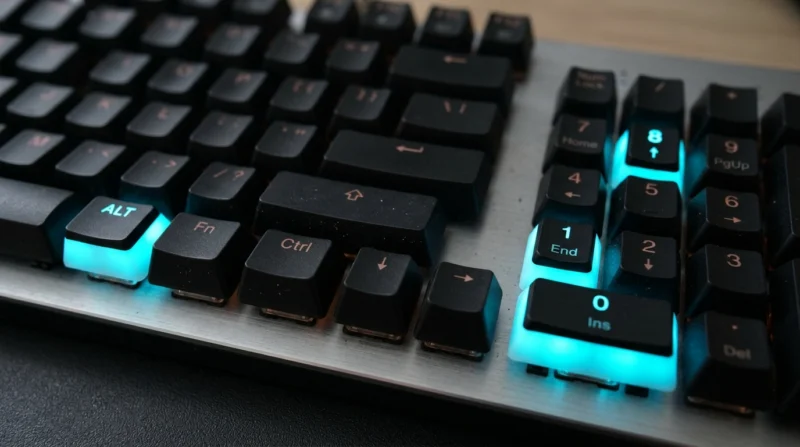
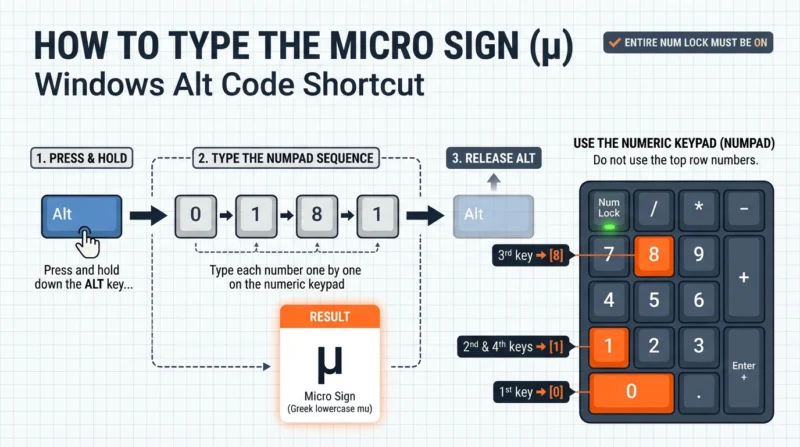
To type the micro symbol (µ) on Windows systems using a traditional desktop keyboard, use the numeric keypad sequence. Ensure that your Num Lock key is active. Press and hold the ALT key, then type 0, 1, 8, 1 on the dedicated numeric keypad. Release the ALT key, and the character renders immediately.
Alternative Windows and Word Methods
If your keyboard lacks a physical numeric keypad, alternative approaches ensure rapid input. In Microsoft Word or Outlook, type 0, 0, B, 5 and press ALT + X to transform the hexadecimal code into the micro sign. Alternatively, use the built-in Character Map utility (WIN + R, type charmap, press Enter) to search for the micro sign and copy it to your clipboard.
How to Type the Micro Symbol on Different Operating Systems
Typing on Windows Laptops Without a NUMPAD
Compact laptops and tenkeyless boards lack a dedicated numeric keypad, rendering standard ALT codes inactive unless simulated. You can activate the Windows On-Screen Keyboard (WIN + CTRL + O) to click the virtual numeric keys, or use the US-International keyboard layout where dead keys allow combining modifier strokes. Another reliable method for frequent typists is assigning a custom AutoHotkey script that maps a short character string like !mu to output µ.
Typing on Apple macOS
Apple macOS provides a streamlined native shortcut for the micro sign. Press the Option key combined with the M key (Option + M) simultaneously. This keystroke sequence outputs the micro symbol across native applications, text editors, browsers, and design suites without requiring character viewer panels.
Using Microsoft Word’s ALT + X Feature
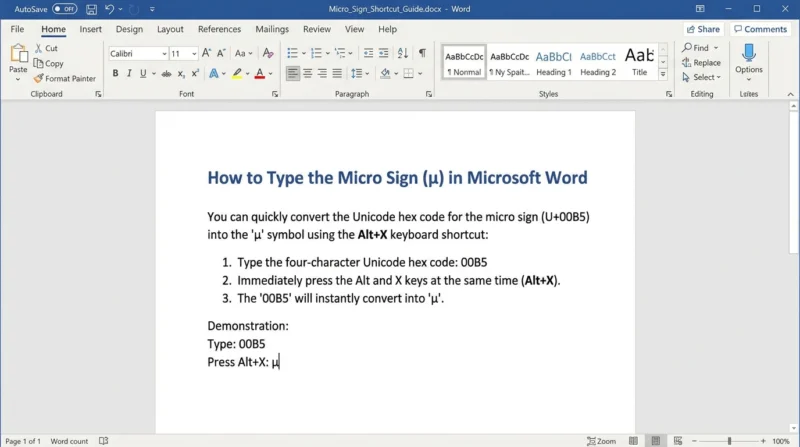
Microsoft Office applications support UNICODE hexadecimal conversion. Type the exact character code 00B5 directly into your document, and immediately press ALT + X. The text string replaces itself with the micro sign character. Repeating ALT + X on the rendered symbol toggles it back to its underlying hexadecimal code value.
Understanding the Micro Sign Typography and UNICODE
Micro Sign vs. Greek Small Letter Mu
In digital typography and font encoding, two distinct characters resemble the micro symbol: the dedicated micro sign (U+00B5) and the Greek small letter mu (U+03BC). While they share an identical visual glyph in most standard fonts, international standards recommend U+00B5 for metric unit prefixes such as micrometers (µm) or micrograms (µg), while U+03BC is reserved for Greek alphabet usage and mathematical formulas.
Common Scientific and Metric Uses
The micro symbol functions as a metric prefix denoting a factor of one-millionth ($10^{-6}$). Technical documentation, electronic schematics, and laboratory reports rely on this glyph for precise unit representation. Spreadsheet software like Microsoft Excel handles the symbol safely within text strings, though calculations requiring unit parsing rely on standard base units accompanied by explicit cell formatting.
Frequently Asked Questions
What is the exact ALT code for the micro symbol?
The primary numeric keypad ALT code for the micro symbol (µ) is ALT + 0181.
Why is my ALT code not working on my laptop?
Laptop keyboards often lack a dedicated physical numeric keypad, meaning standard numeric codes will not register unless you enable a software number pad layer or use an external USB keyboard.
How do you type the micro symbol on a Mac?
On macOS, you can easily type the micro symbol by pressing the Option and M keys simultaneously.
What is the UNICODE value for the micro sign?
The official UNICODE code point for the micro sign is U+00B5, which corresponds to the decimal value 181.