

| System / Method | Shortcut or Code | Notes |
|---|---|---|
| Windows ALT Code | ALT + 0231 | Use numeric keypad for lowercase ç |
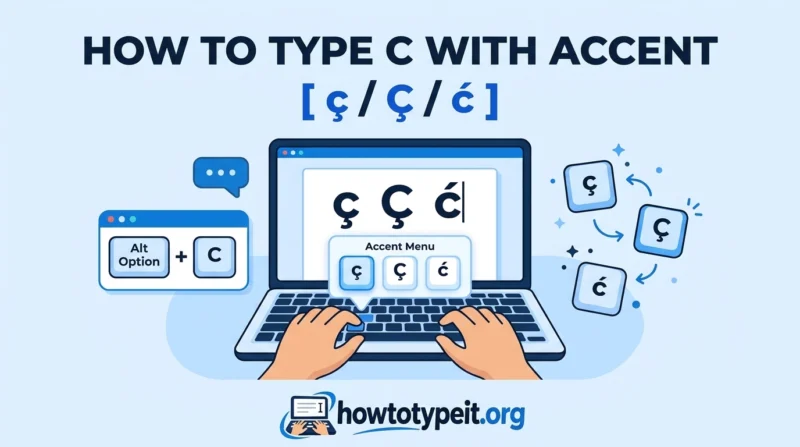
| Mac Shortcut | Option + C | Direct key combination for lowercase ç |
| Word Shortcut | 00E7 then ALT+X | Converts HEX code to ç |
| UNICODE | U+00E7 | Standard HEX code |
| HTML Entity | ç | Web safe entity |
Understanding the C with Accent Variations
When typing users look for an accented C, they almost always refer to the c with cedilla (ç lowercase, Ç uppercase). This glyph is essential for French, Portuguese, Turkish, and Catalan. However, depending on the linguistic context, you might also encounter the c with an acute accent (ć / Ć) used in Polish, Croatian, and Bosnian, or the c with a dot above (ċ / Ċ) used in Maltese.
The Most Common Form: C with Cedilla (ç / Ç)

The cedilla mark beneath the letter alters the hard /k/ sound of the letter C into a soft /s/ sound before back vowels (a, o, u). Because standard English keyboards lack a dedicated key for this character, users must rely on operating system shortcuts, numeric keypad codes, or automated text replacements.
Alternative Forms: C with Acute (ć / Ć) and C with Dot (ċ / Ċ)
Slavic languages that employ the Latin alphabet use the acute accent variant (ć). This character indicates a voiceless alveolo-palatal affricate sound. Typing these requires separate input sequences, such as specific ALT codes (ALT + 392 for lowercase ć) or US-International dead-key combinations (' followed by c).
How to Type C with Cedilla (ç / Ç)
Different operating systems require different input mechanisms to generate the cedilla character efficiently.
Typing on Windows Using ALT Codes
Windows users with a full-size keyboard featuring a dedicated numeric keypad can use standard numeric codes:
- Lowercase ç: Press and hold ALT, type 0231 (or 135) on the numeric keypad, then release ALT.
- Uppercase Ç: Press and hold ALT, type 0199 (or 128) on the numeric keypad, then release ALT.
If your keyboard lacks a numeric keypad, enable NumLock via a software utility or use the Windows Character Map utility (WIN + R, type charmap, and hit Enter).
Typing on macOS Using Option Shortcuts
Apple macOS simplifies accented input through direct key combinations:
- Lowercase ç: Press Option + C.
- Uppercase Ç: Press Option + SHIFT + C.
Alternatively, pressing and holding the C key in most native macOS applications brings up a character picker menu showing all available diacritic variations.
Typing on Mobile Devices (iOS and Android)
On virtual smartphone keyboards, generating the character requires minimal effort:
- Tap and hold the C key on your software keyboard.
- Slide your finger to select ç or Ç from the resulting popup menu.
Alternative Methods for Documents and Web Design
Office suites and web development frameworks offer specialized syntax for rendering these characters without memorizing raw numeric codes.

Microsoft Word and Google Docs Shortcuts
In Microsoft Word, you can type the UNICODE hexadecimal value and convert it immediately:
- Type
00E7, then press ALT + X to transform the text into ç. - Type
00C7, then press ALT + X to transform the text into Ç.
In Google Docs, use the built-in character insertion tool via the top menu (Insert > Special characters), or configure a system-level text replacement shortcut.
HTML Entities for Web Developers
Web developers can insert these characters safely into HTML source code using named or numbered entity references:
- Lowercase ç:
çorç - Uppercase Ç:
ÇorÇ
Frequently Asked Questions
How do I type a lowercase c with cedilla (ç) on Windows?
You can type a lowercase ç on Windows by holding down the ALT key and typing 0231 or 135 on your numeric keypad.
What is the Mac keyboard shortcut for capital C with cedilla (Ç)?
On a Mac, you can type the uppercase Ç by pressing Option + SHIFT + C.
Is ‘c with accent’ the same as a c with an acute accent (ć)?
No, ‘c with accent’ usually refers to the French c with cedilla (ç), but it can also refer to the c with an acute accent (ć) used in Slavic languages like Polish and Croatian.
How do I type ç in HTML websites?
You can use the HTML entity ç for lowercase or Ç for uppercase, or use the decimal code ç.