

| System / Method | Shortcut or Code | Notes |
|---|---|---|
| Windows ALT Code | ALT + 8377 | Use numeric keypad (application dependent) |
| Mac Shortcut | Option + 4 | Requires Indian or Devanagari layout |
| Word Shortcut | 20B9 then ALT + X | Instant conversion in Microsoft Word |
| UNICODE | U+20B9 | Standard HEX identifier |
| HTML Entity | ₹ | Web safe character reference |
Quick Methods to Type the Indian Rupee Symbol
Typing the Indian Rupee symbol (₹) requires understanding your operating system configuration and keyboard layout. Standard US or UK keyboards do not always feature a dedicated physical key for this currency sign, making software shortcuts and layout modifications necessary.
Using Windows Keyboards
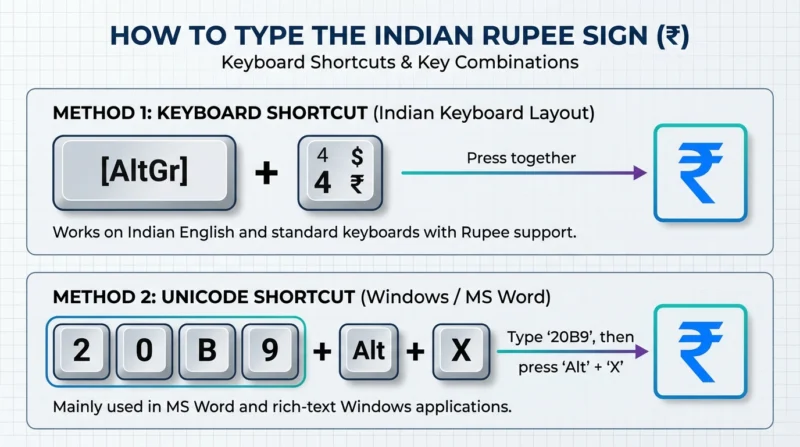
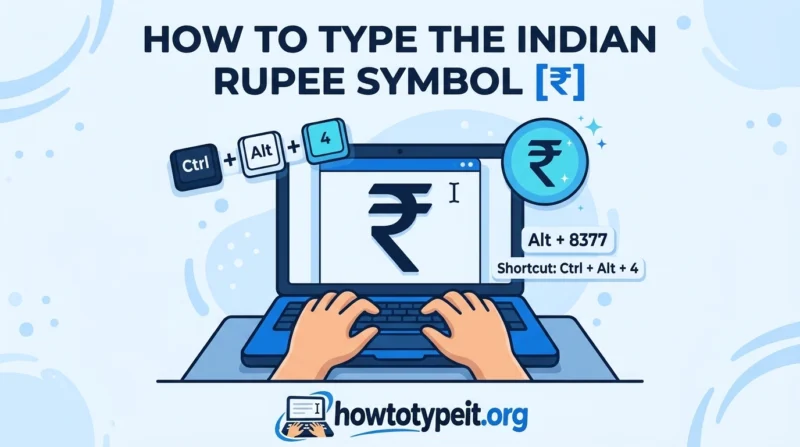
On Windows computers running Windows 8 or later with the English (India) keyboard layout enabled, you can generate the symbol using specific key combinations. Pressing CTRL + ALT + 4 or AltGr + 4 outputs the currency sign directly. If your system uses a standard US layout without the India pack, alternative methods such as Word conversion or copy-pasting are required.
Using macOS Keyboards
Apple macOS natively supports the Indian Rupee sign when utilizing regional input sources. Switch your keyboard input to an Indian or Devanagari layout, then press Option + 4 to insert the ₹ character into any active text field.
Typing the Rupee Sign in Microsoft Word and Google Docs
Office applications offer dedicated tools to bypass standard keyboard limitations. Word users have access to a fast hexadecimal conversion tool that operates independently of the active operating system keyboard layout.
The Microsoft Word ALT + X Method
To use this workflow in Microsoft Word, type the hexadecimal code 20B9 directly into your document. Immediately after typing the final digit, press ALT + X. Word replaces the alphanumeric string with the Indian Rupee symbol.
Using ALT Codes
On Windows systems equipped with a physical numeric keypad, press and hold the ALT key while typing 8377 on the NUMPAD. Release the ALT key to render the glyph. Note that this method’s reliability varies depending on the specific application environment and font family selected.
Inputting the Rupee Symbol on Mobile Devices
Mobile platforms handle currency symbols through software keyboards with long-press menus and regional language dictionaries.
Android Smartphones and Tablets
On Android devices using Gboard or standard virtual keyboards, switch to the numeric and symbol layout by tapping the ?123 key, then access secondary symbols if needed. Alternatively, press and hold the dollar sign ($) key on the primary symbol layout until a currency popup menu appears, then slide to select ₹.
iPhone and iPad
On iOS and iPadOS, open the numeric keyboard layout by tapping the 123 key, then press and hold the default currency symbol key (such as $) to reveal alternate regional currency options including the Indian Rupee. You can also add the English (India) software keyboard via device settings for dedicated layout access.

Linux and ChromeOS UNICODE Methods
Linux distributions and ChromeOS support universal hexadecimal UNICODE input, allowing users to generate any character regardless of physical keyboard restrictions.
Universal Linux Shortcut
Position your text cursor in any editable field and press CTRL + SHIFT + U. An underlined small letter u appears on the screen. Type 20B9 and press Space or Enter to output the Indian Rupee symbol.
Frequently Asked Questions
What is the official UNICODE code point for the Indian Rupee symbol?
The official UNICODE code point for the Indian Rupee symbol (₹) is U+20B9, with a decimal value of 8377.
How do I type the rupee symbol in Microsoft Word?
You can type 20B9 in Microsoft Word and immediately press ALT + X to convert it into the ₹ symbol.
Can I type the rupee symbol using an ALT code?
Yes, on Windows systems with a numeric keypad, you can hold down the ALT key and type 8377, though compatibility depends on the active application.
How do I type the rupee symbol on a Mac?
On a Mac configured with an Indian or Devanagari keyboard layout, you can press Option + 4 to insert the rupee sign.