
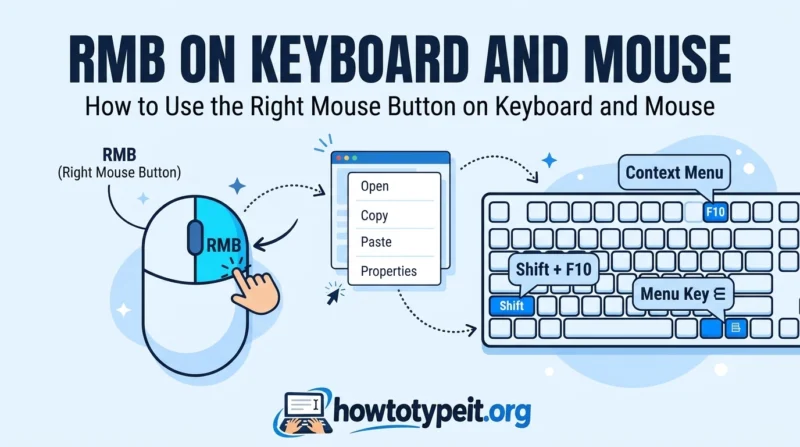
- RMB refers strictly to the Right Mouse Button, not a physical keyboard key.
- Software documentation uses RMB to denote right-click, context menu triggers, or camera manipulation.
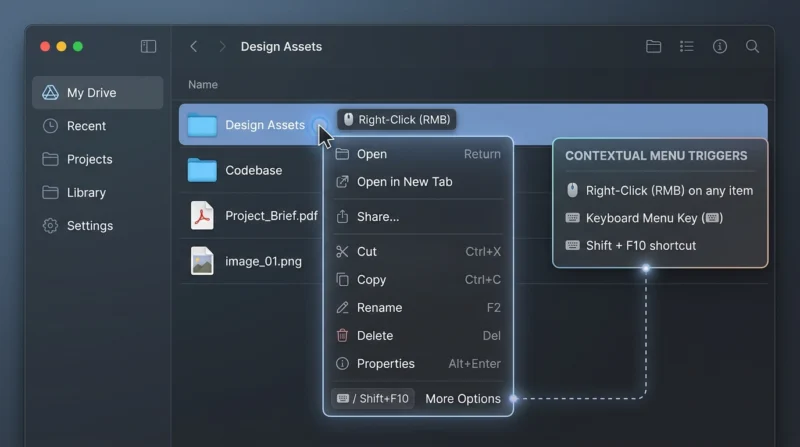
- Keyboard alternatives like the Context Menu key or modifier combinations (SHIFT + F10) offer partial mouse substitution.
Understanding RMB: What Does It Stand For?
When studying technical manuals, CAD software instructions, video game controls, or operating system tutorials, users often encounter concise input abbreviations. Among the most frequent notations is RMB. Clarifying this terminology prevents confusion between physical input hardware types, specifically distinguishing between computer mice and desktop keyboards.
The Anatomy of Computer Input
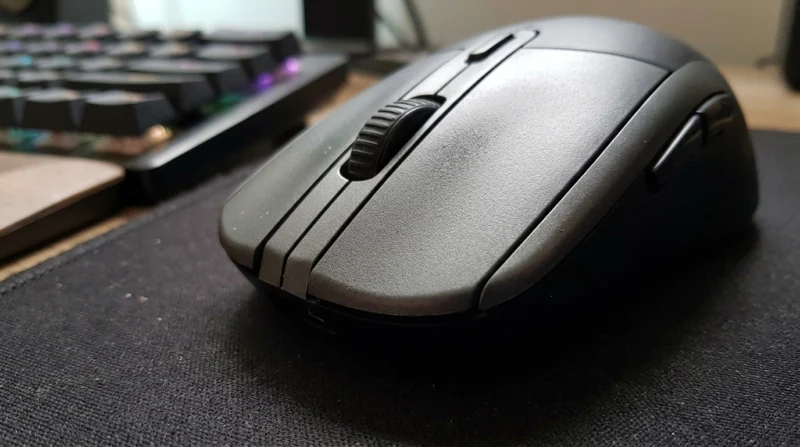
RMB stands for Right Mouse Button. Despite appearing in typing guides and keyboard layout forums, RMB is not a key on a QWERTY or ergonomic keyboard. It designates the secondary physical clicking surface located on the right side of a standard two-button or multi-button computer mouse. Hardware and software designers use this abbreviation to streamline instructions without writing out the full phrase repeatedly.
RMB vs. LMB and MMB
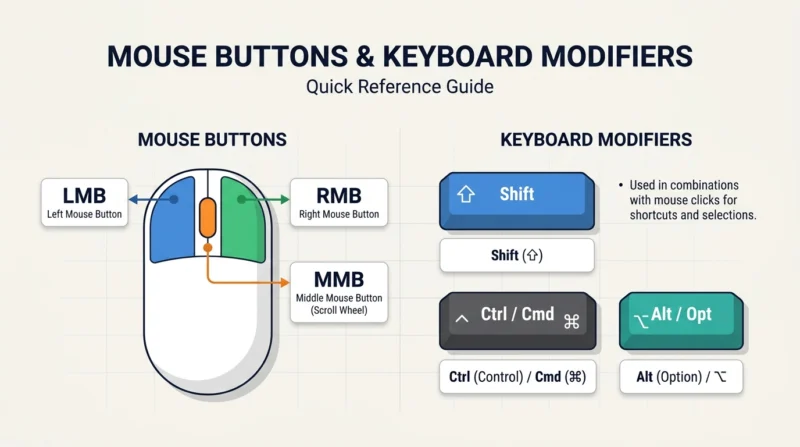
Technical instructions typically group mouse actions into three primary shorthand designations:
- LMB: Left Mouse Button. Used for selecting text, clicking interface buttons, dragging files, and executing primary actions.
- RMB: Right Mouse Button. Used for opening contextual menus, inspecting properties, and triggering secondary application features.
- MMB: Middle Mouse Button or scroll wheel click. Used for auto-scrolling, opening links in new browser tabs, or panning inside design software.
How to Use RMB on Your Mouse and Trackpad
Executing an RMB command depends on the pointing device in use. While desktop mice feature a distinct mechanical switch under the right plastic paddle, laptops and modern trackpads rely on multi-finger gestures or designated surface zones.
Standard Right-Click Actions
On a traditional desktop mouse, resting the index finger on the left side and the middle finger on the right side prepares the hand for an RMB input. Pressing down on the right side until a tactile click occurs registers the action. On Apple macOS trackpads, secondary clicking requires a two-finger tap, pressing the bottom-right corner, or holding the Control key while performing a standard left click. Windows precision trackpads emulate RMB through a two-finger tap gesture.
Advanced Commands Like RMB Drag
Software manuals frequently combine RMB with motion commands. An RMB drag instruction requires the user to press and hold the right mouse button down, maintain that pressure, and simultaneously slide the mouse across the desk or the trackpad surface. This gesture is standard in 3D modeling programs, geographic information systems, and game engines for rotating viewports, panning canvases, or activating contextual selection boxes.
Keyboard Equivalents for the Right Mouse Button
Users who prefer keyboard-only navigation or face hardware failures often seek keyboard shortcuts that replicate mouse behaviors. While a keyboard cannot execute a true analog RMB click, several functional workarounds exist.
Using the Windows Context Menu Key
Most full-sized and tenkeyless keyboards include a dedicated Context Menu key, often represented by an icon showing a small cursor hovering over a menu. This key is typically positioned on the bottom row between the right ALT or Windows key and the right CTRL key. Pressing this key opens the same context menu that an RMB click generates for the currently selected file, text block, or UI element.
On keyboards lacking a dedicated context menu key, users can press SHIFT + F10 to achieve the exact same software response.
Modifier Combinations in 3D and Editing Software
Professional applications often map secondary functions to keyboard modifiers combined with mouse clicks. The following matrix illustrates common interactions:
| Shortcut Combination | Primary Application Context | Functional Result |
|---|---|---|
| ALT + RMB | 3D Viewports (Blender, Maya) | Zoom camera view or adjust brush radius |
| SHIFT + RMB | CAD and Graphics Editors | Pan workspace or snap alignment points |
| CTRL + RMB | Raster and Vector Software | Subtract from selection or rotate canvas |
Troubleshooting Common Mouse and Input Issues
When an RMB input fails to register within an operating system or specific application, the root cause usually stems from hardware obstruction, driver corruption, or conflicting software settings.
When the Right Click Stops Responding
To diagnose an unresponsive right mouse button, execute the following steps in sequence:
- Test the mouse on a different USB port or via a separate Bluetooth pairing to rule out interface dropouts.
- Clean the gap around the right mouse button using compressed air or a soft brush to dislodge dust and debris interfering with the micro-switch.
- Open Device Manager on Windows, locate the mouse under “Mice and other pointing devices”, right-click to update or reinstall the driver, and reboot the system.
- Test the hardware on a secondary computer to determine if the micro-switch has suffered physical failure.
Configuring Custom Mouse Button Mappings
Users who need to remap their mouse buttons or invert RMB and LMB functions can utilize official vendor software such as Logitech G HUB, Razer Synapse, or Microsoft Mouse and Keyboard Center. Alternatively, operating system accessibility settings allow left-handed users to swap primary and secondary click functions at the software level without altering physical hardware orientation.
Frequently Asked Questions
What does RMB mean on a keyboard and mouse?
RMB stands for Right Mouse Button, referring to the right-click button on your mouse rather than a key on your keyboard.
Is there a specific key on the keyboard that acts as RMB?
While no keyboard key is an exact RMB replacement, the Context Menu key or the shortcut SHIFT + F10 opens context menus similarly to a right-click.
What does RMB drag mean in software?
RMB drag means pressing and holding down the right mouse button while simultaneously moving the mouse pointer across your desk or trackpad.
Can I type an RMB symbol using a UNICODE character or ALT code?
No, RMB is an input abbreviation used in instructions and documentation, so it does not have a dedicated UNICODE character, HTML entity, or ALT code.