
| System / Method | Shortcut or Code | Notes |
|---|---|---|
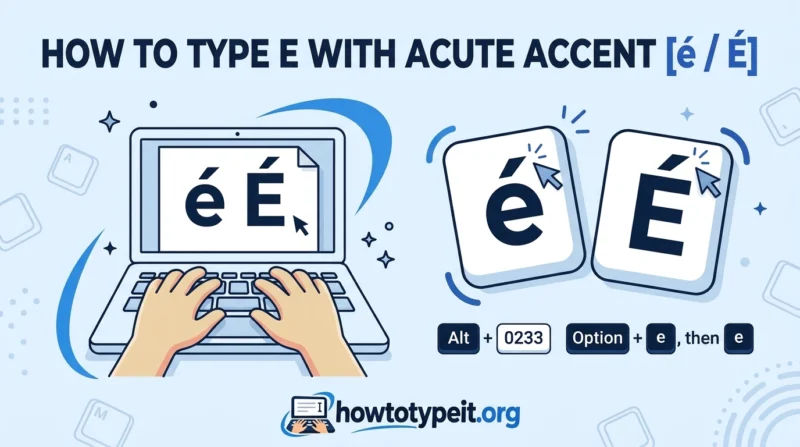
| Windows ALT Code | ALT + 0233 (Lowercase) / ALT + 0201 (Uppercase) | Requires a numeric keypad |
| Mac Shortcut | Option + E, then E | Release keys between keystrokes |
| Microsoft Word | 00E9 then ALT + X | Hexadecimal UNICODE conversion |
| UNICODE | U+00E9 (é) / U+00C9 (É) | Universal character encoding |
| HTML Entity | é (é) / É (É) | Standard web markup entities |
Understanding the E with Acute Accent
The letter E with an acute accent appears frequently in French, Spanish, Hungarian, and other languages. Despite common typing habits that rely on an apostrophe key for visual approximation, standard typography dictates using the dedicated acute accent character rather than combining separate punctuation marks. The lowercase variant is é and the uppercase variant is É.
Lowercase vs Uppercase Variants
UNICODE assigns distinct hexadecimal and decimal values to each case. Lowercase é maps to UNICODE U+00E9 (Decimal 233), while uppercase É maps to UNICODE U+00C9 (Decimal 201). Treating them as separate character entities prevents formatting errors in professional documents and software environments.
Anatomy of the Acute Accent Mark
The acute accent mark slopes upward from left to right (´). It alters the pronunciation of the vowel E, shifting an open sound to a closed sound. Typographically, using a spacing acute accent followed by a letter creates a disjointed glyph, which is why integrated keyboard layouts map the combination to a single composite character.
How to Type E with Acute on Windows
Windows operating systems offer multiple input pathways depending on whether you use a full physical keyboard with a numeric keypad or a compact laptop layout.
Using Numeric Keypad ALT Codes
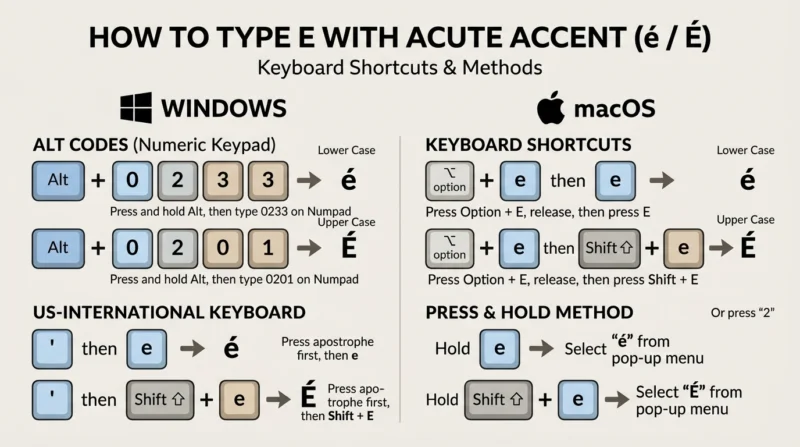
To generate lowercase é, hold down the ALT key and type 0, 2, 3, 3 on the numeric keypad, then release ALT. For uppercase É, hold ALT and type 0, 2, 0, 1. Ensure Num Lock is active before pressing the numeric keys.
Using Microsoft Word Shortcuts
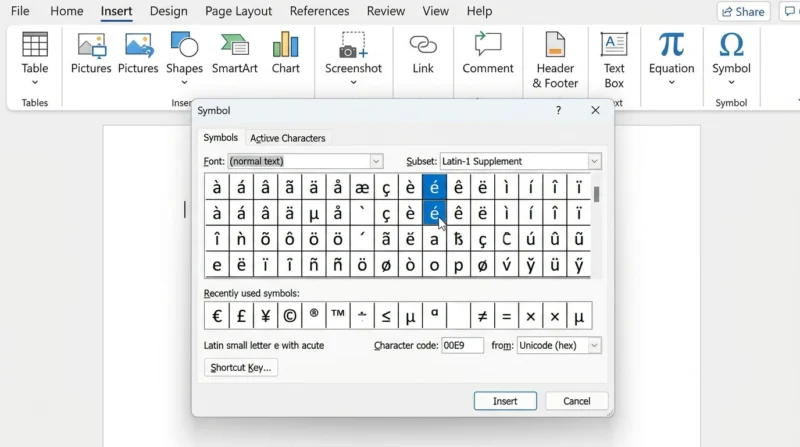
Microsoft Word supports a rapid inline shortcut. Press CTRL + ' (apostrophe), release both keys, and then press E. For uppercase, press CTRL + ' followed by SHIFT + E. Alternatively, type the HEX code 00E9 and immediately press ALT + X to convert it directly into é.
How to Type E with Acute on Mac
Apple macOS provides streamlined accent modifiers built directly into the standard hardware layout.
Using the Option Key Modifier
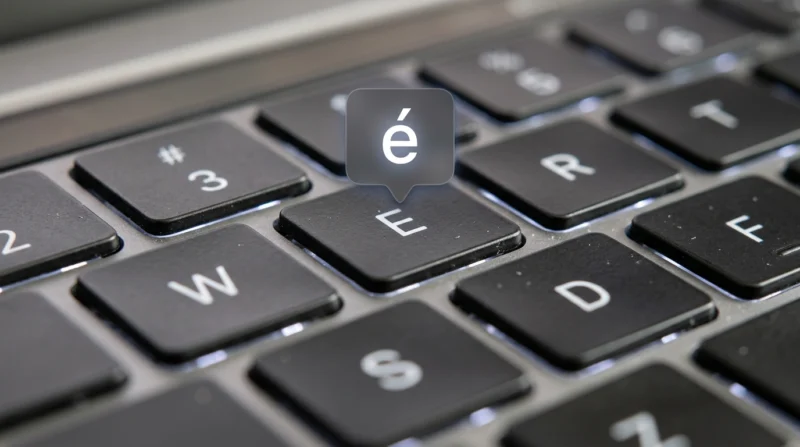
Press OPTION + E simultaneously. You will notice an indicator or a temporary accent prompt. Release the keys and press E again to output é. For uppercase É, press OPTION + E, release, and then press SHIFT + E.
Using the Character Viewer
Press CTRL + COMMAND + SPACEBAR to open the Character Viewer palette. Type “acute” into the search field to select and insert the exact character glyph into your active text field.
Typing E with Acute on Mobile Devices
Virtual keyboards on mobile operating systems rely on touch gestures to access accented variants without switching language keyboards.
iOS and Android Long-Press Menus
Tap and hold the E key on your virtual soft keyboard. A floating dialogue menu will appear displaying multiple accented variations. Slide your finger to select é or É and release to input the character.
US-International and Advanced Layouts
Power users who type multi-language documents frequently switch their operating system keyboard profile to the US-International layout. Under this configuration, pressing the apostrophe key ' acts as a dead key. When you tap ' followed immediately by E, the system instantly combines them into é. Pressing the spacebar immediately after the apostrophe outputs a standalone quotation mark.
Frequently Asked Questions
What is the ALT code for lowercase é?
The standard Windows ALT code for lowercase é is ALT + 0233 when using a dedicated numeric keypad.
How do you type capital É on a Mac?
On a Mac, press Option + E, release both keys, and then press SHIFT + E to produce the uppercase É.
Can I type é using an apostrophe key shortcut?
In Microsoft Word, you can press CTRL + ‘ followed by the letter e to quickly generate an é.
What is the UNICODE value for E with acute?
The UNICODE value for lowercase é is U+00E9, and for uppercase É it is U+00C9.