

| System / Method | Shortcut or Code | Notes |
|---|---|---|
| Windows ALT Code | ALT + 227 | Use numeric keypad with NumLock active |
| Mac Shortcut | Option + P | Direct key combination in any app |
| Word Shortcut | 03C0 then ALT + X | Converts HEX code to UNICODE glyph |
| UNICODE | U+03C0 | Standard hexadecimal code point |
| HTML Entity | π or π | Web safe rendering format |
Quick Answer How to Type the Pi Sign
Typing the mathematical constant pi requires using platform-specific input shortcuts. The lowercase symbol is written as π, while the uppercase variant used for product operations is written as Π. Selecting the correct method depends on your operating system, software application, or web framework.
Lowercase and Uppercase Pi Overview
The lowercase pi (π) represents the ratio of a circle circumference to its diameter, assigned UNICODE point U+03C0. The uppercase pi (Π) represents the product operator in mathematics, assigned UNICODE point U+03A0. Both characters can be accessed directly using specialized keyboard layers or character utility menus.
Typing Pi on Windows and Microsoft Word

Windows operating systems do not feature a native direct key combination for pi on standard keyboards, but users can rely on numeric keypad codes or text editor shortcuts.
Using the Windows ALT Code
To type the lowercase pi symbol on Windows:
- Ensure your keyboard NumLock is active.
- Press and hold the ALT key.
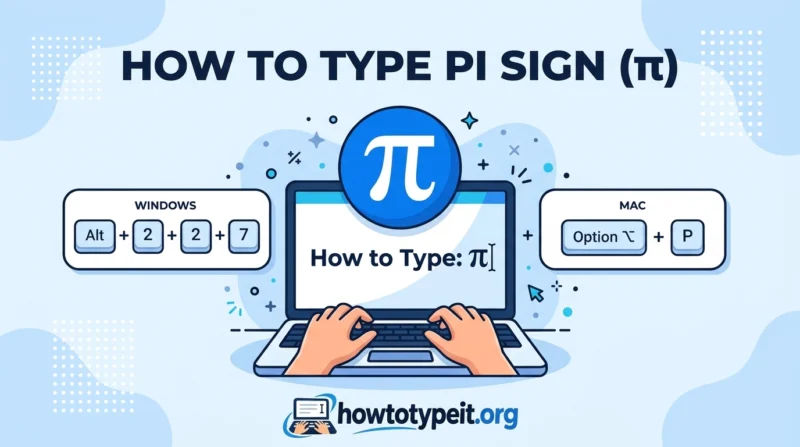
- Type 2, 2, 7 on the numeric keypad.
- Release the ALT key to render π.
Using Word UNICODE Conversion
In Microsoft Word, Outlook, or WordPad, you can convert hexadecimal text instantly:
- Type 03C0 and press ALT + X to generate π.
- Type 03A0 and press ALT + X to generate Π.
Typing Pi on Mac and Linux
Apple macOS environments provide streamlined native shortcuts for Greek characters without requiring numeric keypad sequences.
Mac Option Shortcut
Press Option + P to instantly type the lowercase pi symbol (π) in any Mac application. For uppercase pi (Π), use SHIFT + Option + P.
Linux UNICODE Entry
On Linux distributions running GNOME or similar desktop environments, press CTRL + SHIFT + U, release, type 03c0, and press Enter.
Inserting Pi in Web Apps Like Google Docs
Browser-based word processors and HTML documents use dedicated insertion menus or markup syntax.
Special Characters Menu
In Google Docs:
- Navigate to the top menu and select Insert.
- Click Special characters.
- Type pi into the search bar or draw the symbol in the canvas area.
- Click the matching result to insert it into your document.
HTML Entities for Web Developers
Web developers can embed pi directly into source code using character references:
- Lowercase entity name: π
- Lowercase decimal entity: π
- Uppercase entity name: Π
- Uppercase decimal entity: Π

Typing Pi on Mobile Devices
Mobile operating systems require activating alternate keyboard layouts to access mathematical symbols.
iPhone and iPad Setup
- Open Settings and tap General.
- Select Keyboard, then Keyboards, and tap Add New Keyboard.
- Choose Greek from the language list.
- While typing, tap the globe icon to switch to the Greek layout, where pi is located on the standard letter grid.
Android and Gboard Symbols
- Open the Google Keyboard (Gboard) inside any text field.
- Tap the ?123 key to access numbers and basic punctuation.
- Tap the =< or secondary symbol key to open advanced mathematical symbols.
- Locate and tap π to insert it.
Frequently Asked Questions
What is the fastest keyboard shortcut to type pi on a Mac?
On a Mac, you can instantly type the lowercase pi symbol (π) by pressing Option + P anywhere.
How do you type the pi symbol in Microsoft Word?
In Microsoft Word, you can type 03C0 and immediately press ALT + X to convert the text into the pi symbol (π).
What is the Windows ALT code for pi?
The standard Windows ALT code for the lowercase pi symbol is ALT + 227, using the numeric keypad with NumLock enabled.
How do I type pi on an iPhone or iPad?
To type pi on iOS, add the Greek keyboard via Settings > General > Keyboard, then switch to it using the globe icon.